


RX 9070 XT Elden Ring Nightreign at 4K: FPS Benchmark & Optimal Settings
RX 9070 XT Elden Ring Nightreign at 4K: FPS. Real-world benchmark data, FPS numbers & performance analysis. What SA gamers can actually expect.
Read moreRTX 5070 bottleneck slowing your Warzone FPS? This CPU guide shows which processors to pair, BIOS and Windows tweaks, and quick settings to boost FPS and reduce lag. ⚙️🔥
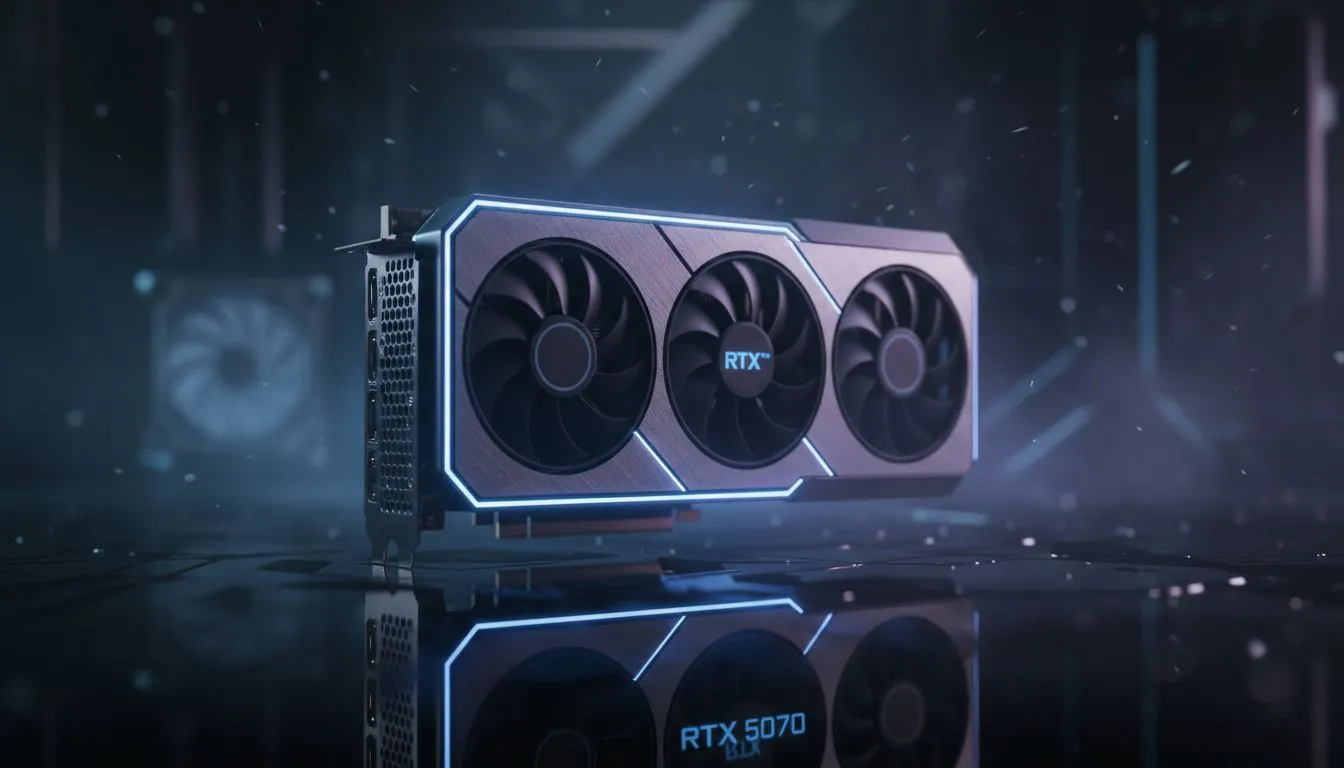
Dropping into a high-stakes Warzone match requires more than just quick reflexes. With the RTX 5070 hitting South African shores, many gamers face a hidden enemy... the CPU bottleneck. If your processor cannot keep up, those high frame rates simply vanish. Our RTX 5070 Bottleneck: CPU Guide for Warzone ensures you do not leave performance on the table when every millisecond counts in that final circle. 🚀
Warzone is notoriously demanding on processors. It must handle massive player counts and complex physics in real-time. Even a powerhouse like the RTX 5070 can stutter if your CPU is outdated. You want to avoid the RTX 5070 Bottleneck to keep your 1% lows stable. This guide helps you pick the right chip to ensure a smooth experience.
Intel continues to lead with high clock speeds that Warzone loves. Modern i7 and i9 chips handle the high draw calls of Call of Duty perfectly. If you want to push 144Hz or even 240Hz at 1440p, you should buy Intel CPUs that offer the latest hybrid architecture. This ensures your GPU is never waiting for instructions while you are mid-gunfight. ⚡
Turn off "Hardware-Accelerated GPU Scheduling" in Windows settings if you notice micro-stutters with newer NVIDIA drivers. While it usually helps, some Warzone patches react poorly to it. Always keep your chipset drivers updated to ensure the CPU and GPU communicate without any lag.
AMD has changed the landscape with their X3D series. The massive L3 cache acts like a boost for Warzone. It smooths out frame times and increases average FPS significantly. When you buy AMD CPUs from the latest Ryzen 7 or 9 tiers, you get incredible efficiency. It is often the best way to ensure your RTX 5070 reaches its full potential without breaking a sweat.
You do not always need the most expensive chip on the shelf. Sometimes a mid-range powerhouse is exactly what you need for 1440p gaming. You can buy CPU processors online that fit your specific budget while avoiding major performance drops. Look for at least eight fast cores to handle background tasks like Discord or streaming while the game runs. 🔧
Investing in a balanced system is better than overspending on a single component. The RTX 5070 is a beast, but it needs a partner that can keep up. By following this RTX 5070 Bottleneck: CPU Guide for Warzone, you can build a rig that dominates the lobby. Make sure your cooling is up to the task too... South African summers can be brutal on high-performance hardware. ✨
Ready to Max Out Your Frames? Don't let a slow processor hold back your new GPU. For the best performance, choice, and value in South Africa, upgrading your core is the smartest move. Explore our massive range of CPU specials and find the perfect match for your RTX 5070 today.
Monitor CPU core usage and frame times with MSI Afterburner or Task Manager; high CPU use with low GPU use signals a CPU bottleneck. Use monitor CPU bottleneck Warzone RTX 5070 tools.
Look for 6-8 core CPUs with strong single-thread performance, like mid-high Ryzen or Intel chips, to avoid bottlenecks in Warzone. See best CPUs for RTX 5070 Warzone.
Lowering CPU-bound settings (population, shadow quality) reduces CPU load and can improve FPS. Try reduce CPU bottleneck Warzone settings first.
Yes — slow or insufficient RAM raises CPU wait times. Use dual-channel, 3200MHz+ RAM for optimal CPU- GPU balance for RTX 5070.
Not always. BIOS updates, Windows power plans, background task cleanup, and settings tweaks often reduce the bottleneck before a CPU upgrade.
Both can work; pick the chip with stronger single-thread and similar core counts to your target FPS. Compare Ryzen vs Intel for RTX 5070 Warzone.
Use repeatable Warzone sections, record average FPS and 1% lows, and test after each tweak to confirm reduced CPU bottleneck and improved stability.
RX 9070 XT Elden Ring Nightreign at 4K: FPS. Real-world benchmark data, FPS numbers & performance analysis. What SA gamers can actually expect.
Read more
RTX 5090 Marvel Rivals FPS: Performance Benchmark. Real-world benchmark data, FPS numbers & performance analysis. What SA gamers can actually expect.
Read more
Intel Arc A770 Escape from Tarkov Performance. Real-world benchmark data, FPS numbers & performance analysis. What SA gamers can actually expect.
Read more
Head-to-head comparison of RX 9070 XT vs RTX 6070: Gaming Performance for SA gamers. Performance benchmarks, Rand pricing & which delivers better value.
Read more
Head-to-head comparison of RTX 5060 Ti Mining vs Gaming: Does It Affect for SA gamers. Performance benchmarks, Rand pricing & which delivers better value.
Read more
Ryzen 7 7800X3D Gaming Benchmark: FPS Across 20. Real-world benchmark data, FPS numbers & performance analysis. What SA gamers can actually expect.
Read more
Complete ATX Case Size Guide: Interior Dimensions. Best deals curated with real SA discounts, price history & tips on getting genuine value.

What GPU Do You Need for AI & Machine Learning. Hardware requirements breakdown with recommended specs & SA pricing for each tier.

Top Settings for RTX 4060 at Ultrawide 1440p picks evaluated on performance, value & SA availability with current Rand pricing from Evetech.

Head-to-head comparison of FreeSync vs G-Sync Explained: Which Should Gamers for SA gamers. Performance benchmarks, Rand pricing & which delivers better value.

Every spec on PCIe 5.0 explained in plain English. What matters for gaming and creator work in 2026, what's marketing fluff, and how each number translates to real-world performance.

Every spec on bios explained in plain English. What matters for gaming and creator work in 2026, what's marketing fluff, and how each number translates to real-world performance.

Every spec on gaming setups explained in plain English. What matters for gaming and creator work in 2026, what's marketing fluff, and how each number translates to real-world performance.

Every spec on cooling systems explained in plain English. What matters for gaming and creator work in 2026, what's marketing fluff, and how each number translates to real-world performance.

Every spec on understanding how much vram is needed explained in plain English. What matters for gaming and creator work in 2026, what's marketing fluff, and how each number translates to real-world.

How to pick the right PCIe 5.0 for your build in 2026: the features worth paying for, ZAR value tiers, and the trade-offs between budget, mid-range and flagship picks.

Every spec on gpu explained in plain English. What matters for gaming and creator work in 2026, what's marketing fluff, and how each number translates to real-world performance.

Every spec on gpu explained in plain English. What matters for gaming and creator work in 2026, what's marketing fluff, and how each number translates to real-world performance for SA buyers.