


RTX 4080 Super After Effects Performance: Benchmark & Real-World Test 2026
RTX 4080 Super After Effects Performance. Real-world benchmark data, FPS numbers & performance analysis. What SA gamers can actually expect.
Read more• ssd read/write speeds: explain impact on AAA games • show benchmarks • recommend specs. SSD read/write speeds cut load times, reduce stutter, and enable seamless texture streaming for smoother gameplay 🎮⚡

Staring at a loading screen while your mates are already dropping into the action? We’ve all been there. That frustrating stutter when you whip around in a massive open-world game is a classic sign your storage can't keep up. In today's AAA titles, your GPU and CPU are only part of the story. The real unsung hero of a smooth, immersive experience? It all comes down to your SSD read/write speeds.
Let's quickly break this down. Think of your SSD as a high-tech library for your game's data.
For gaming, read speed is king, but healthy write speed ensures your whole system feels snappy and responsive. Poor SSD read/write speeds create a bottleneck, leaving your powerful processor and graphics card waiting for data.
Upgrading from an old hard drive to an SSD is a massive leap. But even within the world of SSDs, the performance differences are huge and directly impact your gameplay.
The most obvious benefit of high SSD read/write speeds is the drastic reduction in loading times. Whether you're fast-travelling across the map in Cyberpunk 2077 or respawning in a competitive shooter, a fast NVMe SSD gets you back into the game in seconds, not minutes. This isn't just a convenience; it keeps you immersed in the world without frustrating interruptions.
Modern AAA games use a technique called "asset streaming" to build their massive, detailed worlds. As you move, the game constantly loads new textures, objects, and environments just ahead of you. A slow drive can't feed this data to your GPU fast enough, resulting in ugly texture pop-in, objects appearing out of thin air, and performance stutters. A drive with excellent read performance, like a lightning-fast Klevv CRAS C925G 1TB Gen4 NVMe SSD, ensures the world renders smoothly and instantly around you.
Before investing in a top-tier Gen4 NVMe SSD, double-check that your motherboard has a compatible M.2 slot that supports the PCIe 4.0 standard. Plugging a Gen4 drive into a Gen3 slot will work, but it will limit the drive's speed. You want to unleash its full potential!
While any SSD is better than a mechanical hard drive, the real performance for modern gaming lies with NVMe (Non-Volatile Memory Express) SSDs. These drives plug directly into the motherboard's M.2 slot, bypassing older, slower data channels. They deliver the raw throughput needed for today's demanding titles. Brands like Klevv have become a go-to for South African builders, offering incredible performance without breaking the bank. You can explore Klevv's range of high-performance memory and storage to see the latest options.
Ultimately, investing in an SSD with strong read and write performance isn't just a luxury; it's an essential part of a balanced, modern gaming rig. It ensures every component can perform at its peak, delivering the seamless, high-fidelity experience you paid for. Don't let your storage hold your system back. ✨
Ready to Eliminate Loading Screens? A slow drive is the ultimate bottleneck in a modern gaming PC. Upgrading your storage is one of the most impactful changes you can make. Explore our massive range of the latest SSDs and find the perfect drive to unleash your rig's true potential.
Higher SSD read/write speeds cut level and asset load times, letting AAA games start faster and stream textures without delays.
Aim for NVMe sequential reads around 2000+ MB/s and writes 1000+ MB/s to ensure smooth asset streaming in modern AAA titles.
Yes. NVMe delivers much faster read/write speeds than SATA, reducing load times and streaming-related stutter in high-fidelity games.
Absolutely. Slow SSD read/write speeds can cause texture pop-in and streaming stutters, especially in expansive open-world AAA games.
Upgrading to a faster SSD improves load and streaming performance; FPS gains depend on GPU/CPU, but IO bottlenecks and stutters decrease.
Use tools like CrystalDiskMark or AS SSD to measure sequential and random read/write speeds and compare against recommended gaming thresholds.
For AAA gamers, faster read/write speeds are worth it: they deliver quicker loads, smoother texture streaming, and a more immersive experience.
RTX 4080 Super After Effects Performance. Real-world benchmark data, FPS numbers & performance analysis. What SA gamers can actually expect.
Read more
RTX 4070 Super Star Wars Outlaws at 4K: FPS. Real-world benchmark data, FPS numbers & performance analysis. What SA gamers can actually expect.
Read more
RTX 4060 Kingdom Come Deliverance 2 at 1440p: FPS. Real-world benchmark data, FPS numbers & performance analysis. What SA gamers can actually expect.
Read more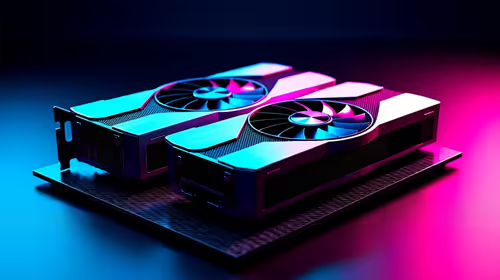
Head-to-head comparison of RTX 4070 Ti Super vs RX 9070: Ray Tracing for SA gamers. Performance benchmarks, Rand pricing & which delivers better value.
Read more
RTX 4070 Super Doom The Dark Ages at 1440p: FPS. Real-world benchmark data, FPS numbers & performance analysis. What SA gamers can actually expect.
Read more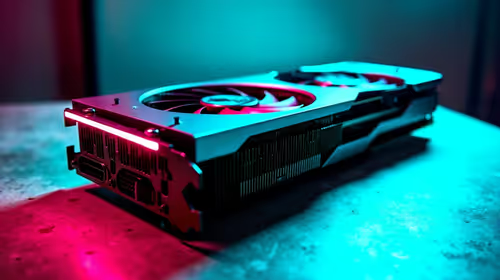
RTX 4070 Ti Super for Large Language Model. Real-world benchmark data, FPS numbers & performance analysis. What SA gamers can actually expect.
Read more
Snapdragon X2 NPU Explained: How 80 TOPS Changes. Plain-English explanation of what it means, why it matters & how it affects your buying decisions in SA.

HBM? High Bandwidth Memory Used in GPUs and AI. Plain-English explanation of what it means, why it matters & how it affects your buying decisions in SA.

How much should you spend on sim racing accessories in South Africa for a realistic setup? We break down budgets by quality tiers, so you buy smart gear and avoid overspending 🎮💸

G-Sync and FreeSync? Variable Refresh Rate. Plain-English explanation of what it means, why it matters & how it affects your buying decisions in SA.

AMD Laptop: Value. SA-focused analysis with local pricing data, real-world insights & actionable buying advice.

How MacBook Neo Handles 30+ Chrome Tabs with Only. SA-focused analysis with local pricing data, real-world insights & actionable buying advice.

Why Apple Put 8GB RAM in MacBook Neo: The A18 Pro. SA-focused analysis with local pricing data, real-world insights & actionable buying advice.

Upgrade your work laptop with a New Motherboard. Step-by-step instructions with SA-specific tips, common pitfalls to avoid & expert recommendations.

Glorious Keyboard Switches Explained: Which. Plain-English explanation of what it means, why it matters & how it affects your buying decisions in SA.

Winter Keyboard Buying Guide. Everything you need to know with SA pricing, step-by-step instructions & expert recommendations.

Keyboard Buying Guide. Everything you need to know with SA pricing, step-by-step instructions & expert recommendations.

LGBTQ+ Gamers Keyboard Guide: January Edition. Everything you need to know with SA pricing, step-by-step instructions & expert recommendations.