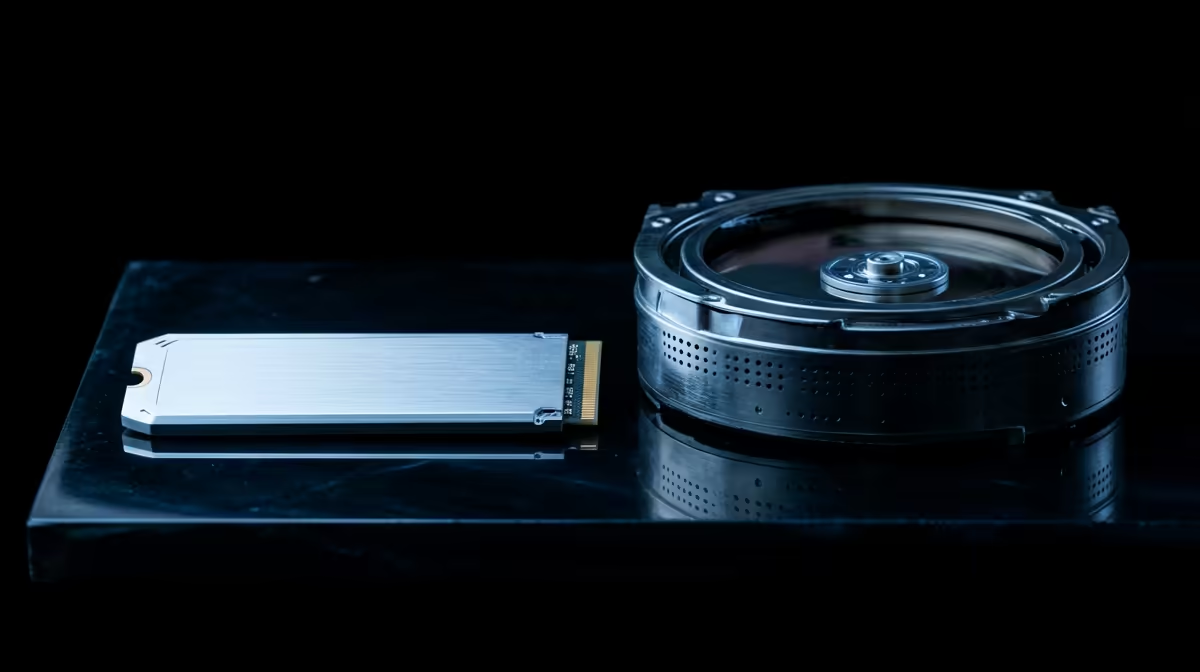
Staring at a loading bar while your mates are already dropping into the action… sound familiar? We've all been there. The culprit is often your storage drive. The classic SSD vs HDD for gaming debate isn't just about specs on a sheet; it’s about reclaiming your time and getting a smoother experience. So, which drive truly boosts your PC’s speed and gets you into the game faster? Let's break it down, South Africa. ⚡
What's a Hard Disk Drive (HDD) and Why Is It So... Slow?
Think of a traditional Hard Disk Drive (HDD) like a vinyl record player. It has spinning platters (the records) and a mechanical arm with a read/write head that physically moves to find your data. This mechanical nature is its biggest bottleneck.
While fantastic for storing massive amounts of data on a budget, HDDs struggle with the rapid, random data access that modern games demand. This results in:
- Painfully long game-loading screens.
- Slower operating system boot times.
- In-game stuttering or texture pop-in as the drive scrambles to load new assets.
They are still brilliant for archiving years of photos or storing a massive back-catalogue of games you don't play often. You can find some incredible deals on huge terabyte hard drives for just this purpose.
How Solid-State Drives (SSDs) Supercharge Your Gaming
A Solid-State Drive (SSD) is the high-tech evolution. It has no moving parts. Instead, it uses flash memory chips—like a massive, incredibly fast USB stick permanently installed in your PC. This fundamental difference is what gives it a colossal speed advantage. 🚀
For gamers, the benefits are immediate and obvious. The debate over SSD vs HDD for gaming is pretty much settled the moment you experience:
- Drastically reduced load times: Jump into levels in seconds, not minutes.
- A snappier system: Your entire PC, from booting up Windows to opening Discord, feels more responsive.
- Smoother gameplay: Open-world games feel more fluid as assets are streamed instantly from the drive.
The performance leap is so significant that upgrading to solid-state drives is often considered the single most impactful upgrade you can make to a gaming PC.
Pro Gamer's Hybrid Strategy 💡
Get the best of both worlds. Install your operating system and your top 2-3 most played games on a speedy SSD for instant access. Then, use a large, affordable HDD for your back catalogue of games, photos, and videos. It's the smart way to balance speed and budget.
Not All SSDs Are Created Equal: NVMe vs SATA
Just when you thought it was simple, there's another layer: the type of SSD. The two main players are SATA and NVMe.
SATA SSDs
These usually come in a 2.5-inch rectangular shape and connect via a SATA cable, just like a traditional HDD. They are a massive step up from any hard drive and offer a fantastic performance-per-Rand value. Many gamers start their SSD journey by swapping their old boot drive with a reliable 2.5-inch SATA SSD for an instant system-wide speed boost.
NVMe M.2 SSDs
This is the pinnacle of storage performance. NVMe (Non-Volatile Memory Express) drives look like a small stick of RAM and plug directly into a special M.2 slot on your motherboard. By bypassing the older SATA interface, they achieve mind-blowing read and write speeds. For enthusiasts who demand zero compromises and the absolute fastest loading times possible, an NVMe M.2 SSD is the only way to go.
The Final Verdict: Which Drive Should You Choose?
So, when it comes to SSD vs HDD for gaming, what's the conclusion?
For any serious gamer in South Africa today, an SSD is no longer a luxury—it's an essential component for your primary drive. Your operating system and most-played games must be on an SSD to avoid bottlenecks and frustration.
If your budget is tight, a 500GB or 1TB SATA SSD is a perfect starting point. If you want the best of the best, an NVMe SSD is the clear winner. The HDD still has a crucial role to play, but its new job is as a high-capacity, affordable vault for your less-used data, not the star of the show.
Ready to Ditch the Loading Screens?
An SSD is the most impactful upgrade you can make for your rig's speed and responsiveness. Explore our latest SSD deals at Evetech for performance that leaves lag in the dust.