


You’re the last one alive in your squad. The final circle is closing in, the tension is electric... and then your game freezes for a split second. That micro-stutter is all it takes. You’re out. Frustrating, right? While many things can cause instability, a slow, old hard drive is often the secret saboteur. This guide breaks down the SSD vs HDD gaming debate to show you which drive is best at preventing those devastating game crashes.
The HDD Problem: Why Old Drives Cause Stutters and Crashes
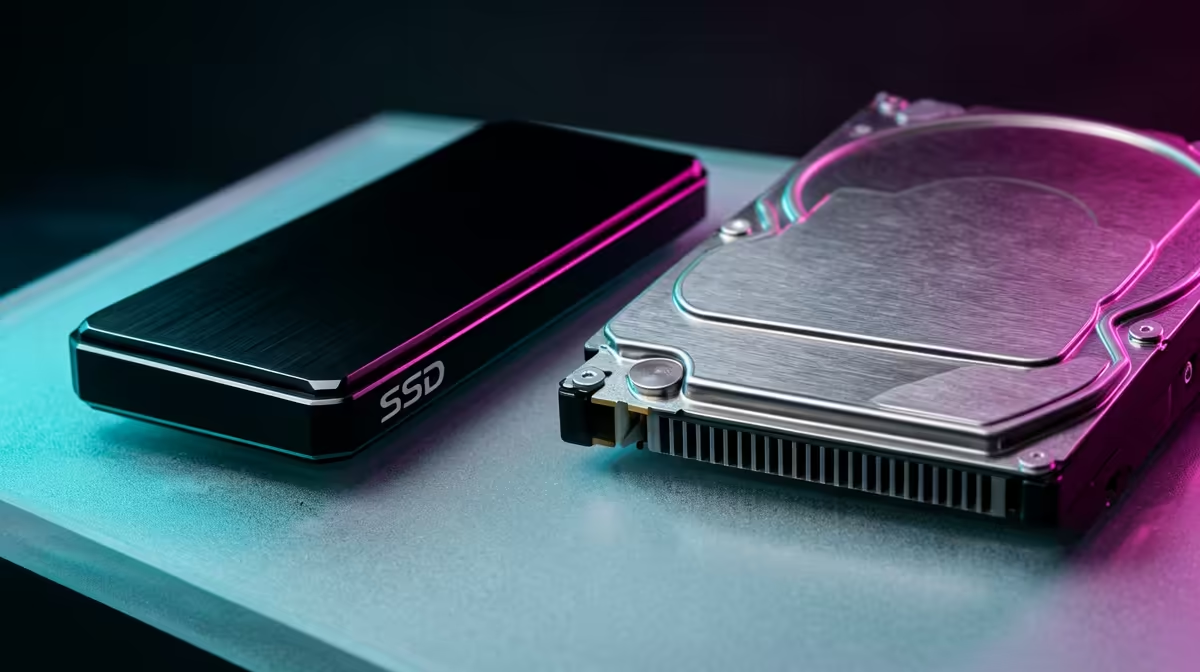
Think of a traditional Hard Disk Drive (HDD) like a vinyl record player. It has a physical spinning platter and a read/write head that has to move back and forth to find data. When a modern game needs to load massive textures or new areas on the fly, that mechanical movement can create a bottleneck. 🔧
Your game demands assets, but the HDD can't deliver them fast enough. The result?
- Texture Pop-In: Scenery and objects look blurry before suddenly snapping into focus.
- Stuttering: The game freezes for a moment while the drive catches up.
- Crashes: In extreme cases, the delay is so long the game engine gives up and crashes to the desktop.
While they offer huge amounts of storage for a low price, these traditional hard drives are simply not built for the intense data demands of today's AAA titles.
The SSD Solution: Instant Data, Stable Gaming 🚀
This is where the SSD vs HDD gaming comparison becomes crystal clear. A Solid-State Drive (SSD) has no moving parts. It uses flash memory, like a massive, sophisticated USB stick. This means data access is nearly instantaneous.
When your game needs a file, the SSD delivers it immediately. This eliminates the data bottleneck, leading to a much smoother and more stable experience. Upgrading to one of our Solid-State Drives (SSDs) is one of the most impactful changes you can make to your PC, directly preventing the stutters and crashes caused by a slow storage drive. Your load times will vanish, and your gameplay will feel far more responsive.
Not All SSDs Are Created Equal: NVMe vs. SATA
Once you decide to upgrade, you'll see two main types of SSDs. Understanding the difference is key to getting the best performance for your budget.
NVMe SSDs: The Ultimate Speed
NVMe (Non-Volatile Memory Express) SSDs are the Formula 1 cars of storage. They plug directly into your motherboard's M.2 slot, using the high-speed PCIe bus to achieve mind-blowing read and write speeds. For your operating system and your most-played games like Apex Legends or Baldur's Gate 3, nothing beats the performance of blazing-fast NVMe SSDs.
SATA SSDs: The Reliable Workhorse
SATA SSDs use the same rectangular shape and connector as older laptop hard drives. While not as fast as NVMe drives, they are still lightyears ahead of any HDD. These 2.5-inch SATA SSDs offer a fantastic balance of price and performance, making them the perfect choice for storing the rest of your game library without breaking the bank. ✨
Check Your Motherboard! 💡
Before you buy a super-fast NVMe SSD, quickly check your motherboard's specifications online. Look for "M.2 slot" or "PCIe Gen 3 4 5 support". Most modern boards have at least one, but it's always best to confirm compatibility to ensure you get the maximum speed you're paying for.
The Verdict: Which Drive Prevents Game Crashes?
When it comes to the SSD vs HDD gaming fight for stability, the SSD is the undisputed champion. A slow HDD is a direct cause of storage-related stutters and crashes in modern games. By providing instant access to game data, an SSD resolves this core issue, leading to a significantly smoother and more reliable experience.
For the ultimate South African gaming rig, a hybrid approach is often best: a primary NVMe SSD for your OS and favourite games, and a larger SATA SSD for the rest of your collection. This setup gives you elite speed where it matters most and ample storage for everything else. Keep an eye on our fantastic SSD deals to find the perfect drive at a great price.
Ready to End Game Crashes for Good? Stop letting a slow drive dictate your K/D ratio. An SSD upgrade is the single best way to boost your PC's stability and speed. Explore our massive range of SSDs and find the perfect drive to conquer your game library.









