


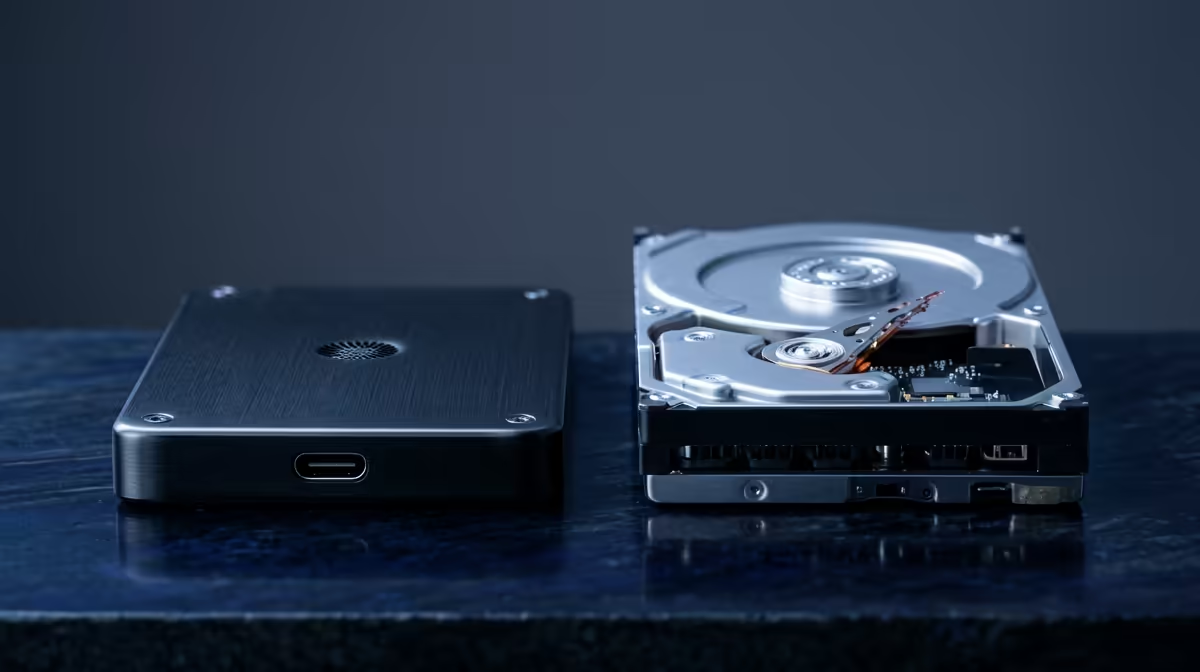
Staring at a stuttering timeline or a render bar that barely moves? We’ve all been there. The bottleneck is often your storage drive. The big question is: in the SSD vs HDD for video editing battle, which one truly unleashes your PC’s potential? Let's ditch the jargon and run a real-world speed test to find out. 🚀
The Core Difference: How Your Storage Works
Before we dive into the speeds, let's quickly break down the tech. Think of a Hard Disk Drive (HDD) like a vinyl record player. It has a physical, spinning platter and a mechanical arm that reads and writes data. It’s reliable for storing massive files, but that moving arm takes time to find what it needs.
An SSD (Solid-State Drive), on the other hand, is more like a high-tech USB stick. It uses interconnected flash-memory chips with no moving parts. This means it can access data almost instantly. This fundamental difference is the key to understanding the performance gap in the SSD vs HDD for video editing debate.
The Real-World Speed Test: Editing Performance
Let's imagine a typical 4K video project. We're looking at large source files, multiple audio tracks, and colour grading effects. How does each drive type handle the pressure?
Loading Projects & Media
With an HDD, opening a large DaVinci Resolve or Premiere Pro project can feel like an eternity. You click, you wait... you might even have time to make a quick cup of coffee.
- HDD: Expect load times of a minute or more for complex projects.
- SSD: The project snaps open in seconds. Media files populate instantly, letting you get to work right away.
This initial speed boost sets the tone for your entire workflow. Faster loading means less friction between you and your creative flow.
Scrubbing Through 4K Footage ⚡
This is where the difference becomes undeniable. "Scrubbing" is when you quickly drag the playhead across your timeline to find a specific clip.
- HDD: Trying to scrub through 4K footage on an HDD often results in a choppy, frustrating slideshow. The drive simply can't read the data fast enough to give you a smooth preview.
- SSD: An SSD delivers a buttery-smooth experience. You can zip back and forth across your timeline with a real-time preview, making edits faster and more precise. The difference in an SSD vs HDD for video editing workflow is most noticeable right here.
The Final Render: Exporting Your Masterpiece
When your masterpiece is ready, the final export is the last hurdle. While your CPU and GPU do the heavy lifting here, the storage drive plays a crucial role in feeding them data and writing the final file. An SSD provides the necessary bandwidth to prevent your processor from waiting for data, which can shave valuable minutes off your render times. Many modern editing rigs built around the latest Intel PC deals are designed to take full advantage of this speed.
Beyond Speed: Cost, Capacity, and Strategy
Okay, so an SSD is clearly faster for video editing. But is it the only factor? Not quite.
HDDs still hold one major advantage: cost per gigabyte. You can get massive multi-terabyte HDDs for a fraction of the price of an equivalent SSD. This makes them perfect for archiving completed projects and storing raw footage you aren't actively working on.
This is where a smart, hybrid strategy comes in. It’s the setup most pro editors in South Africa use.
The Hybrid Storage Pro Tip 🔧
the ultimate editing setup, use a three-tiered approach. 1. NVMe SSD: A super-fast SSD for your operating system and editing software. 2. SATA SSD: A larger, dedicated SSD as a "scratch disk" for your active project files and media cache. 3. Large HDD: A massive hard drive for long-term storage and project archives. This gives you maximum speed where it counts, without breaking the bank.
A balanced approach means you don't have to choose between speed and capacity. Even many of the powerful AMD Ryzen builds are configured this way to deliver the best of both worlds.
The Verdict: What Should a SA Creator Choose?
For video editing in 2024, an SSD isn't just a luxury... it's essential. The performance gains in loading, scrubbing, and overall system responsiveness are too significant to ignore. The SSD vs HDD for video editing contest has a clear winner for active work.
However, the trusty HDD still has a vital role for affordable mass storage. The ideal solution is a hybrid one: use a fast SSD for your operating system, applications, and current projects, and a large HDD for archiving. This approach offers blistering performance without forcing you to delete old projects. You can find fantastic pre-built systems with this exact configuration, including some surprisingly powerful editing PCs under R20,000 that are perfect for aspiring creators. ✨
Ready to Build Your Ultimate Editing Rig? The SSD vs HDD debate is clear: you need both for a winning workflow. Stop waiting for progress bars and start creating at the speed of thought. Explore our range of custom-built PCs and configure the perfect machine to bring your vision to life.











