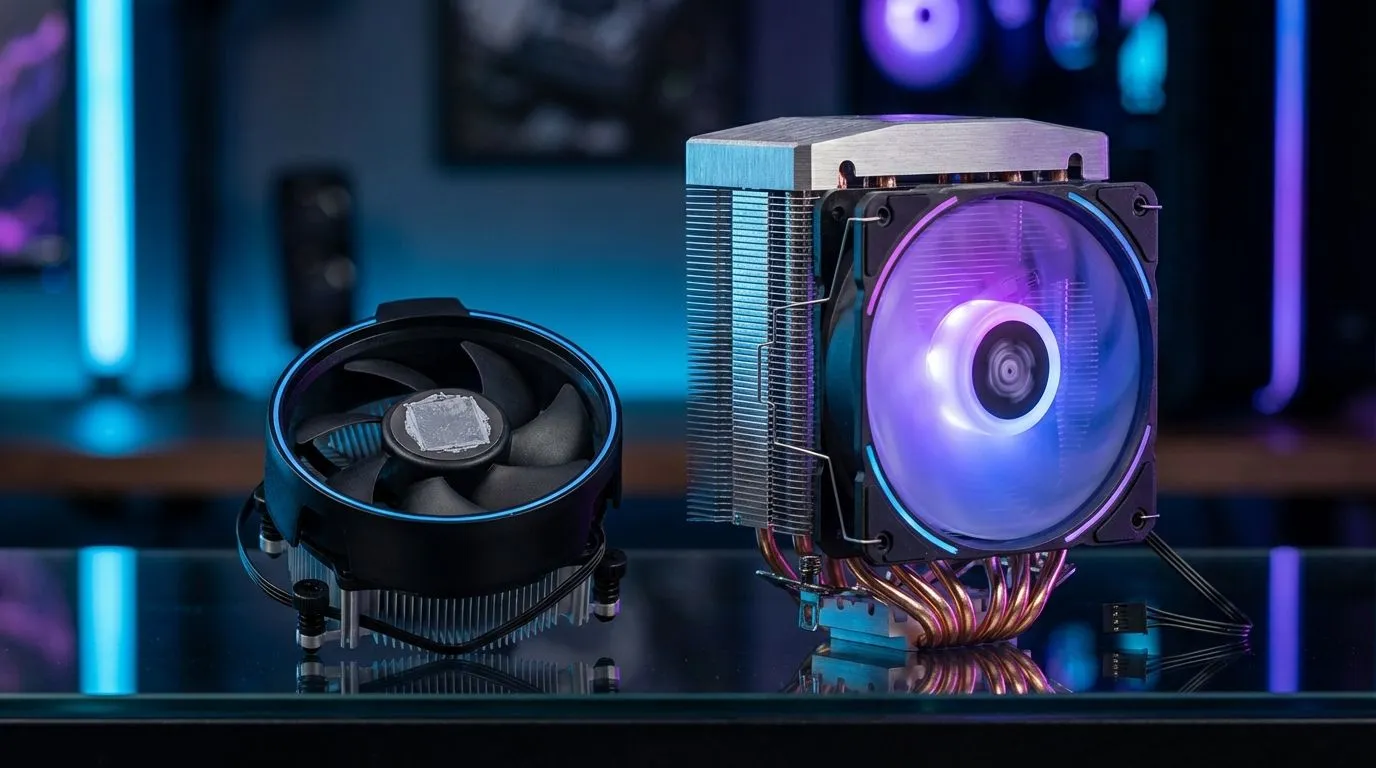
You’ve just unboxed your shiny new CPU. It’s a lekker feeling, right? But nestled in the packaging is a small, unassuming fan and heatsink… the stock cooler. In South Africa's demanding climate, it raises a critical question for your new build: is this freebie good enough for 2025's intense games and workloads? Or is it silently throttling your performance? Let's settle the stock cooler vs aftermarket debate once and for all.
What's the Deal with the Stock Cooler?
Think of the stock cooler as the bare minimum. CPU manufacturers like Intel and AMD include it to ensure their processor runs within safe temperature limits... under standard, non-overclocked conditions. It’s a functional, no-frills solution designed to get you up and running.
However, "functional" doesn't mean "optimal." These coolers are built to a cost, often featuring small heatsinks and high-RPM fans that can get noisy under pressure. For basic office work or light browsing, they’re perfectly fine. But for a gaming rig in a warm room? That’s a different story.
The Stock Cooler vs Aftermarket Showdown 🌡️
When you put them head-to-head, the differences become crystal clear. An aftermarket cooler is one of the most significant upgrades you can make for your PC's health and performance. The debate over a stock cooler vs aftermarket unit often comes down to three key areas:
- Cooling Performance: A stock cooler might let your CPU hit 85-95°C under heavy load. A decent aftermarket cooler can slash those temperatures by 10-25°C. This prevents "thermal throttling," where your CPU automatically slows down to avoid overheating—giving you more consistent frame rates.
- Noise Levels: To compensate for their small size, stock cooler fans have to spin incredibly fast, creating a distinct and often annoying whine. Aftermarket coolers use larger, more efficient fans that move more air at lower speeds, resulting in a much quieter PC.
- Overclocking & Boost: Want to squeeze extra performance out of your unlocked CPU? Forget it with a stock cooler. An aftermarket solution provides the thermal headroom needed to push your processor's clock speeds higher, unlocking its true potential.
Exploring the world of top-tier CPU coolers reveals just how much performance you might be leaving on the table.
When a Stock Cooler is Actually Okay
Let's be fair—an aftermarket cooler isn't always necessary. There are a few scenarios where sticking with the stock option is a perfectly reasonable choice:
- Strict Budget Builds: If every Rand counts and you're building an entry-level PC for esports titles like Valorant or for schoolwork, the stock cooler will get the job done.
- Low-Power CPUs: Processors like the Intel Core i3 or non-X AMD Ryzen 5 models don't generate a massive amount of heat, and the included cooler is generally sufficient.
- Excellent Case Airflow: If your PC case has fantastic airflow with multiple intake and exhaust fans, it can help the stock cooler perform a little better than it otherwise would.
For anything more demanding, however, an upgrade becomes less of a luxury and more of a necessity.
Pro Tip: Check Your Clearance! 🔧
Before you buy a big new cooler, grab a measuring tape. Check your PC case's specifications for maximum 'CPU cooler height' for air coolers, and 'radiator support' (like 240mm or 360mm) for liquid AIOs. The last thing you want is a powerful new cooler that won't physically fit inside your rig!
Why an Aftermarket CPU Cooler is a Smart Investment
Upgrading your CPU cooler isn't just about lower numbers on a temperature graph. It’s an investment that pays off in tangible ways. You get more consistent performance in marathon gaming sessions, a quieter workspace for streaming or creating content, and better long-term health for your valuable processor.
Plus, let's not forget the aesthetics. A sleek tower cooler or a vibrant RGB-lit all-in-one liquid cooler can be the centrepiece of your build, with premium options from brands like CORSAIR offering both incredible performance and stunning looks. ✨
Choosing Your Champion: Air vs. Liquid Coolers
Once you decide to upgrade, you have two main paths to choose from. Both are excellent choices, but they cater to slightly different needs.
Air Coolers
These are the traditional solution: a metal heatsink with heat pipes and a fan. Don't underestimate them—modern high-end air coolers can compete with many liquid coolers. They are known for their reliability and fantastic value, making them a go-to for most gamers. Evetech has a wide selection of air coolers that offer a massive performance jump over stock.
Liquid (AIO) Coolers
All-in-One (AIO) liquid coolers use a pump, tubing, and a radiator to move heat away from the CPU and exhaust it directly from the case. They often provide the absolute best cooling performance, especially for hot-running, high-core-count CPUs. For taming a beastly Intel Core i9 or AMD Ryzen 9, powerful 360mm radiator models are the top choice for enthusiasts. 🚀
Ultimately, the stock cooler vs aftermarket conclusion is clear. While the free cooler is a decent starting point, an aftermarket model is one of the most effective upgrades you can make to unlock performance, reduce noise, and protect your PC.
Ready to Beat the Heat?
The stock vs. aftermarket debate is clear: for peak performance, lower noise, and peace of mind, an upgrade is a must. Explore our massive range of CPU coolers and find the perfect solution to keep your rig running cool and fast.