

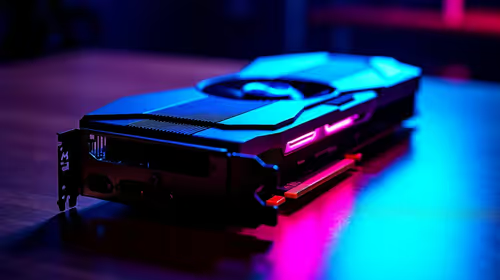
RTX 5050 Avowed FPS: Performance Benchmark & Best Settings
RTX 5050 Avowed FPS: Performance Benchmark. Real-world benchmark data, FPS numbers & performance analysis. What SA gamers can actually expect.
Read moreChoosing TITAN II Red vs Brown switches? Get the best feel for competitive gaming with smoother actuation, comfort, and accuracy tuning. Red for faster presses, Brown for balanced control 🎮⚙️
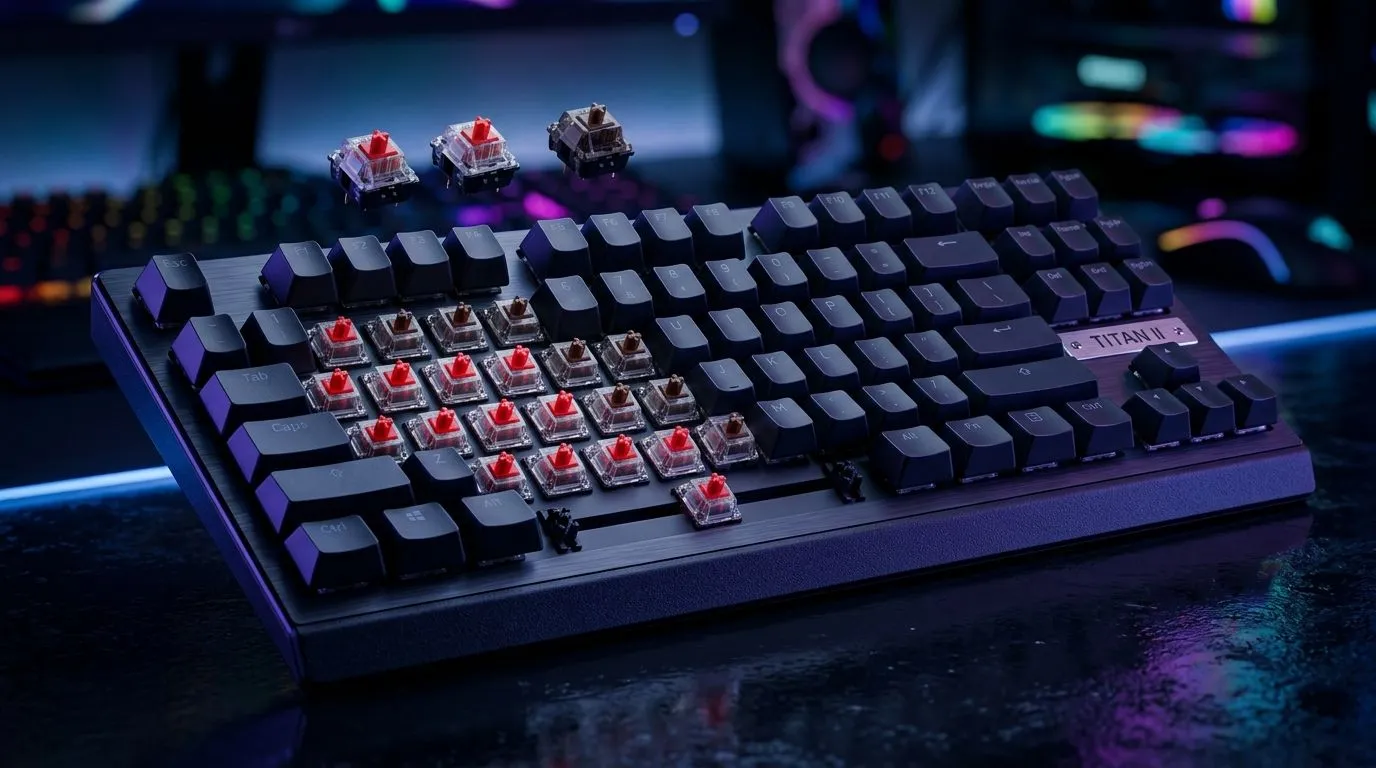
If you’re chasing consistent aim and fewer mistakes, your keyboard switches matter more than most people think. In South Africa, where loadshedding and long gaming sessions are real… the “feel” of your keystrokes becomes part of your muscle memory. 🔥
Today we’re comparing TITAN II Red vs Brown switches for competitive gaming. The goal: help you pick the right sound, speed, and comfort for ranked nights… without buyers’ regret.
Red switches are usually linear: the key press moves smoothly from top to bottom. That often suits fast, repetitive inputs like movement strafes and rapid fire. Browns are usually tactile: you get a small bump mid-press. That bump can help you avoid accidental key presses when you’re typing between matches.
Here’s the practical difference most gamers notice:
Why this matters in competitive play? Because your fingers learn patterns. If a switch makes you press “too lightly” or “too firmly”, your accuracy can drift over time.
Red switches are often quieter than clicky options, but they still vary by keyboard design. Brown switches tend to offer better feedback, which can reduce over-pressing. Over weeks, that can mean less hand fatigue for players who mash during tense rounds.
Don’t just pick what sounds cool. Match the switch to your play style:
Still unsure? Think about your last losing streak. Were you missing shots because you pressed too softly… or because you spammed too hard? That’s often the switch feel talking.
Switches are only half the story. Keyboards that pair good switches with stable connectivity can help you stay consistent, especially when your desk setup is chaotic.
If you’re shopping around for the right keyboard feel, start with these popular Evetech categories:
Prefer wired for low-latency habits? Build with:
Or if you want flexibility on your desk:
Want a matched feel across the whole setup? Consider:
If you play fast FPS movement, Red switches usually feel more “go time”. If you type a lot between matches or want that extra confirmation on every press, Brown switches can keep you steady. ✅
Whatever you choose, give it a real test over a few days. Your hands adapt… but only if the switch type supports your habits from day one.
Ready to Find Your Perfect Match? The Mac vs Windows debate is complex, but for maximum power, choice, and value in South Africa, Windows is hard to beat. Explore our massive range of laptop specials and find the perfect machine to conquer your world.
TITAN II Red switches are often best for competitive gaming because they’re typically linear, smooth, and tuned for faster, consistent key presses in FPS.
TITAN II Brown switches can improve accuracy because their tactile bump offers feedback, helping you confirm inputs without slowing your pace.
Linear switches like red usually feel smooth end-to-end; tactile switches like brown add a bump at actuation for feedback, which can affect timing.
If you miss inputs, Brown switches can provide clearer feedback for each press, while Red switches can help if your issue is speed or consistency.
Tactile switches can be slightly louder in practice due to the feel and bottom-out style. Actual noise also depends on your keycaps and stabilizers.
Yes. Red is often chosen for effortless speed, while Brown is popular as a balanced choice for typing and gaming thanks to tactile feedback.
Consider your playstyle: choose Red for maximum smooth speed, Brown for controlled feedback. If possible, test samples or check switch sound/feel videos.
RTX 5050 Avowed FPS: Performance Benchmark. Real-world benchmark data, FPS numbers & performance analysis. What SA gamers can actually expect.
Read more
RTX 5050 Fable at 1440p: FPS Benchmark & Optimal. Real-world benchmark data, FPS numbers & performance analysis. What SA gamers can actually expect.
Read more
RX 7600 Black Myth Wukong 2 at 1080p: FPS. Real-world benchmark data, FPS numbers & performance analysis. What SA gamers can actually expect.
Read more
Head-to-head comparison of RTX 5060 vs RX 9070: Ray Tracing Performance for SA gamers. Performance benchmarks, Rand pricing & which delivers better value.
Read more
Head-to-head comparison of RX 7800 XT Mining vs Gaming: Does It Affect for SA gamers. Performance benchmarks, Rand pricing & which delivers better value.
Read more
RTX 4060 Ti Hogwarts Legacy FPS: Performance. Real-world benchmark data, FPS numbers & performance analysis. What SA gamers can actually expect.
Read more
Top Valorant Settings for RTX 5070: FPS Optimisation picks evaluated on performance, value & SA availability with current Rand pricing from Evetech.

RDNA 3.5 Graphics in Ryzen AI 400? Can You Game. Plain-English explanation of what it means, why it matters & how it affects your buying decisions in SA.

GPU Price Index : December Report. Current stock data & price tracking for SA buyers. See what is available and where prices are heading.

RX 9070 XT Elden Ring Nightreign at 4K: FPS. Real-world benchmark data, FPS numbers & performance analysis. What SA gamers can actually expect.

Core i5-14600K + B760 + RTX 5060 Build Under. Full parts list, Rand pricing & expected performance. Build confidently with SA-available components.

RX 7600 Apex Legends at 4K: FPS Benchmark. Real-world benchmark data, FPS numbers & performance analysis. What SA gamers can actually expect.

RX 7900 XTX GTA 6 at 4K: FPS Benchmark & Optimal. Real-world benchmark data, FPS numbers & performance analysis. What SA gamers can actually expect.

Head-to-head comparison of RTX 5070 vs RX 9070 XT: Gaming Performance for SA gamers. Performance benchmarks, Rand pricing & which delivers better value.

Top RTX 5070 Under R25,000 picks evaluated on performance, value & SA availability with current Rand pricing from Evetech.
Core i5-14600K + B760 + RTX 5060 Build Under. Full parts list, Rand pricing & expected performance. Build confidently with SA-available components.

Top Monitor for RX 9070: Resolution & Refresh Rate picks evaluated on performance, value & SA availability with current Rand pricing from Evetech.

Valorant Settings on RX 9060 XT: Performance. Real-world benchmark data, FPS numbers & performance analysis. What SA gamers can actually expect.