

Intel Arc B580 Fable FPS: Performance Benchmark & Best Settings
Intel Arc B580 Fable FPS: Performance Benchmark. Real-world benchmark data, FPS numbers & performance analysis. What SA gamers can actually expect.
Read more- Outline benefits; - Compare designs; - Recommend setups; - Offer maintenance tips; Triple fan cooling boosts sustained FPS, lowers temps, and reduces noise during long gaming sessions 🎮❄️
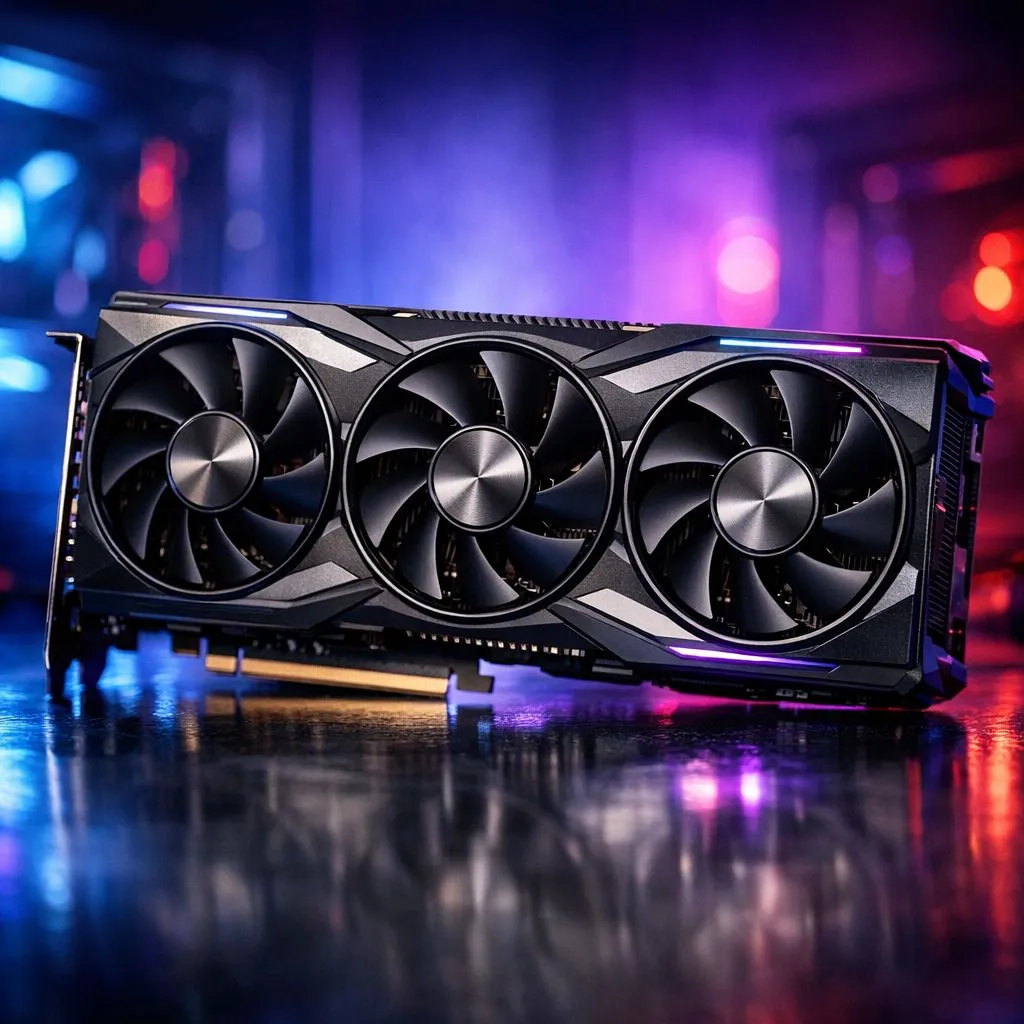
When a summer heatwave hits Johannesburg or the humidity spikes in Durban, your gaming PC feels every degree. You are mid-raid, the action is peaking, and suddenly your frame rates dip. This is thermal throttling in action. Understanding the triple fan cooling benefits for long gaming sessions is the first step toward maintaining peak performance when the stakes are high and the room is getting warm.
The primary advantage of a triple-fan setup is the sheer physical size of the heatsink. A larger shroud allows for more fins and heat pipes to pull warmth away from the silicon. When you browse the latest GeForce Graphics Cards, you will notice that the top-tier models almost exclusively use three fans. This design ensures that heat is spread across a wider area, allowing the fans to move it out of your chassis more effectively.
It sounds counter-intuitive, but three fans are often quieter than two. Because there is more surface area to work with, each individual fan can spin at a lower RPM (revolutions per minute) while still moving the same volume of air. This results in a lower-pitched hum rather than a high-pitched whine. If you are looking at the broad range of graphics cards for sale, prioritising a triple-fan model can significantly improve your room's ambient noise levels.
Ensure your case has at least two intake fans at the front and one exhaust at the rear. A triple-fan GPU exhausts a lot of hot air into the case... if that air isn't moved out quickly, your CPU temperatures will start to climb as well.
Heat is the silent killer of PC components. Persistent high temperatures can degrade the solder joints and capacitors over several years. By investing in Radeon Graphics Cards with robust cooling solutions, you are essentially buying insurance for your hardware. Lower operating temperatures mean less stress on the card, which is vital if you plan on keeping your GPU for three or four years before your next upgrade.
Some brands have mastered this art better than others. For instance, MSI graphics cards often feature patented Torx fan technology. These fans use alternating blade designs to focus airflow directly onto the heatsink. This level of engineering ensures that even during a twelve-hour marathon session, your clock speeds remain stable and your gameplay stays buttery smooth.
Ready to Keep Your Cool? Don't let thermal throttling hold you back from your next victory. Whether you are chasing 4K glory or high-refresh competitive frames, we have the cooling solution for you. Explore our massive range of graphics card deals and find the perfect triple-fan powerhouse to upgrade your setup today.
Triple fan cooling uses three fans to increase airflow and heat dispersion, improving sustained performance and reducing thermal throttling on GPUs and laptops.
Yes. A well-designed triple fan cooler cuts temperatures fast, which prevents thermal throttling and helps sustain FPS during long gaming sessions.
Many triple fan laptop designs manage heat more effectively, making them a strong choice for marathon gaming where sustained performance matters.
Noise depends on fan quality and RPM. Good triple fan designs often run slower per fan, balancing airflow with lower perceived noise.
Yes. Many builders add triple fan configurations or triple fan GPU coolers to improve case airflow and overall thermal performance.
Triple fan cooling airflow design spreads intake and exhaust, reduces hotspots, and improves heat exchange for CPUs and GPUs under load.
By keeping GPU temps lower, triple fan GPU coolers reduce throttling and help maintain higher sustained FPS across long play sessions.
Intel Arc B580 Fable FPS: Performance Benchmark. Real-world benchmark data, FPS numbers & performance analysis. What SA gamers can actually expect.
Read more
RTX 5080 for Photogrammetry: Professional. Real-world benchmark data, FPS numbers & performance analysis. What SA gamers can actually expect.
Read more
Head-to-head comparison of RTX 5050 vs RTX 3050: Price-to-Performance Gamers for SA gamers. Performance benchmarks, Rand pricing & which delivers better value.
Read more
RTX 3060 AI Features: Benchmark & Real-World Test. Real-world benchmark data, FPS numbers & performance analysis. What SA gamers can actually expect.
Read more
Benchmark Your RTX 5060 to Check Performance. Step-by-step instructions with SA-specific tips, common pitfalls to avoid & expert recommendations.
Read more
RTX 3050 DaVinci Resolve Performance: Benchmark. Real-world benchmark data, FPS numbers & performance analysis. What SA gamers can actually expect.
Read more
When Will the RTX 6090 Launch in South Africa Detailed answer with SA data, expert analysis & practical recommendations for local buyers.

Top Valorant Settings for RTX 5070: FPS Optimisation picks evaluated on performance, value & SA availability with current Rand pricing from Evetech.

RDNA 3.5 Graphics in Ryzen AI 400? Can You Game. Plain-English explanation of what it means, why it matters & how it affects your buying decisions in SA.

GPU Price Index : December Report. Current stock data & price tracking for SA buyers. See what is available and where prices are heading.

Core i5-14600K + B760 + RTX 5060 Build Under. Full parts list, Rand pricing & expected performance. Build confidently with SA-available components.

RX 7600 Apex Legends at 4K: FPS Benchmark. Real-world benchmark data, FPS numbers & performance analysis. What SA gamers can actually expect.

RX 7900 XTX GTA 6 at 4K: FPS Benchmark & Optimal. Real-world benchmark data, FPS numbers & performance analysis. What SA gamers can actually expect.

Head-to-head comparison of RTX 5070 vs RX 9070 XT: Gaming Performance for SA gamers. Performance benchmarks, Rand pricing & which delivers better value.

GPU Setup Guide Gamers. Clear setup instructions with SA-specific considerations, troubleshooting tips & recommended components.

Top RTX 5090 Under R12000 picks evaluated on performance, value & SA availability with current Rand pricing from Evetech.

Call of Duty Warzone 2 Settings on RX 7600. Real-world benchmark data, FPS numbers & performance analysis. What SA gamers can actually expect.

GTA 6 Settings on RTX 5070 Ti: Performance. Real-world benchmark data, FPS numbers & performance analysis. What SA gamers can actually expect.