

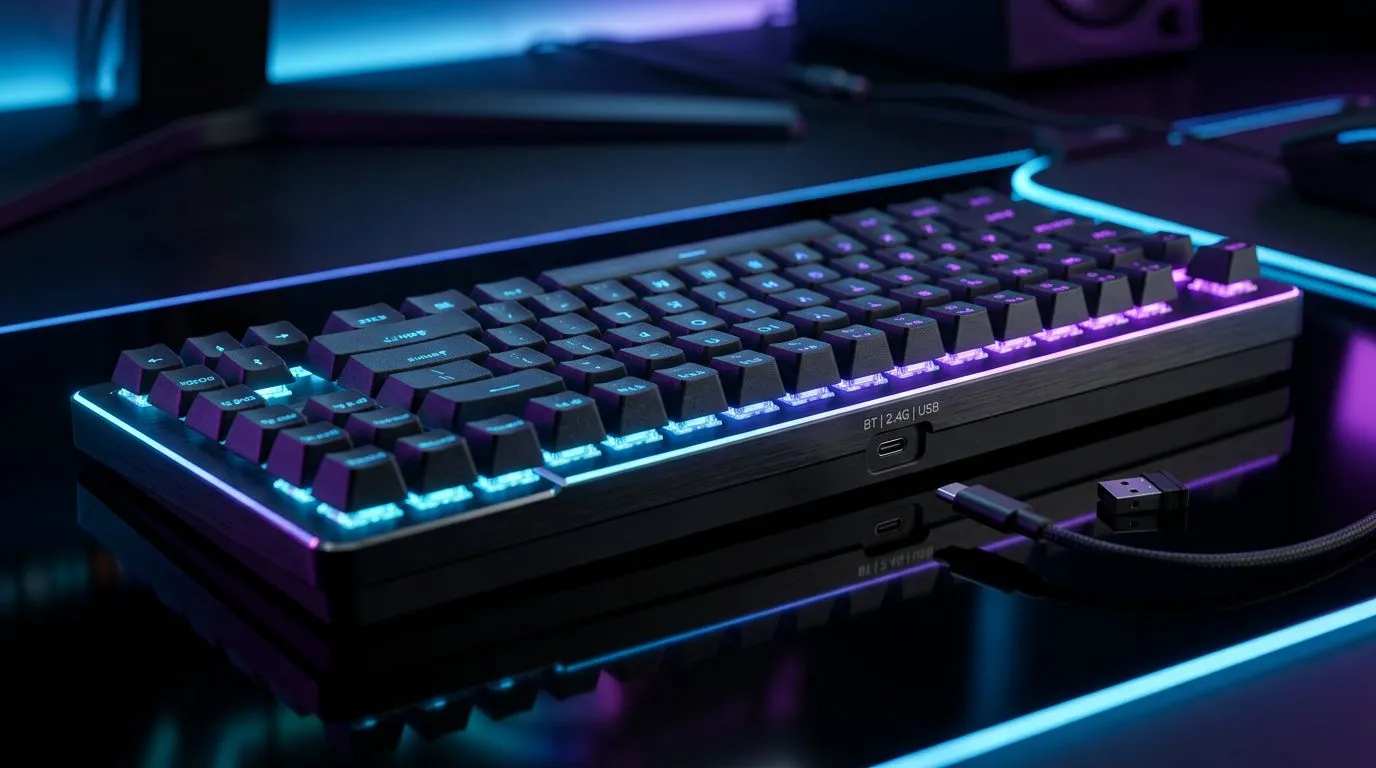
Can You Use a Triple-Mode Wireless Gaming Keyboard Across Devices? (Yes, With the Right Switches) ⚡
South African gamers juggle PCs, consoles, tablets, and laptops… often all in the same week. So the real question is simple: can one keyboard handle them all without you constantly re-pairing it? If you’re shopping for a triple-mode wireless gaming keyboard (usually 2.4GHz, Bluetooth, and wired), the answer is often yes. But you need to understand how each mode behaves across Windows, macOS, Android, and consoles.
In this guide, we’ll walk you through what “triple-mode” really means, when it works best, and how to set it up like a pro.
What “Triple-Mode” Actually Means Across Devices 🔧
A triple-mode gaming keyboard typically offers three connection methods:
- 2.4GHz wireless (low latency, usually fastest for gaming)
- Bluetooth (good for phones and tablets, but not ideal for competitive play)
- Wired USB (stable and universal, great as a fallback)
Why it matters for cross-device use:
- 2.4GHz is usually easiest for laptops and desktops, especially for gaming.
- Bluetooth can connect to phones and tablets quickly, but some devices handle Bluetooth input differently.
- Wired avoids wireless pairing quirks entirely, which is why many gamers keep a cable nearby.
If you’re trying to cover multiple devices at home or at LAN nights, triple-mode is one of the few setups that can genuinely reduce friction.
The real-world checklist before you buy
Before you commit, check:
- Does the keyboard advertise 2.4GHz + Bluetooth + Wired as supported modes?
- Does it include device profiles (often numbered slots like “1/2/3”)?
- Is Bluetooth performance described as compatible with your target devices?
If the product page lists these features clearly, you’re in safer territory.
Productivity Pro Tip ✨
On Windows, create a simple “Gaming vs. Work” workflow by using different Bluetooth profiles for your keyboard and keeping the 2.4GHz dongle reserved for your desktop session. That way, you don’t fight pairing timing mid-match, and you keep your setup consistent for both gaming and editing. "
Setup Tips: Switch Modes Without Losing Your Flow 🚀
Once you have the keyboard, the biggest wins come from good habits.
1) Pair in the most predictable order
For most households, a reliable order looks like this:
- Plug in wired once to confirm it works.
- Pair Bluetooth to your second device (tablet or laptop).
- Insert the 2.4GHz dongle for your main gaming PC.
This reduces the “why isn’t it working?” moment when Bluetooth permissions or device discovery is being temperamental.
2) Test each mode with the same game
Don’t judge wireless performance based on desktop typing. Test with:
- a shooter you play often, or
- your main rhythm or action game
Because if your Bluetooth mode adds noticeable delay, you’ll feel it immediately.
3) Use the right accessories, not just the right keyboard
Even the best keyboard can feel bad if your PC setup is unstable.
If you’re still building your rig, you’ll likely want to shop the keyboard ecosystem too. Start with:
- exploring a set of gaming keyboard deals here: Best gaming keyboard deals
- or checking value-focused options like: Cheapest gaming keyboard in South Africa
Compatibility Notes for South African Gamers
Here’s where buyers get surprised.
Windows and macOS
Most triple-mode keyboards work well on Windows via USB and 2.4GHz. Bluetooth support usually works too, but macOS sometimes handles Bluetooth connections a little differently after sleep.
Practical advice: after waking your laptop, wait one beat before jumping into matchmaking. It’s boring… but it prevents input lag from “device not fully ready yet” situations.
Consoles and TVs
Many consoles only accept keyboards in specific ways (and not all modes). Wired USB is often the most reliable for device compatibility. If your goal is couch gaming, plan around wired support first, then test Bluetooth later.
Android and mobile gaming
Bluetooth makes triple-mode keyboards useful for mobile gaming sessions. But if you’re playing competitive titles on the go, you may prefer a consistent wired method (if your phone/tablet supports it) or a 2.4GHz setup on a compatible device.
Quick buying guidance
If you already know you want wired stability, check options like:
If your priority is low fuss Bluetooth for everyday use:
And if you’re building a full desk setup, pairing your keyboard with a mouse often makes everything feel more “complete”:
Pricing and Decision Strategy (So You Don’t Overpay) 💰
Triple-mode boards can cost more upfront… but they often save you the time and hassle of owning multiple keyboards.
A smart approach:
- If you game mainly on one platform, focus on 2.4GHz + wired.
- If you frequently switch between laptop and phone/tablet, prioritise Bluetooth plus clear device profiles.
- If your living room setup is king, pick a board that makes wired easy.
If you’re hunting for the best deals in ZAR, start with Evetech’s keyboard listings above, compare the connectivity modes, then shortlist by the features you’ll actually use.
Ready to Find Your Perfect Match?
Ready to Find Your Perfect Match? The Mac vs Windows debate is complex, but for maximum power, choice, and value in South Africa, Windows is hard to beat. Explore our massive range of laptop specials and find the perfect machine to conquer your world.











