


RX 9070 XT Elden Ring Nightreign at 4K: FPS Benchmark & Optimal Settings
RX 9070 XT Elden Ring Nightreign at 4K: FPS. Real-world benchmark data, FPS numbers & performance analysis. What SA gamers can actually expect.
Read moreIs your Lenovo gaming laptop slow and struggling to keep up? Don't let lag ruin your sessions. We uncover the common culprits, from thermal throttling to software bloat, and provide easy, actionable steps to restore peak performance and get you back in the game. 💻⚡
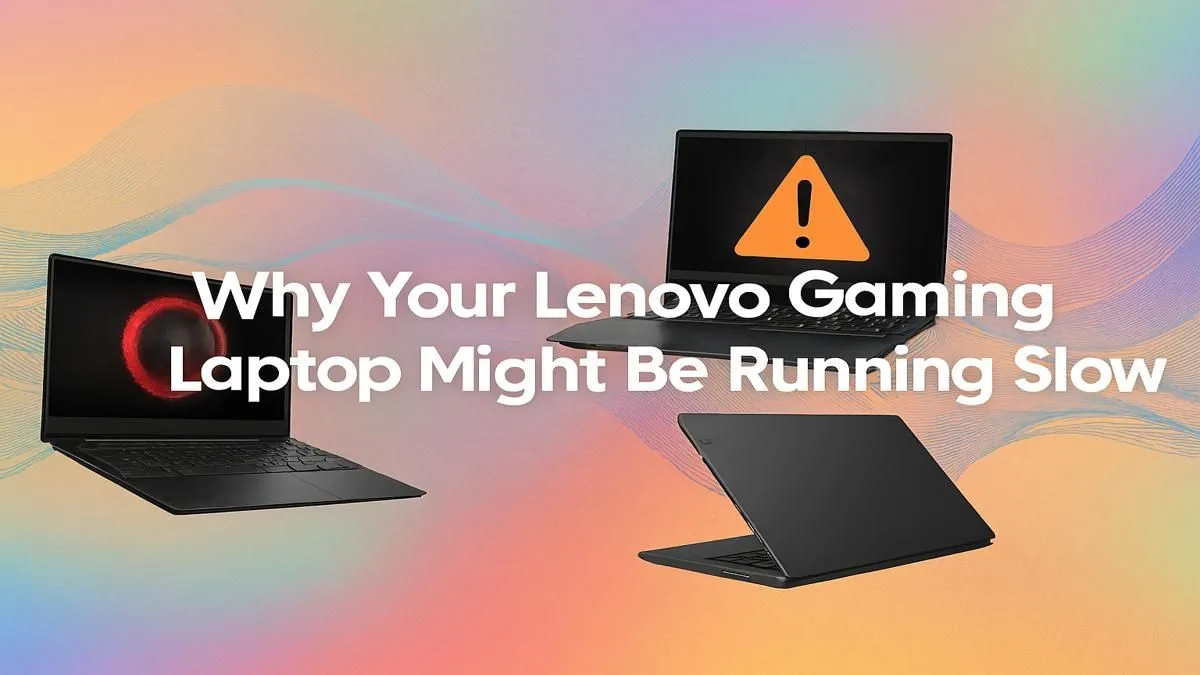
Your Lenovo gaming laptop, once a beast, now stutters during a simple team fight. What gives? Before you start pricing new rigs, take a breath. A Lenovo gaming laptop running slow is often just crying out for some TLC. From software gremlins to dust bunnies, we’ll walk you through the top reasons for the lag and, more importantly, the fixes that will get you back in the game, fast. 🚀
Before you can fix the problem, you need to know what’s causing it. More often than not, a slow Lenovo gaming laptop is suffering from one of these four common issues.
Gaming pushes your laptop's CPU and GPU to their limits, generating a serious amount of heat. If the cooling system can't keep up, the components automatically slow themselves down to prevent damage. This is called thermal throttling, and it’s a primary cause of sudden frame drops and stuttering. Dust buildup blocking the vents is a major offender here.
Think of drivers as the instruction manual that tells your hardware how to talk to your games. Outdated graphics drivers (from NVIDIA or AMD) are a classic performance killer, as new game releases are often optimised for the very latest driver versions. The same goes for your Windows OS… pending updates can cause system-wide sluggishness.
Is your laptop slow from the moment you boot it up? Unnecessary applications launching at startup and running in the background can eat up your precious RAM and CPU cycles. Antivirus scans, cloud syncing, and manufacturer-installed utilities can all contribute to a system that feels sluggish before you even launch a game.
Whether you have a speedy NVMe SSD or a traditional hard drive, performance degrades significantly when it gets close to full. Your operating system needs free space to function efficiently for tasks like writing temporary files and managing virtual memory. A drive that's over 90% full is a recipe for slow loading times and system instability.
Ready to fight back? These fixes will help you speed up your Lenovo gaming laptop and are easy for anyone to try. Let's get your machine running smoothly again.
A cooler laptop is a faster laptop. Start with the basics:
Your Lenovo laptop likely comes with the Lenovo Vantage software pre-installed. Open it and look for thermal mode settings. Switching from 'Quiet Mode' to 'Performance Mode' or 'Balanced Mode' can give you an instant performance boost by allowing the fans to spin faster and the CPU to draw more power.
This is non-negotiable for any gamer.
Settings > Update & Security > Windows Update and install any pending updates. A quick restart can solve a surprising number of performance issues.Let's get rid of the junk slowing you down.
Settings > Apps and uninstall any old games or software you no longer use. Every gigabyte counts!If you've tried all the fixes above and your Lenovo gaming laptop is still slow, it might be time to consider if the hardware itself is the bottleneck. As games become more demanding, older components simply can't keep up.
For example, if your machine is a few years old, like some of the capable but aging Lenovo IdeaPad Gaming 3 models, it might struggle with the demands of titles like Helldivers 2 on higher settings. This is where newer hardware with improved cooling and more efficient processors, like those found in the accessible Lenovo LOQ lineup, really makes a difference.
For gamers who refuse to compromise on performance and want the absolute best framerates with ray tracing cranked to max, the premium Lenovo Legion series is built for exactly that purpose, offering top-tier GPUs and CPUs. Deciding can be tough, which is why it helps to browse our full range of Lenovo gaming laptops to compare specs and find a deal that fits your budget and gaming ambitions.
Ready for a Flawless Gaming Experience? Sometimes the best fix is an upgrade to a machine built for modern titles. If you’re tired of tweaking settings and just want to play, Evetech has your back. Explore our massive range of laptop specials and find the perfect rig to conquer your favourite games.
A new Lenovo gaming laptop can be slow due to pre-installed bloatware, pending Windows updates, or incorrect power settings. Start by uninstalling unwanted apps.
To speed up your Lenovo, update graphics drivers, clean out dust from fans, upgrade your RAM or switch to an SSD, and optimize settings in Lenovo Vantage.
Yes, overheating is a primary cause of poor performance. When temps rise, the CPU and GPU will thermal throttle, reducing clock speeds to prevent damage.
Absolutely. Upgrading to an SSD is one of the most effective ways to reduce boot times, speed up game loading, and improve overall system responsiveness.
Use Lenovo Vantage to enable Performance Mode, ensure your NVIDIA/AMD drivers are current, and close background applications before launching a game for the best results.
To fix a slow startup, disable unnecessary programs from launching with Windows via the Task Manager's 'Startup' tab. An SSD upgrade also drastically helps.
RX 9070 XT Elden Ring Nightreign at 4K: FPS. Real-world benchmark data, FPS numbers & performance analysis. What SA gamers can actually expect.
Read more
RTX 5090 Marvel Rivals FPS: Performance Benchmark. Real-world benchmark data, FPS numbers & performance analysis. What SA gamers can actually expect.
Read more
Intel Arc A770 Escape from Tarkov Performance. Real-world benchmark data, FPS numbers & performance analysis. What SA gamers can actually expect.
Read more
Head-to-head comparison of RX 9070 XT vs RTX 6070: Gaming Performance for SA gamers. Performance benchmarks, Rand pricing & which delivers better value.
Read more
Head-to-head comparison of RTX 5060 Ti Mining vs Gaming: Does It Affect for SA gamers. Performance benchmarks, Rand pricing & which delivers better value.
Read more
Ryzen 7 7800X3D Gaming Benchmark: FPS Across 20. Real-world benchmark data, FPS numbers & performance analysis. What SA gamers can actually expect.
Read more
Complete ATX Case Size Guide: Interior Dimensions. Best deals curated with real SA discounts, price history & tips on getting genuine value.

What GPU Do You Need for AI & Machine Learning. Hardware requirements breakdown with recommended specs & SA pricing for each tier.

Top Settings for RTX 4060 at Ultrawide 1440p picks evaluated on performance, value & SA availability with current Rand pricing from Evetech.

Head-to-head comparison of FreeSync vs G-Sync Explained: Which Should Gamers for SA gamers. Performance benchmarks, Rand pricing & which delivers better value.

Every spec on PCIe 5.0 explained in plain English. What matters for gaming and creator work in 2026, what's marketing fluff, and how each number translates to real-world performance.

Every spec on bios explained in plain English. What matters for gaming and creator work in 2026, what's marketing fluff, and how each number translates to real-world performance.

Every spec on gaming setups explained in plain English. What matters for gaming and creator work in 2026, what's marketing fluff, and how each number translates to real-world performance.

Every spec on cooling systems explained in plain English. What matters for gaming and creator work in 2026, what's marketing fluff, and how each number translates to real-world performance.

Every spec on understanding how much vram is needed explained in plain English. What matters for gaming and creator work in 2026, what's marketing fluff, and how each number translates to real-world.

How to pick the right PCIe 5.0 for your build in 2026: the features worth paying for, ZAR value tiers, and the trade-offs between budget, mid-range and flagship picks.

Every spec on gpu explained in plain English. What matters for gaming and creator work in 2026, what's marketing fluff, and how each number translates to real-world performance.

Every spec on gpu explained in plain English. What matters for gaming and creator work in 2026, what's marketing fluff, and how each number translates to real-world performance for SA buyers.