

Is Overclocking TKL keyboard Worth It in SA?
Is Overclocking TKL keyboard Worth It in SA Detailed answer with SA data, expert analysis & practical recommendations for local buyers.
Read moreIs your MSI gaming laptop slow in South Africa? Don't let lag ruin your sessions. 💻 We uncover the unique local challenges like heat, dust, and power fluctuations that impact performance. Learn simple, effective steps to boost speed, fix overheating, and get your MSI laptop running like new again. 🔥
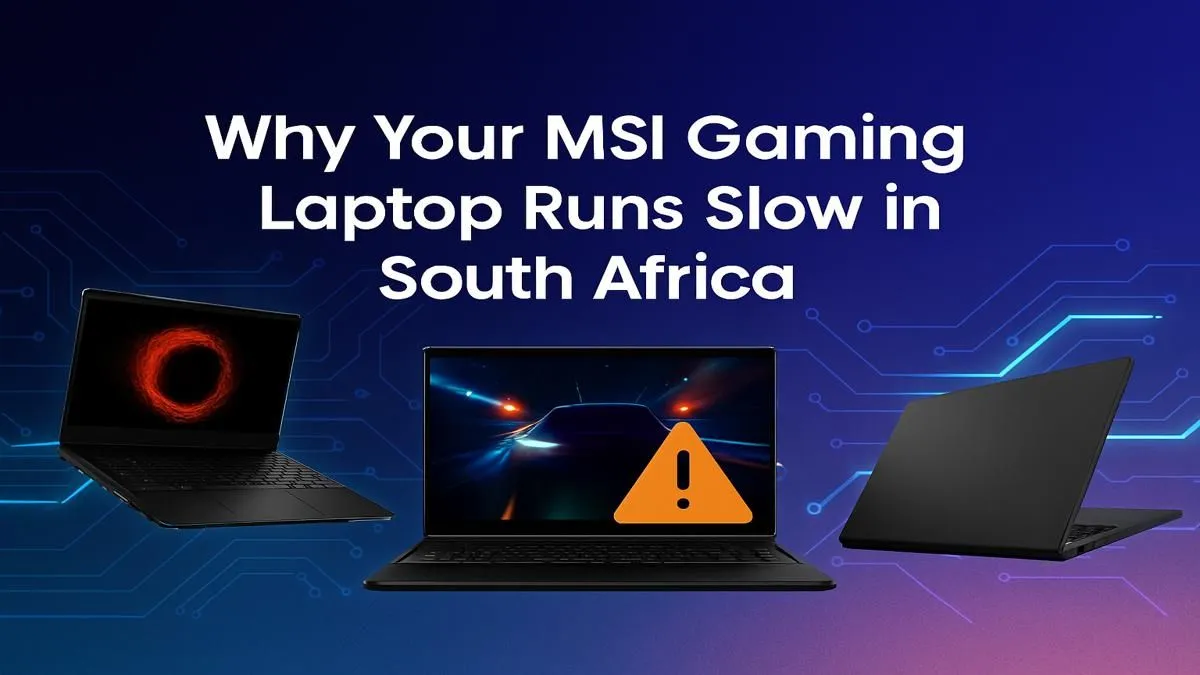
You dropped some serious ZAR on a beastly MSI gaming laptop, ready to dominate in Apex Legends or explore the vastness of Starfield. But lately, it’s been feeling… sluggish. Frame rates are dropping, games are stuttering, and you’re left wondering why your high-performance machine is acting up. Don’t panic. If your MSI gaming laptop is slow, you’re not alone. Often, the culprit is a simple fix, especially with our unique South African conditions.
Before you can fix the problem, you need to understand it. Performance issues on even the best gaming laptops usually boil down to a few key areas. From the Highveld heat to software clutter, here’s what might be holding your machine back and causing poor performance.
South Africa's climate can be tough on high-performance electronics. When your laptop’s CPU or GPU gets too hot, it automatically reduces its speed to prevent damage. This is called thermal throttling, and it’s a primary reason an MSI gaming laptop is slow during intense gaming sessions. Dust buildup in the fans and vents is a major contributor, effectively trapping heat inside the chassis. ♨️
Think of drivers as the instruction manual for your hardware. If your graphics card driver is old, it doesn't know how to properly optimise for the latest games, leading to poor performance. On top of that, laptops often come with pre-installed software (bloatware) that runs in the background, consuming valuable RAM and CPU cycles that should be dedicated to your game.
Ready to get your machine running like new? These practical steps will help you resolve the most common performance bottlenecks, getting you back in the game faster.
This is your first and most important step.
Newer machines often have superior cooling systems built-in. For example, many high-performance models in the MSI Raider series feature advanced Cooler Boost technology designed to handle intense heat loads.
Dive into the MSI Center app and find the "User Scenario" settings. Instead of leaving it on 'Balanced', switch to 'Extreme Performance' mode when you're plugged in and ready to game. This unleashes the full power of your CPU and GPU, but make sure your cooling is up to the task!
A clean system is a fast system. Start by updating your most critical drivers directly from the source—NVIDIA GeForce Experience or AMD Software: Adrenalin Edition for your GPU. Next, open the "Apps & features" settings in Windows and uninstall any programs you don't use. Be ruthless! Every bit of freed-up resource helps. Keeping your system lean is crucial, especially for powerful rigs like the MSI Vector GP that are built for pure speed.
Finally, a few tweaks to Windows can make a real difference.
Ctrl+Shift+Esc), go to the "Startup" tab, and disable any non-essential programs from launching when you boot up.These simple fixes can restore the performance you paid for. And if you're ever in the market for a new machine, you can check out Evetech's full range of MSI gaming laptops to see the latest tech.
Ready for Uncompromised Performance? These tips can breathe new life into your machine, but sometimes, a slow laptop is a sign that it's time for an upgrade. If you're ready to experience next-gen speeds and features, we've got you covered. Explore our massive range of laptop specials and find the perfect rig to dominate the leaderboards.
Sudden slowness in an MSI laptop is often due to software conflicts from recent updates, background processes consuming resources, or malware. Hardware-wise, overheating is a primary culprit.
To make your MSI laptop faster, update your GPU drivers, close unnecessary background apps, adjust in-game settings, and ensure your laptop's cooling system is clean and functioning properly.
Yes, dust accumulation is a major cause of slowness. It clogs fans and heatsinks, leading to overheating. The system then throttles CPU/GPU performance to reduce heat, causing lag.
To fix MSI laptop overheating in South Africa's climate, clean the internal fans regularly, use a quality cooling pad, and ensure you're gaming in a well-ventilated room to combat high ambient temperatures.
Yes, inconsistent power can affect performance, especially during charging. Using a surge protector or a UPS (Uninterruptible Power Supply) can provide stable power and protect your MSI laptop.
The best way is to use compressed air to clear dust from vents and fans. For a deeper clean, consult a professional to open the chassis and clean the heatsinks and re-apply thermal paste.
Is Overclocking TKL keyboard Worth It in SA Detailed answer with SA data, expert analysis & practical recommendations for local buyers.
Read more
Geekbench Keyboard Benchmarks: Rankings. Real-world benchmark data, FPS numbers & performance analysis. What SA gamers can actually expect.
Read more
Head-to-head comparison of Keyboard Prices: Online vs Physical Stores for SA gamers. Performance benchmarks, Rand pricing & which delivers better value.
Read more
Head-to-head comparison of Apple Magic Keyboard vs Third-Party: Is It Worth for SA gamers. Performance benchmarks, Rand pricing & which delivers better value.
Read more
Snapdragon X2 NPU Explained: How 80 TOPS Changes. Plain-English explanation of what it means, why it matters & how it affects your buying decisions in SA.

HBM? High Bandwidth Memory Used in GPUs and AI. Plain-English explanation of what it means, why it matters & how it affects your buying decisions in SA.

How much should you spend on sim racing accessories in South Africa for a realistic setup? We break down budgets by quality tiers, so you buy smart gear and avoid overspending 🎮💸

G-Sync and FreeSync? Variable Refresh Rate. Plain-English explanation of what it means, why it matters & how it affects your buying decisions in SA.

AMD Laptop: Value. SA-focused analysis with local pricing data, real-world insights & actionable buying advice.

How MacBook Neo Handles 30+ Chrome Tabs with Only. SA-focused analysis with local pricing data, real-world insights & actionable buying advice.

Why Apple Put 8GB RAM in MacBook Neo: The A18 Pro. SA-focused analysis with local pricing data, real-world insights & actionable buying advice.

Upgrade your work laptop with a New Motherboard. Step-by-step instructions with SA-specific tips, common pitfalls to avoid & expert recommendations.

Glorious Keyboard Switches Explained: Which. Plain-English explanation of what it means, why it matters & how it affects your buying decisions in SA.

Winter Keyboard Buying Guide. Everything you need to know with SA pricing, step-by-step instructions & expert recommendations.

Keyboard Buying Guide. Everything you need to know with SA pricing, step-by-step instructions & expert recommendations.

LGBTQ+ Gamers Keyboard Guide: January Edition. Everything you need to know with SA pricing, step-by-step instructions & expert recommendations.