

RX 9070 XT Driver Conflicts: How to Fix in 2026
RX 9070 XT Driver Conflicts: Fix. Step-by-step instructions with SA-specific tips, common pitfalls to avoid & expert recommendations.
Read moreArctis Nova Pro Wireless Nintendo Switch compatibility explained: learn how to connect via 2.4GHz dongle, USB-C or Bluetooth, plus mobile pairing tips for low-latency audio 🎮📱
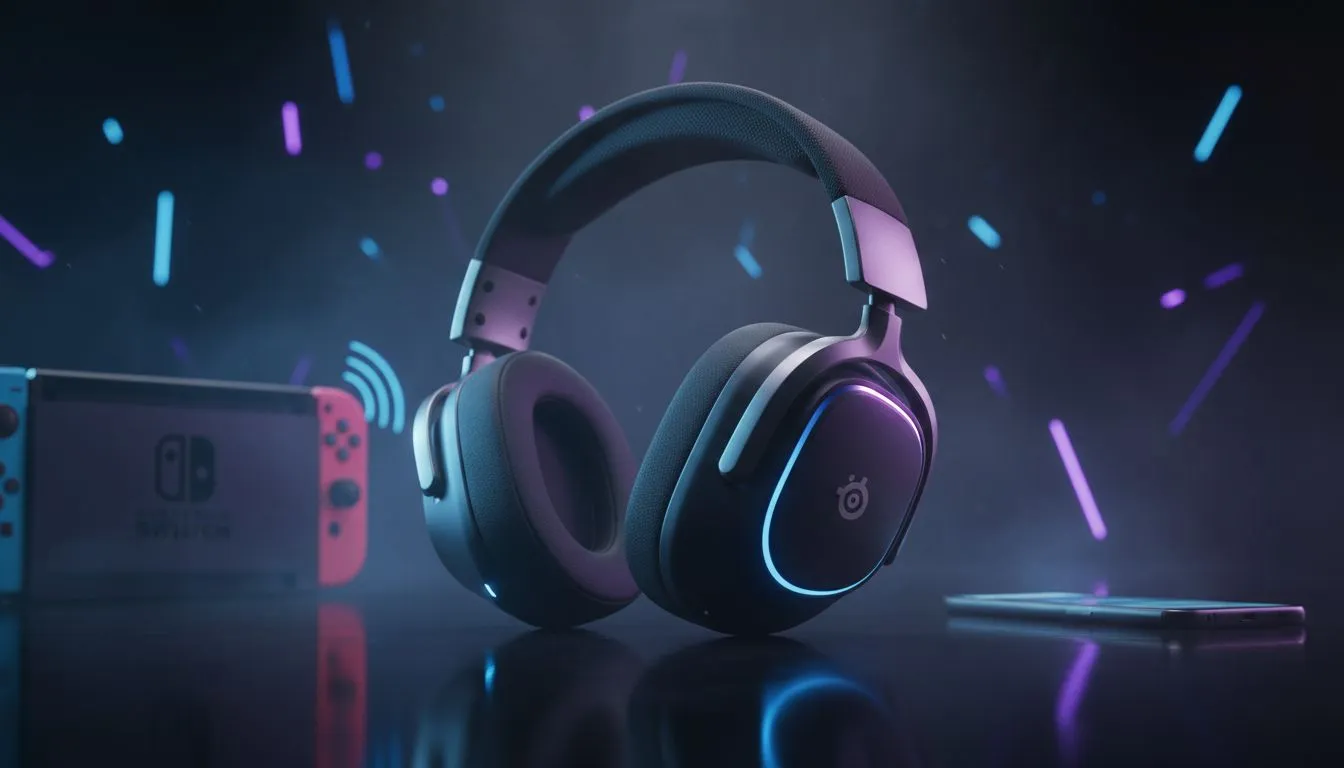
Finding the ultimate audio solution for your hybrid console can be a mission. If you have been eyeing the SteelSeries flagship, you are likely wondering about Arctis Nova Pro Wireless Nintendo Switch compatibility and how it handles the jump between docked and handheld play. For South African gamers jumping between Zelda on the couch and Apex Legends at a desk... this headset is a serious contender for the throne. ⚡
The magic lies in the Multi-System Connect feature. The Wireless Base Station acts as a command centre... allowing you to plug your Switch dock into one of the USB ports while keeping your PC or PlayStation connected to the other. Because the Switch supports USB audio, the Arctis Nova Pro Wireless Nintendo Switch setup is essentially plug-and-play. You get high-fidelity sound without faffing with cables every time you change consoles.
If you are looking to browse more premium headphone and headset options in South Africa, you will notice that very few offer this level of dual-system integration. The ability to swap batteries on the fly ensures your marathon sessions in the Lands Between or Hyrule never hit a silent patch.
When your Switch is docked, the Base Station handles everything via USB. But what happens when you want to go mobile? The Arctis Nova Pro Wireless features simultaneous Bluetooth. You can pair the headset directly to your Switch in handheld mode... or even better... use the Bluetooth to take a Discord call from your phone while the game audio pumps through the 2.4GHz wireless connection. 🔧
Use the OLED screen on the Base Station to tweak your EQ profiles specifically for the Switch. Since the Switch doesn't have a built-in system-wide equaliser, setting a "Smile" or "Bass Boost" profile directly on the hardware can make your mobile gaming sessions sound significantly richer without needing any external software.
While SteelSeries leads the pack in luxury, many local players also look at the massive range of Razer headphones and headsets for their reliability. Razer has long been a favourite in the ZAR market for providing punchy audio at various price points.
If the Arctis Nova Pro is a bit heavy on the wallet, a fantastic alternative for Switch fans is the Razer Barracuda X Chroma Wireless Headset. It offers similar multi-platform versatility with a lightweight design that feels perfect for long handheld sessions. However, it lacks the hot-swappable battery system that makes the SteelSeries flagship so unique. ✨
The Arctis Nova Pro Wireless Nintendo Switch compatibility is top-tier because it respects the gamer’s time. You don't need adapters or workarounds. You get active noise cancellation to block out the noise of a busy Jo'burg household... and a retractable mic for when you finally decide to coordinate with your squad in Splatoon. It is an investment, but for those who value premium audio across every device they own, it is hard to beat. 🚀
Ready to Find Your Perfect Match? Choosing the right audio gear can transform your gaming experience from average to immersive. Whether you want the flagship SteelSeries experience or a budget-friendly alternative, we have the best deals in South Africa. Explore our massive range of headset specials and find the perfect pair to conquer your world.
Yes. Plug the headset's 2.4GHz USB dongle into the Switch dock or use a USB-C adapter for handheld mode for wireless audio.
Mic support varies: the Switch often blocks third-party mics over Bluetooth. Use the 2.4GHz dongle for the best chance of mic/chat support.
Use Bluetooth pairing mode on the headset and connect via your phone's Bluetooth settings for audio and phone call support.
Using the 2.4GHz dongle gives the lowest latency on Switch. Bluetooth can add delay—avoid it for competitive play.
Yes with a USB-C adapter or hub. Use a compact USB-C OTG adapter to connect the 2.4GHz dongle to handheld mode.
Switch needs the dongle and default audio; mobile may require Bluetooth codec changes and mic permissions for best results.
Use the 2.4GHz dongle for Switch to minimize latency and get chat; use Bluetooth for mobile when convenience matters over absolute speed.
RX 9070 XT Driver Conflicts: Fix. Step-by-step instructions with SA-specific tips, common pitfalls to avoid & expert recommendations.
Read more
Can the RTX 6090 Run Marvel Rivals at 60 FPS?. Performance testing verdict with real data & practical recommendations for SA buyers.
Read more
Get 144Hz in League of Legends on RTX 5070. Step-by-step instructions with SA-specific tips, common pitfalls to avoid & expert recommendations.
Read more
Can the RTX 4090 Run Minecraft at 60fps. Real-world benchmark data, FPS numbers & performance analysis. What SA gamers can actually expect.
Read more
Can the RTX 4070 Ti Super Run Overwatch 2 at 60fps. Real-world benchmark data, FPS numbers & performance analysis. What SA gamers can actually expect.
Read more
Get 144Hz in Baldur's Gate 3 on RTX 4080. Step-by-step instructions with SA-specific tips, common pitfalls to avoid & expert recommendations.
Read more
When Will the RTX 6090 Launch in South Africa Detailed answer with SA data, expert analysis & practical recommendations for local buyers.

Top Valorant Settings for RTX 5070: FPS Optimisation picks evaluated on performance, value & SA availability with current Rand pricing from Evetech.

RDNA 3.5 Graphics in Ryzen AI 400? Can You Game. Plain-English explanation of what it means, why it matters & how it affects your buying decisions in SA.

GPU Price Index : December Report. Current stock data & price tracking for SA buyers. See what is available and where prices are heading.

Core i5-14600K + B760 + RTX 5060 Build Under. Full parts list, Rand pricing & expected performance. Build confidently with SA-available components.

RX 7600 Apex Legends at 4K: FPS Benchmark. Real-world benchmark data, FPS numbers & performance analysis. What SA gamers can actually expect.

RX 7900 XTX GTA 6 at 4K: FPS Benchmark & Optimal. Real-world benchmark data, FPS numbers & performance analysis. What SA gamers can actually expect.

Head-to-head comparison of RTX 5070 vs RX 9070 XT: Gaming Performance for SA gamers. Performance benchmarks, Rand pricing & which delivers better value.

GPU Setup Guide Gamers. Clear setup instructions with SA-specific considerations, troubleshooting tips & recommended components.

Top RTX 5090 Under R12000 picks evaluated on performance, value & SA availability with current Rand pricing from Evetech.

Call of Duty Warzone 2 Settings on RX 7600. Real-world benchmark data, FPS numbers & performance analysis. What SA gamers can actually expect.

GTA 6 Settings on RTX 5070 Ti: Performance. Real-world benchmark data, FPS numbers & performance analysis. What SA gamers can actually expect.