


Bandwidth Explained: What SA Buyers Need to Know
Bandwidth Explained: What Buyers Need to Know. Plain-English explanation of what it means, why it matters & how it affects your buying decisions in SA.
Read moreASUS Vivobook 15 setup made simple: follow essential tips to secure, update, and optimize your new laptop right away. Save time, improve battery life, and boost performance. ⚡️🔧
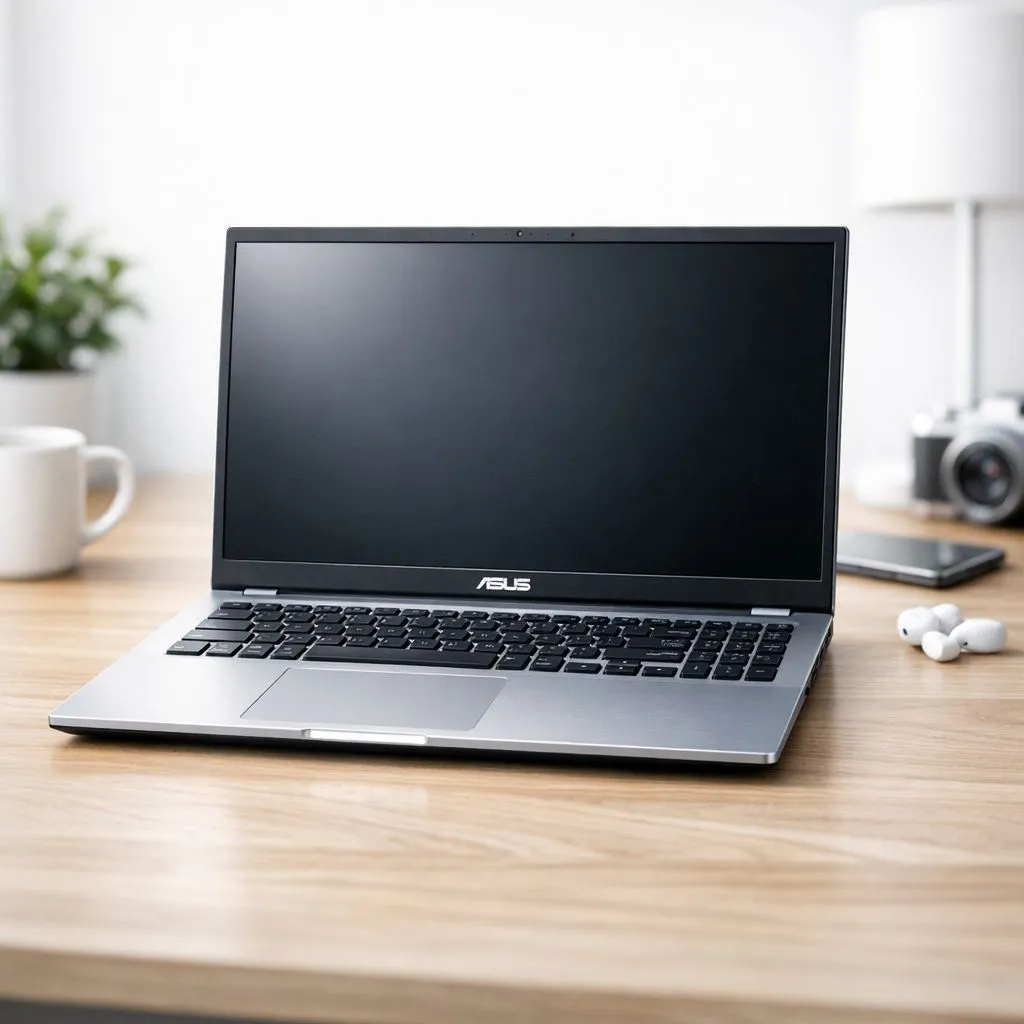
So, you’ve just unboxed your shiny new ASUS Vivobook 15. Lekker! That first boot-up is always a rush. This machine is a fantastic all-rounder for South Africans, perfect for smashing out assignments, running your side hustle, or even a cheeky game of Valorant. But before you dive in, a proper ASUS Vivobook 15 setup is key to unlocking its full potential. Let’s get you sorted with the essential first steps. 🔧
Your first boot will guide you through the standard Windows setup – connecting to Wi-Fi, signing into your Microsoft account, and setting a PIN. It’s pretty straightforward. The real work begins once you hit the desktop. Your first two priorities are critical for a smooth experience: update everything!
Settings > Update & Security > Windows Update and hit 'Check for updates'. Install everything it finds, and don't be shy to restart when prompted. This ensures you have the latest security patches and features.Out of the box, your Vivobook is good... but we can make it great. A few tweaks in your ASUS Vivobook 15 setup can make a huge difference to speed and how long you can work away from the plug.
Start by removing software you don't need, often called 'bloatware'. Be careful, though – leave essentials like the MyASUS app. Then, dive into the power settings. You can choose between best performance when plugged in and better battery life when you're on the go. This simple step is one of the most effective tips for new Vivobook owners. Whether your machine is powered by one of the latest CPUs from our Intel laptops on special or a powerful chip from our Ryzen laptop deals, managing power is key.
Use Windows' 'Battery Saver' mode. It automatically kicks in when your battery hits a certain level (you can set it to 20%), dimming the screen and limiting background activity. You can also manually turn it on anytime you need to squeeze out that last bit of juice to finish an assignment before loadshedding hits.
Making the laptop truly yours is part of the fun. Spend a few minutes personalising your space. Adjust the display scaling and text size for comfortable reading, and turn on 'Night Light' to reduce eye strain in the evenings by filtering out blue light.
Explore the touchpad gestures in Windows settings – they can seriously speed up your workflow. Three-finger swipes to switch apps or a four-finger tap to open the Action Centre become second nature quickly. Setting up your Vivobook isn't just about performance; it's about making it a joy to use every day.
The Vivobook 15 is an incredible daily driver. But what if the gaming bug bites hard? While it can handle casual titles, for demanding games like Apex Legends or Cyberpunk 2077, you’ll want a dedicated graphics card. That's where machines from our range of GeForce RTX gaming laptops on special truly shine, offering the power for high frame rates and stunning visuals.
Exploring the best gaming laptop deals can show you what's possible when you step into the world of dedicated gaming hardware. You don't even have to break the bank; there are incredible gaming laptops under R20k that offer a massive leap in performance. Think of your Vivobook as the perfect gateway – it shows you what a great modern laptop can do, and might just inspire your next upgrade.
Ready to Unleash Your Laptop's Potential? A proper setup is the first step to mastering your new machine. Whether you're optimising a Vivobook or hunting for your next powerhouse, Evetech has the gear and the deals. Explore our massive range of laptop specials and find the perfect machine to conquer your world.
Power on, complete Windows OOBE, connect Wi-Fi, sign into Microsoft, run ASUS setup apps and follow asus vivobook 15 first time setup checks.
Install chipset, graphics, audio and Wi‑Fi drivers from ASUS support or MyASUS to ensure stability; see asus vivobook 15 drivers and updates.
Calibrate the battery, use Windows power plans, disable startup apps and dim the screen. For exact steps, search asus vivobook 15 battery calibration.
Yes. Run Windows Update and firmware patches right away to fix vulnerabilities and improve stability—follow basic windows setup tips first.
Set a strong password, enable Windows Hello and BitLocker if available, and review privacy settings following asus vivobook 15 privacy and security settings.
Upgrading to a faster NVMe SSD or more RAM noticeably boosts responsiveness. Check model specs and warranty in an asus vivobook 15 SSD upgrade guide.
Adjust precision touchpad gestures, sensitivity and key repeat in Settings > Devices. Fine tune using asus vivobook 15 touchpad and keyboard settings.
Pair Bluetooth mouse and headset, configure external monitor and map ports for storage. Use asus vivobook 15 port and accessory setup tips.
Bandwidth Explained: What Buyers Need to Know. Plain-English explanation of what it means, why it matters & how it affects your buying decisions in SA.
Read more
Set Up RX 7800 XT for Competitive Gaming. Step-by-step instructions with SA-specific tips, common pitfalls to avoid & expert recommendations.
Read more
Can the Ryzen 5 9600X Handle 4K Gaming Without Bottlenecking Detailed answer with SA data, expert analysis & practical recommendations for local buyers.
Read more
Why Is Ping So High in South Africa for Gaming Detailed answer with SA data, expert analysis & practical recommendations for local buyers.
Read more
Can a 1200W PSU Handle the RX 9070 XT? Power. Plain-English explanation of what it means, why it matters & how it affects your buying decisions in SA.
Read more
How Does Altitude Affect PC Cooling in Gauteng Detailed answer with SA data, expert analysis & practical recommendations for local buyers.
Read more
AMD RX 9050 XT: Rumoured Specs, Price & Release. SA-focused analysis with local pricing data, real-world insights & actionable buying advice.

Can RTX 4080 Super Run AI Workloads for SA Developers Detailed answer with SA data, expert analysis & practical recommendations for local buyers.

Can RTX 4090 Run AI Workloads for SA Developers Detailed answer with SA data, expert analysis & practical recommendations for local buyers.

Top Settings for Intel Arc B580 at Ultrawide 1440p picks evaluated on performance, value & SA availability with current Rand pricing from Evetech.

RTX 4060 CS2 Low Settings at 1080p: FPS Results. Real-world benchmark data, FPS numbers & performance analysis. What SA gamers can actually expect.

Visual Artifacts: Possible GPU Issue Issue #1. Diagnosis steps, proven fixes & when to seek professional help. SA-specific support info included.

Can the RTX 4090 Handle 1440p 144Hz Gaming. Performance testing verdict with real data & practical recommendations for SA buyers.

Top ASUS GPU Under R15000 picks evaluated on performance, value & SA availability with current Rand pricing from Evetech.

GTA 6 Max Settings on RTX 5070. Tested & verified settings for best FPS and visual quality on SA hardware budgets.

Cyberpunk 2077 Max Settings on RTX 5080. Tested & verified settings for best FPS and visual quality on SA hardware budgets.

Starfield Max Settings on RTX 5070 Ti. Tested & verified settings for best FPS and visual quality on SA hardware budgets.

Top RTX 5090 Under R5000 picks evaluated on performance, value & SA availability with current Rand pricing from Evetech.