


Bandwidth Explained: What SA Buyers Need to Know
Bandwidth Explained: What Buyers Need to Know. Plain-English explanation of what it means, why it matters & how it affects your buying decisions in SA.
Read moreClean gaming monitor screen safely with step-by-step tips, safe cleaners, and the right cloth to protect anti-glare coatings and get streak-free results 🧼🧽
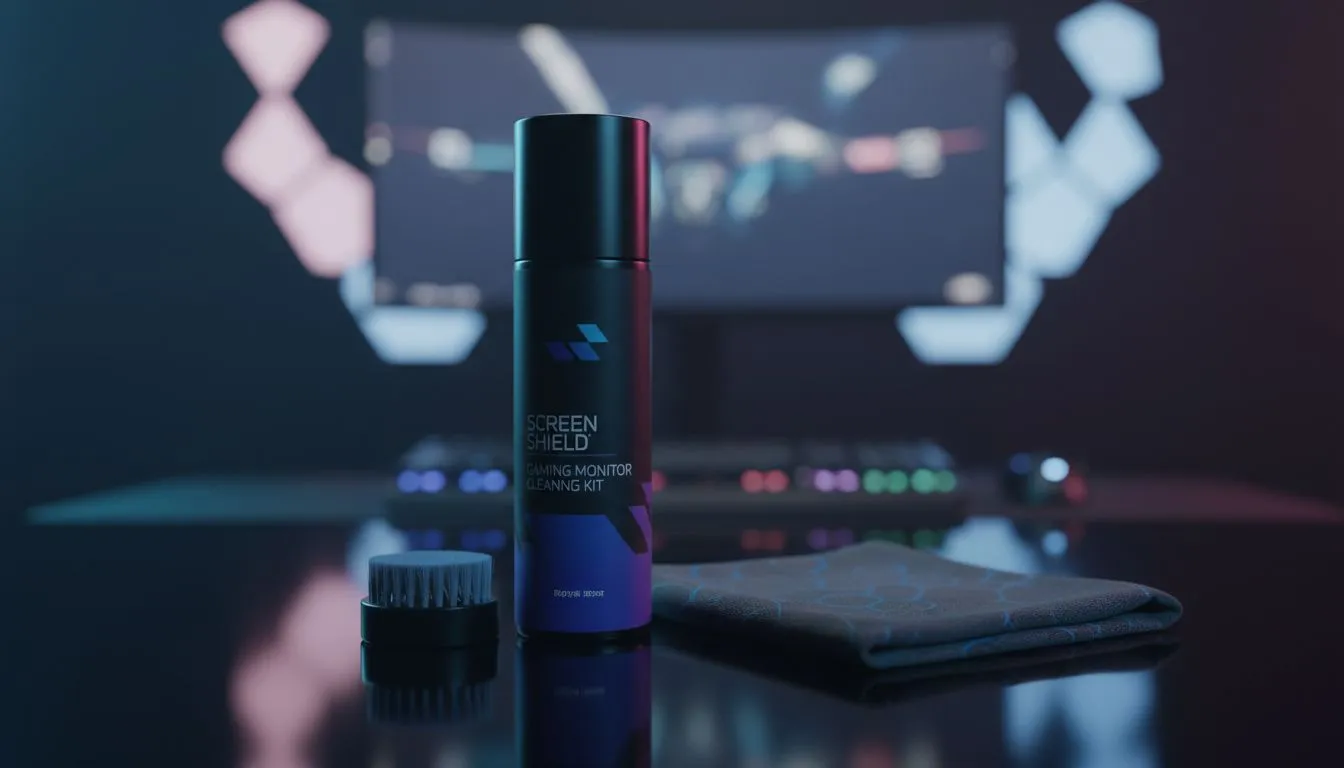
You just clutched a 1v4 in CS2, but a smudge on your screen almost made you miss the final headshot. We have all been there. Cleaning your panel seems simple, but one wrong move with a harsh chemical can ruin expensive anti-glare coatings forever. Whether you are rocking a budget display or a high-end OLED, keeping it pristine requires the right technique. ⚡
When you browse through all gaming monitors available today, you will notice various panel types. Each one features a specific chemical layer designed to reduce reflections. Using window cleaner or paper towels is the fastest way to scratch these surfaces or cause "clouding." To protect your investment, always start by turning the monitor off. This makes it easier to see dust and prevents static buildup while you work.
You do not need an expensive kit to maintain your gear. Most of the best monitor accessories for cleaning are likely already in your home. A high-quality, clean microfibre cloth is your best friend. Avoid using old t-shirts or sponges... these trap grit that acts like sandpaper on your screen.
Always apply your cleaning liquid to the cloth and never directly onto the screen. Liquid can easily seep into the bottom bezel and fry the internal controller board. A damp cloth is all you need to lift stubborn oils without risking a short circuit.
The physical shape of your screen dictates how you should handle it. For example, the tight radii of curved monitors require very light pressure to avoid damaging the internal pixels. If you are constantly on the move with portable monitors, fingerprints are an even bigger issue. Use a circular motion starting from the centre and moving outwards to ensure you do not just push the oils into the corners of the frame.
To keep the incredible sharpness and colour depth of 5k 4k monitors, you must avoid wax-based cleaners. These leave a film that dulls the image. If plain distilled water does not work, a 50/50 mix of distilled water and white vinegar is a safe, DIY alternative for standard pc monitors. This mixture cuts through grease without eating away at the protective factory finish.
If your current screen is already showing signs of permanent staining or "burn-in" from incorrect cleaning, it might be time for an upgrade. You can find some of the best pc monitor deals in South Africa starting from under R2,000 for entry-level high-refresh panels. 🚀
Ready to Upgrade Your View? A clean screen is great, but nothing beats the clarity of a brand-new panel. Whether you need 4K precision or 360Hz speed, we have the stock to level up your setup. Explore our massive range of gaming monitors and find the perfect display to conquer your next match.
Use a dry microfiber cloth, then a water-dampened microfiber for stubborn marks. Avoid alcohol or ammonia to protect the anti-glare coating.
A 50/50 distilled water and distilled white vinegar mix or a manufacturer-approved screen cleaner works well; always apply to the cloth first.
No. Glass cleaners often contain ammonia which can strip anti-glare coatings. Use a gentle, screen-safe cleaner instead.
Lightly dust weekly and deep-clean with a damp microfiber cloth every 2–4 weeks depending on use and dust levels.
Yes. Use gentle pressure, a soft microfiber cloth, and only screen-safe liquids. OLED and LCD coatings can be sensitive to harsh solvents.
Use a damp microfiber cloth with distilled water or a mild screen cleaner and wipe in straight strokes for a streak-free finish.
Avoid paper towels, rough cloths, ammonia, alcohol, and spraying liquid directly on the screen to prevent scratches and coating damage.
Bandwidth Explained: What Buyers Need to Know. Plain-English explanation of what it means, why it matters & how it affects your buying decisions in SA.
Read more
Set Up RX 7800 XT for Competitive Gaming. Step-by-step instructions with SA-specific tips, common pitfalls to avoid & expert recommendations.
Read more
Can the Ryzen 5 9600X Handle 4K Gaming Without Bottlenecking Detailed answer with SA data, expert analysis & practical recommendations for local buyers.
Read more
Why Is Ping So High in South Africa for Gaming Detailed answer with SA data, expert analysis & practical recommendations for local buyers.
Read more
Can a 1200W PSU Handle the RX 9070 XT? Power. Plain-English explanation of what it means, why it matters & how it affects your buying decisions in SA.
Read more
How Does Altitude Affect PC Cooling in Gauteng Detailed answer with SA data, expert analysis & practical recommendations for local buyers.
Read more
AMD RX 9050 XT: Rumoured Specs, Price & Release. SA-focused analysis with local pricing data, real-world insights & actionable buying advice.

Can RTX 4080 Super Run AI Workloads for SA Developers Detailed answer with SA data, expert analysis & practical recommendations for local buyers.

Can RTX 4090 Run AI Workloads for SA Developers Detailed answer with SA data, expert analysis & practical recommendations for local buyers.

Top Settings for Intel Arc B580 at Ultrawide 1440p picks evaluated on performance, value & SA availability with current Rand pricing from Evetech.

RTX 4060 CS2 Low Settings at 1080p: FPS Results. Real-world benchmark data, FPS numbers & performance analysis. What SA gamers can actually expect.

Visual Artifacts: Possible GPU Issue Issue #1. Diagnosis steps, proven fixes & when to seek professional help. SA-specific support info included.

Can the RTX 4090 Handle 1440p 144Hz Gaming. Performance testing verdict with real data & practical recommendations for SA buyers.

Top ASUS GPU Under R15000 picks evaluated on performance, value & SA availability with current Rand pricing from Evetech.

GTA 6 Max Settings on RTX 5070. Tested & verified settings for best FPS and visual quality on SA hardware budgets.

Cyberpunk 2077 Max Settings on RTX 5080. Tested & verified settings for best FPS and visual quality on SA hardware budgets.

Starfield Max Settings on RTX 5070 Ti. Tested & verified settings for best FPS and visual quality on SA hardware budgets.

Top RTX 5090 Under R5000 picks evaluated on performance, value & SA availability with current Rand pricing from Evetech.