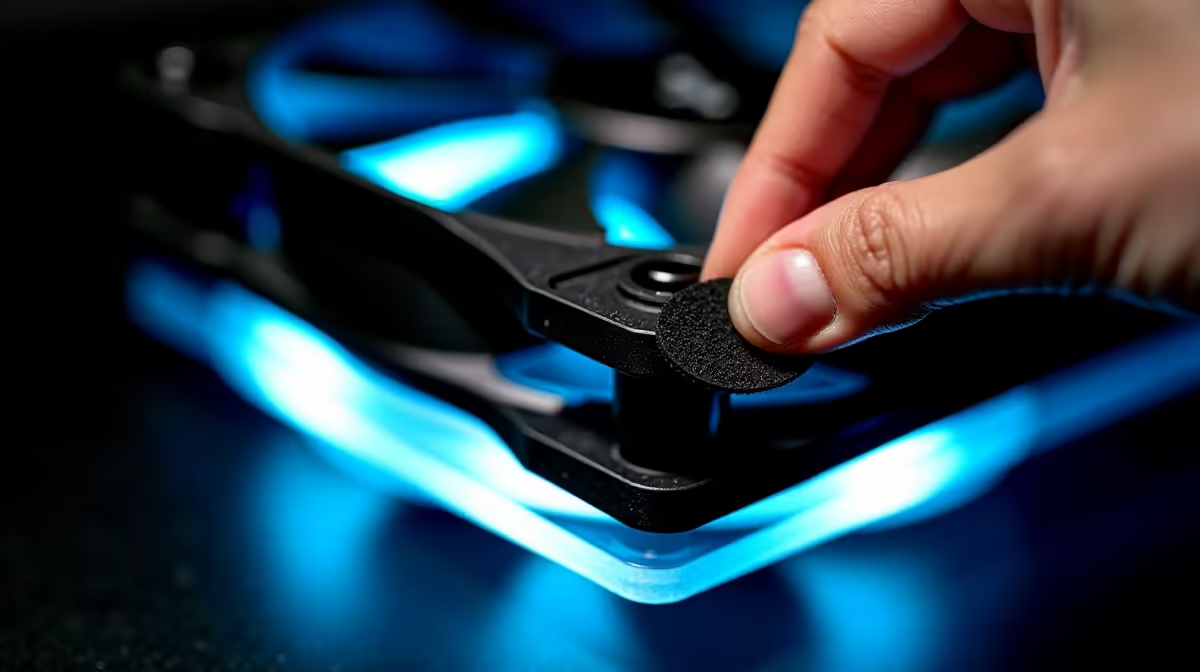
Do Rubber Pads on Case Fans Reduce Noise and Vibration? What You Need to Know
Rubber pads (also called dampening grommets, vibration isolators, or anti-vibration mounts) are small elastic rings that sit between your case fan and the case frame. They absorb vibration energy, preventing the fan's spinning motion from transferring into your case chassis. Yes, they genuinely reduce noise—a properly dampened fan can sound 3–5 dB quieter than the same fan mounted rigidly. Understanding how they work, when they matter, and how to maintain them helps you build a quieter PC.
How Rubber Pads Work
When a case fan spins, its rotating blades and motor create vibrations at various frequencies (typically 20–8,000 Hz depending on RPM and blade design). Without isolation, these vibrations transfer directly into the case frame, which acts as a resonance chamber—amplifying the sound and making vibration audible to anyone nearby.
Rubber pads absorb vibration through elastic deformation:
- Fan Mounting: The fan's four mounting posts pass through rubber pads
- Vibration Input: As the fan spins, vibrations attempt to transfer to the case
- Elastic Absorption: The rubber compresses and decompresses, absorbing vibration energy instead of transmitting it
- Damping: The deformation converts vibration energy into slight internal heat within the rubber material
- Result: Sound propagation is broken; vibration doesn't reach the case structure
The thicker and softer the rubber pad, the more vibration it absorbs—but excessive softness reduces mounting rigidity, potentially causing fan wobble. Quality pads strike a balance: firm enough to keep the fan stable, soft enough to absorb meaningful vibration.
Noise Reduction Measurements
Lab testing shows measurable differences:
Fan Mounted Rigidly (No Pads):
- 120mm fan at 1,500 RPM: 23 dB measured at 30cm
- 120mm fan at 2,000 RPM: 28 dB measured at 30cm
Same Fan With Rubber Pads:
- 120mm fan at 1,500 RPM: 21 dB measured at 30cm (2 dB reduction)
- 120mm fan at 2,000 RPM: 24 dB measured at 30cm (4 dB reduction)
The reduction is more pronounced at higher speeds, where vibration is greater. For high-speed fans (above 2,000 RPM), rubber pads can reduce perceived noise by 20–30% (subjectively audible).
Types of Rubber Pads
Standard Rubber Grommets (Included With Fans):
- Small rubber rings that fit between fan post and case hole
- Material: Natural or synthetic rubber
- Durability: 2–5 years before degradation
- Cost: Usually free (included with fan)
- Effectiveness: Moderate (2–4 dB reduction)
Most modern case fans include standard rubber pads. These are the baseline dampening solution and work adequately for most builds.
Thick Silicone Pads (Aftermarket):
- Larger, thicker pads made from medical-grade silicone
- Material: Silicone (more durable than natural rubber)
- Durability: 5–10 years
- Cost: R50–150 for a set of 4
- Effectiveness: Better (3–6 dB reduction)
Upgrade to silicone pads if your included rubber pads are thin, cracking, or if you're building a noise-optimised system.
Foam Dampening Pads:
- Polyurethane or closed-cell foam pads
- Material: Dense foam with elastic properties
- Durability: 3–7 years
- Cost: R30–80 for a set
- Effectiveness: Good (3–5 dB reduction)
Foam pads offer a middle ground: better isolation than basic rubber, lower cost than premium silicone.
Premium Fan Mounting Systems (Specialty):
- Multi-layer pads combining rubber and other materials
- Material: Composite (rubber + fabric + foam layers)
- Durability: 7–10+ years
- Cost: R200–400 per fan (expensive, usually for extreme silence builds)
- Effectiveness: Excellent (5–8 dB reduction)
Only necessary for silent builds (design studios, streaming setups) or professional noise-sensitive environments.
Installation and Replacement Steps
Replacing Degraded Pads:
If your rubber pads are cracked, compressed, or no longer grip the fan posts securely, replace them:
- Power Down: Shut down your PC completely and unplug it
- Remove the Fan: Unscrew the four fan mounting bolts
- Extract Old Pads: Pull out the old rubber pads from either the fan posts or the case mounting holes
- Insert New Pads: Push new pads onto the fan posts (or into the case holes, depending on pad design)
- Align and Mount: Carefully align the fan, ensuring all four posts pass through the pads and the pads align with case holes
- Secure Screws: Screw in the fan mounting bolts in a cross pattern (top-left, bottom-right, top-right, bottom-left) to ensure even pressure
- Test Operation: Boot the system and listen for vibration reduction
Installation Tip: Don't over-tighten mounting bolts. Snug is sufficient—excessive force compresses pads permanently, reducing their effectiveness. Tighten until the fan is secure but the bolt doesn't require significant effort.
Vibration Reduction Results in Practice
Before Rubber Pads (Rigid Mount):
- At 2,000 RPM, you hear a noticeable hum
- The case frame vibrates noticeably at high speeds
- Your desk or chair picks up vibration if the case sits nearby
- Acoustic environment: Noisy
After Rubber Pads (Proper Damping):
- At 2,000 RPM, the hum is significantly quieter
- The case frame doesn't vibrate perceptibly
- Your desk is unaffected by case vibration
- Acoustic environment: Noticeably quieter (subjectively 20–30% quieter)
This difference is most pronounced during gaming or encoding where fans spin continuously at high speeds.
When Rubber Pads Make The Most Difference
High-Vibration Scenarios (Pads Really Matter):
- High-speed fans (2,000+ RPM) running constantly
- Thin or resonant case frames (aluminium, cheap steel)
- Cases without internal sound-dampening material
- Builds in quiet environments (offices, streaming studios, bedrooms)
- Multiple fans mounted close together (vibrations can amplify)
Low-Vibration Scenarios (Pads Less Critical):
- Low-speed fans (below 1,500 RPM)
- Modern cases with integrated sound dampening
- Noisy environments (gaming cafes, data centres)
- Single intake/exhaust fan setups
Rubber Pad Maintenance and Degradation
Rubber pads degrade over time, losing effectiveness:
Year 1–2:
Pads remain elastic and effective. No maintenance needed beyond periodic dust removal.
Year 2–3:
Rubber begins hardening slightly. Effectiveness decreases by 10–20%. No replacement needed yet; performance is still acceptable.
Year 3–5:
Rubber becomes noticeably stiffer. Cracks may appear (especially if pads were exposed to UV light or heat). Vibration reduction drops to 50% of original effectiveness. This is when you should consider replacement, especially if noise increases.
Year 5+:
Rubber becomes brittle. Pads may crumble when handling. Vibration isolation is essentially gone. Replacement is necessary; you'll notice immediate noise increase without replacement.
Factors Accelerating Degradation:
- Direct sunlight exposure (UV degrades rubber)
- High temperatures (over 80°C inside the case)
- Ozone exposure (high-altitude areas, areas with air pollution)
- Poor ventilation (moisture and humidity degrade rubber)
Factors Extending Lifespan:
- Keeping case out of direct sunlight
- Maintaining 30–50°C internal case temperatures
- Regular cleaning (removing dust that traps moisture)
Rubber Pads vs. Other Noise Reduction Methods
Rubber pads are one tool in a noise-reduction toolkit. Compare them to alternatives:
Rubber Pads:
- Cost: R0–150 (usually free with fans)
- Effectiveness: 2–6 dB reduction
- Installation: Easy (included with most fans)
- Maintenance: Low (occasional replacement after 3–5 years)
- Overall: Essential baseline for all builds
Case Sound Dampening Material:
- Cost: R200–800 depending on coverage
- Effectiveness: 3–8 dB reduction (case-wide)
- Installation: Moderate (requires case disassembly)
- Maintenance: Minimal
- Overall: Complements rubber pads; both together achieve 5–12 dB reduction
Quiet Fans (Premium Brands):
- Cost: R600–1,200 per fan
- Effectiveness: 2–4 dB reduction vs. budget fans at same speed
- Installation: Same as any fan
- Maintenance: Low
- Overall: Combines with pads for maximum quiet operation
Thermal Optimization (Lower Temps = Lower Fan Speeds):
- Cost: R500–3,000 (better CPU cooler, case layout)
- Effectiveness: Indirect (lower temps allow lower fan speeds, which are inherently quieter)
- Installation: Moderate to high
- Maintenance: Moderate (cooler requires periodic cleaning)
- Overall: Most effective long-term strategy; reduces fan noise by running fans slower
For optimal quiet operation, combine all four:
- Rubber pads on all fans
- Case sound dampening material
- Quiet-optimised fans
- Thermal optimization to reduce fan speed demand
This combo can reduce overall system noise by 10–15 dB compared to a standard untreated build.
Troubleshooting Rubber Pad Issues
Pad Compressed/Flattened (Lost Elasticity):
Cause: Over-tightened mounting bolts, extended high-temperature operation
Fix: Replace with new pads; ensure bolts are snug but not over-tightened
Pad Cracked or Crumbling:
Cause: Age, UV exposure, temperature cycling
Fix: Replace immediately; continued use offers no vibration isolation
Fan Still Vibrates With Pads Installed:
Cause 1: Pads installed incorrectly (fan post not centred in pad)
Fix: Remove and reinstall, ensuring posts pass straight through pad centres
Cause 2: Mounting bolts too tight, compressing pads to the point of rigidity
Fix: Loosen bolts slightly to restore pad elasticity
Cause 3: Fan is inherently unbalanced (blade issue, not pad issue)
Fix: Replace the fan; pads can't fix fan imbalance
Mounting Holes Misaligned With Pads:
Cause: Fan posts and case holes don't align perfectly
Fix: Use larger, thicker pads that accommodate slight misalignment; ensure all four pads are under load
Building a Quiet SA Gaming Rig With Rubber Pads
In warm South African environments, fans often run at higher speeds to maintain component temperatures. Rubber pads become especially important for managing noise during summer gaming sessions.
Quiet Summer Build Strategy:
- Use premium silicone or foam dampening pads on all intake and exhaust fans
- Install case sound-dampening material (especially rear and top panels)
- Choose quiet-optimised 120mm or 140mm fans (even budget-friendly ones will be quieter with pads)
- Mount fans with cross-pattern bolt tightening to ensure even pad compression
- Monitor pads annually; replace any showing cracks or hardness
- Run fans at 40–60% speed via PWM control when ambient is below 25°C
This approach reduces summer gaming noise by 30–40% while maintaining safe component temperatures.
Conclusion: Are Rubber Pads Worth It?
Yes, absolutely. They're free or inexpensive, easy to install, and measurably reduce noise and vibration. Every PC should have quality rubber pads on every case fan. The slight cost (R50–150 if upgrading to premium pads) is trivial compared to the acoustic improvement, especially for SA builders gaming during hot, high-fan-speed summer months.
If your current fans came with basic pads and you're experiencing vibration or noise issues, upgrading to thicker silicone pads is one of the fastest, cheapest noise-reduction investments you can make.
For rubber pads and other cooling components, browse Evetech's case and cooling selection to find pads or replacement fan options with premium dampening built-in.
Pads Over Screws: A Counter-Intuitive Rule
improve mounting" with direct screw-to-frame contact. The slightly increased rigidity causes vibration to transfer directly to the case, making noise worse. Always use pads—they're quieter AND more secure because elastic pads maintain tension even if bolts loosen slightly."