

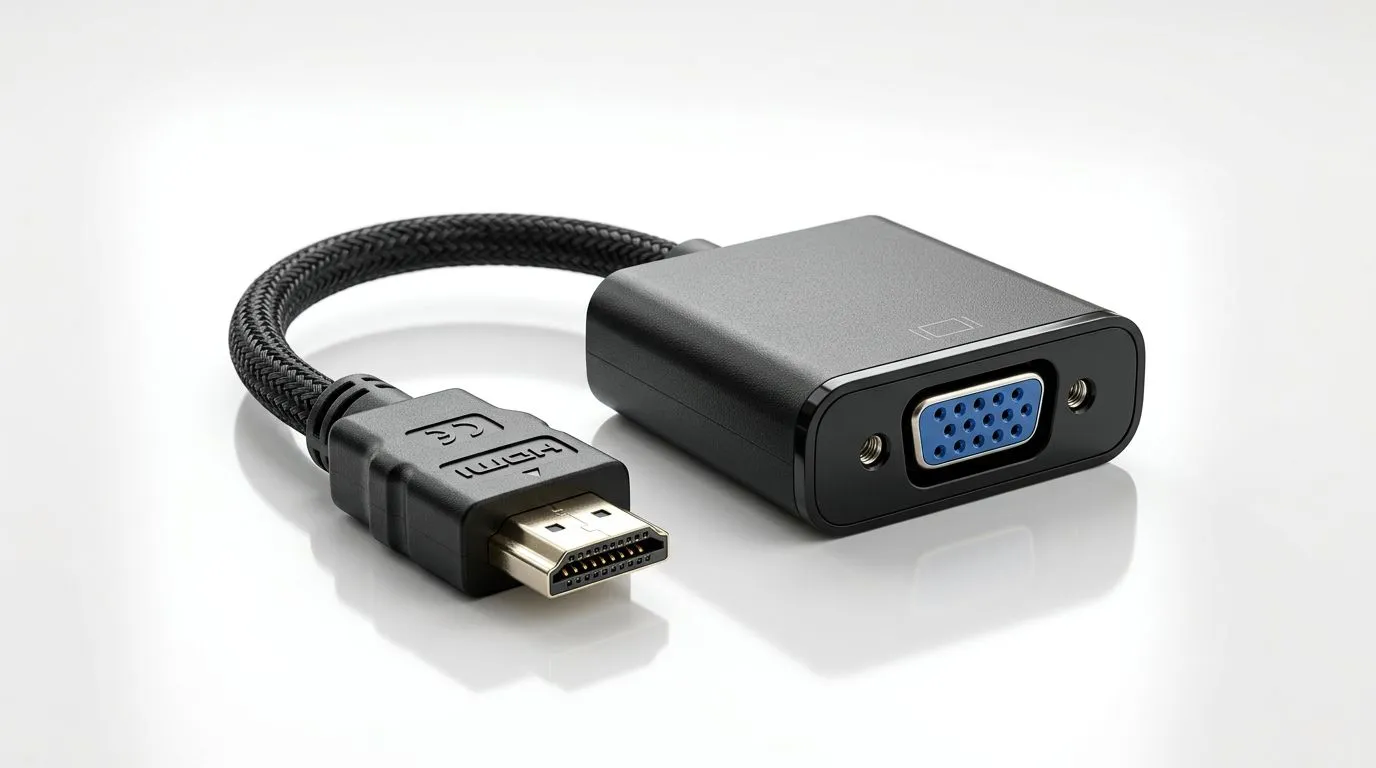
Does HDMI to VGA Adapter Support Audio? Workarounds for South African Setups 🔧
Buying the “right” cable in South Africa is already a mission… then you realise one tiny detail: HDMI-to-VGA adapters often look like a simple video fix, but audio can be a completely different story. If your gaming setup is going from a console or PC with HDMI into an older monitor with VGA, you’re not alone. Many people plug it in and get a perfect picture… but no sound. Let’s fix that the smart way.
Does HDMI to VGA Adapter Support Audio? The honest answer (and why) ✨
In most cases, an HDMI-to-VGA adapter does not carry audio. VGA is a video-only connection. HDMI carries both digital video and audio, but when you convert HDMI to VGA, the adapter usually outputs only the video signal (because VGA doesn’t have audio pins in the first place).
So what happens in real life?
- You plug in HDMI to VGA, and the monitor shows video.
- Your speakers are still expecting an audio signal… but none arrives through the VGA adapter.
- Result: “No sound” frustration, especially when you’re trying to chat with friends or enjoy game audio.
Quick reality check for gamers
If you’re using a PS5, Xbox, Nintendo Switch, or a newer PC with only HDMI out, you’ll typically need a separate audio path. The good news? There are solid workarounds.
Does HDMI to VGA Adapter Support Audio? Workarounds that actually work (Audio paths) 🚀
Here are the most reliable options, from simplest to more flexible.
Workaround 1: Use HDMI audio extraction (best overall)
If your source device sends HDMI audio, an HDMI audio extractor can split the signal into:
- Video going to the HDMI-to-VGA adapter
- Audio going to a 3.5mm jack, optical (TOSLINK), or both (depending on the model)
This is usually the cleanest approach because it preserves game audio without relying on VGA to “somehow” carry sound.
What to look for on the box: “HDMI audio extractor” plus the audio output type your speakers support.
Workaround 2: Use the device’s own audio output
Some devices let you route audio separately, such as:
- Optical out to speakers/receiver
- 3.5mm headphone out to speaker input
- Bluetooth audio to headphones (if latency is acceptable)
It depends on your source device and what ports it has. The trick is to route audio directly to your audio hardware, not through the VGA path.
Workaround 3: Use a monitor with built-in speakers (only if available)
A few older monitors include speakers, but most don’t. If yours does not, you’ll still need an external speaker or headset connection.
Workaround 4: Upgrade the display connection (if you can)
If you’re shopping anyway, consider moving from VGA to something closer to your source device. Even a budget HDMI display can remove the headache entirely. For South African buyers, that can sometimes be the cheapest “time saved” option too.
Does HDMI to VGA Adapter Support Audio? Practical troubleshooting steps ✅
Before you spend more, do these quick checks:
- Confirm the monitor is set to VGA input
Sounds obvious, but it’s common… especially on multi-input TVs. - Check your device’s audio output settings
On Windows, look for output devices and switch away from anything that assumes audio is coming via VGA. - Test audio with a different app/game
Sometimes the issue is in a game’s audio device selection, not the adapter. - Inspect physical connections carefully
A loose 3.5mm cable or wrong audio port can mimic “adapter failure.”
Productivity Pro Tip 🔧
"If you’re on Windows and you’re using headphones and a separate speaker output, open Sound settings and set a default output for gaming. Then launch your game and check its in-game audio device. This saves a lot of time when you’re switching between desk and living-room setups."
Does HDMI to VGA Adapter Support Audio? What to buy next (Evetech accessory ideas) ⚡
If you want audio to work reliably, you’re shopping for more than just an adapter. The goal is to match your output ports to your speakers.
If you’re building out your setup, you’ll likely want accessories that support:
- audio extraction (HDMI extractor with audio out)
- proper cabling (3.5mm or optical depending on your speaker/amp)
- compatibility with your console or PC
You can browse gaming accessory options here:
- Gaming accessories deals
- Gaming accessories (category page)
- Gaming accessories (with category filter)
Does HDMI to VGA Adapter Support Audio? Final take for gamers in SA 🎮
Short version? If you’re counting on an HDMI-to-VGA adapter to give you audio… you’ll usually end up disappointed. VGA is video-only, so the adapter typically can’t pass audio through it.
Instead, use one of the workarounds:
- HDMI audio extractor + VGA for video
- route audio separately from the source device
- or upgrade the display connection when it makes sense
If you tell us your console/PC model and what speakers you’re using, we can point you toward the right accessory path.
Ready to Find Your Perfect Match? The Mac vs Windows debate is complex, but for maximum power, choice, and value in South Africa, Windows is hard to beat. Explore our massive range of laptop specials and find the perfect machine to conquer your world.











