

Can Your PC Run Kingdom Come: Deliverance 2? Quick Spec Check Guide
Can Your PC Run Kingdom Come: Deliverance 2?. Everything you need to know with SA pricing, step-by-step instructions & expert recommendations.
Read moreChoose the Right GPU for Your Budget. Step-by-step instructions with SA-specific tips, common pitfalls to avoid & expert recommendations.
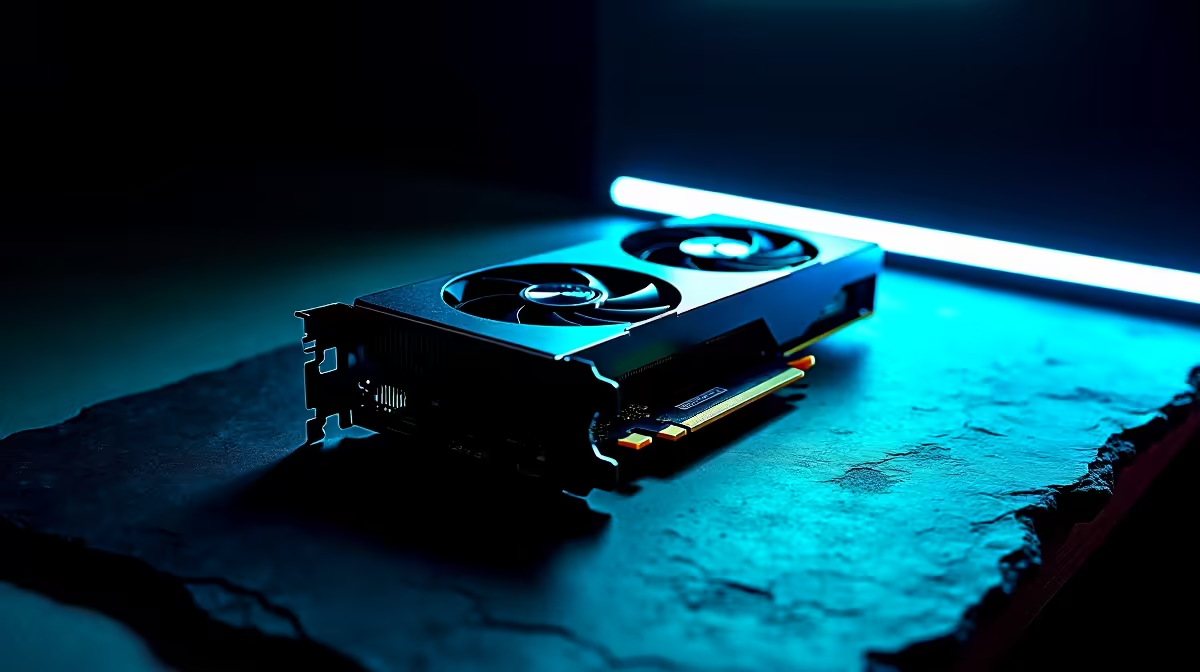
Building a rig in ZAR can feel like an extreme sport. Between fluctuating exchange rates and demanding new titles, finding that perfect pixel-pushing balance is tough. But you do not need to empty your savings to get incredible frame rates. Figuring out how to choose the right GPU for your budget in South Africa 2026 can be tricky. You are in the right place. Let us break it down.
Before you even look at a price tag, ask yourself what monitor you are using. 1080p gaming remains the most popular standard globally. For this resolution, entry-level cards offer massive value. You can easily upgrade your graphics card without needing a massive power supply. Expect to spend between R5,000 and R8,000 for a solid 1080p experience.
Moving up to 1440p means you need more VRAM and processing power. This is where mid-range cards truly shine. They deliver crisp visuals without the heart-stopping price tags of flagship models. If you are starting from scratch, grabbing one of our pre-built desktop systems often works out cheaper than buying individual parts. A capable 1440p GPU usually sits in the R10,000 to R16,000 bracket.
Always check your PSU wattage before buying a new graphics card. Modern GPUs can pull serious power... and a sudden system shutdown mid-match is the last thing you want. Aim for at least a 650W Gold-rated unit for mid-range builds.
If you want to push 4K resolution or dabble in heavy 3D rendering, you need top-tier silicon. These cards are serious investments. They handle ray tracing and maximum settings with absolute ease. You will often find these beasts powering our premium gaming rigs. Just remember that high-end GPUs require excellent case airflow to prevent thermal throttling.
Not everyone wants a massive tower taking up desk space. Modern mobile graphics have closed the gap significantly. If you travel often or study on campus, exploring high-performance notebooks is a smart move. You get a high-refresh screen, tactile keyboard, and powerful GPU all in one portable package.
Prices fluctuate constantly in the tech world. To truly optimise your budget, keep an eye out for bundled deals or seasonal sales. Checking out our daily tech specials is the easiest way to stretch your Rands further. Sometimes waiting just one week can save you thousands.
Ready to Upgrade Your Frame Rates? Finding the perfect balance of price and performance does not have to be stressful. Whether you are building from scratch or just need a graphics boost, we have you covered. Explore our massive range of GPU deals and start gaming the way you were meant to.
How to Choose the Right GPU for Your Bud available at Evetech.co.za with local warranty and fast delivery.
How to Choose the Right GPU for Your Bud - check Evetech for latest stock and SA pricing.
Depends on your use case. How to Choose the Right GPU fo offers good value at current Rand pricing.
Can Your PC Run Kingdom Come: Deliverance 2?. Everything you need to know with SA pricing, step-by-step instructions & expert recommendations.
Read more
60FPS Unstable: Achieve. Step-by-step instructions with SA-specific tips, common pitfalls to avoid & expert recommendations.
Read more
Quantisation in AI? How It Lets You Run Models. Plain-English explanation of what it means, why it matters & how it affects your buying decisions in SA.
Read more
Protect Your 1TB SSD During Load Shedding. Step-by-step instructions with SA-specific tips, common pitfalls to avoid & expert recommendations.
Read more
What Import Duties Apply to PC Hardware. Practical breakdown of costs, regulations & whether it makes financial sense for SA buyers.
Read more
the MacBook Notch and Does It Affect Usage. Plain-English explanation of what it means, why it matters & how it affects your buying decisions in SA.
Read more
AMD RX 9050 XT: Rumoured Specs, Price & Release. SA-focused analysis with local pricing data, real-world insights & actionable buying advice.

Can RTX 4080 Super Run AI Workloads for SA Developers Detailed answer with SA data, expert analysis & practical recommendations for local buyers.

Can RTX 4090 Run AI Workloads for SA Developers Detailed answer with SA data, expert analysis & practical recommendations for local buyers.

Top Settings for Intel Arc B580 at Ultrawide 1440p picks evaluated on performance, value & SA availability with current Rand pricing from Evetech.

RTX 4060 CS2 Low Settings at 1080p: FPS Results. Real-world benchmark data, FPS numbers & performance analysis. What SA gamers can actually expect.

Visual Artifacts: Possible GPU Issue Issue #1. Diagnosis steps, proven fixes & when to seek professional help. SA-specific support info included.

Can the RTX 4090 Handle 1440p 144Hz Gaming. Performance testing verdict with real data & practical recommendations for SA buyers.

Top ASUS GPU Under R15000 picks evaluated on performance, value & SA availability with current Rand pricing from Evetech.

GTA 6 Max Settings on RTX 5070. Tested & verified settings for best FPS and visual quality on SA hardware budgets.

Cyberpunk 2077 Max Settings on RTX 5080. Tested & verified settings for best FPS and visual quality on SA hardware budgets.

Starfield Max Settings on RTX 5070 Ti. Tested & verified settings for best FPS and visual quality on SA hardware budgets.

Top RTX 5090 Under R5000 picks evaluated on performance, value & SA availability with current Rand pricing from Evetech.