



850W PSU Planning for RTX 5080 Super Builds in SA
850W for RTX 5080 Super needs a full-build check, not a simple yes. Review GPU guidance, CPU draw, transient load, connectors, PSU quality, and upgrade plans before deciding.
Read moreConnect Z790 motherboard to a UPS for Load. Step-by-step instructions with SA-specific tips, common pitfalls to avoid & expert recommendations.
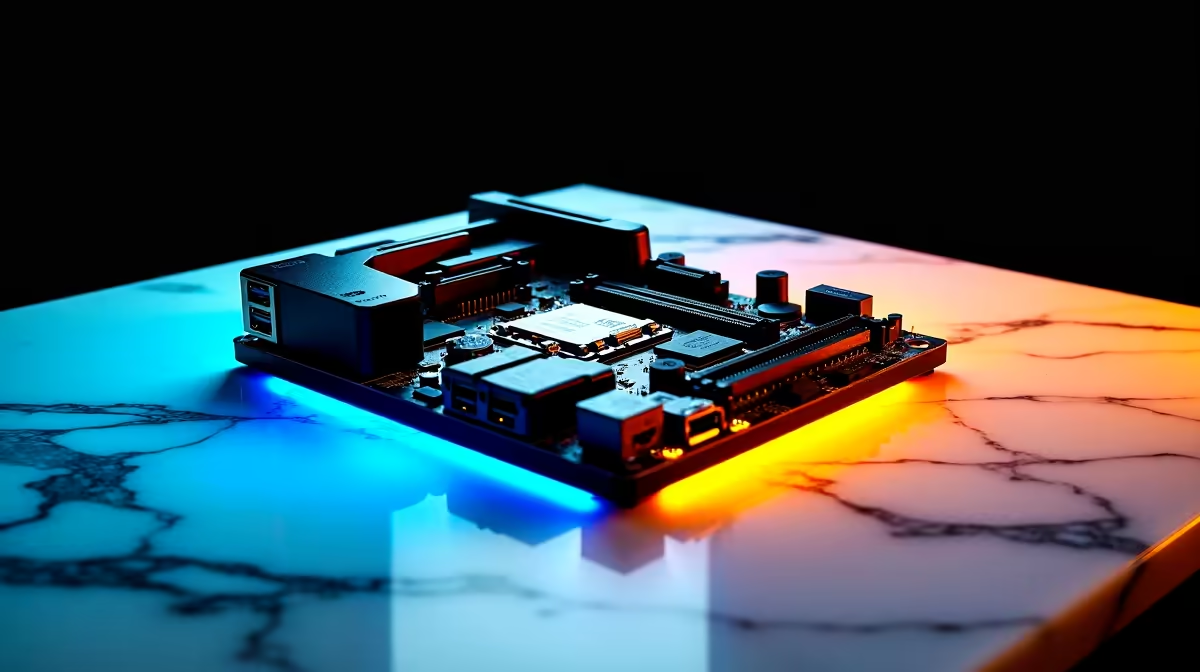
Plug your Z790 build's PSU and monitor into the battery-backed outlets of a line-interactive UPS sized for at least 1.5x your peak system draw. Connect the UPS USB cable to the motherboard so Windows can trigger a clean shutdown when load shedding hits.
A typical Z790 build with a 13th or 14th gen Core, RTX 4070 class GPU, and a 27-inch monitor pulls 350 to 500W under gaming load. You want a UPS rated at least 900VA / 540W, ideally 1500VA, so the inverter isn't running flat-out during a stage 6 drop. Pure sine wave output is non-negotiable, modified sine wave can confuse modern active-PFC PSUs and cause shutdowns mid-blackout.
Power the UPS off the wall and let it charge for at least 6 hours before first load. Move your PSU and monitor cables to the UPS's "battery + surge" outlets, never the surge-only ones. Run the bundled USB cable from the back of the UPS into a rear-IO USB-A port on the Z790 board, then install the vendor's monitoring app (PowerChute, ViewPower, or NetAgent depending on brand). In Windows, the UPS will appear under Battery, set "low battery action" to Shut Down at 20 percent.
Don't daisy-chain a multiplug into the UPS, you'll exceed the rated load and trip it. Don't plug a laser printer into the battery side, the inrush current is brutal. And test the auto-shutdown by pulling the UPS plug from the wall once a month, that's the only way to know your runtime and shutdown trigger actually work before stage 8 catches you.
A 1500VA line-interactive UPS typically gives a 400W gaming rig 5 to 10 minutes of runtime, enough to save your work and shut down cleanly. If you need to keep gaming through a 2-hour slot, you're looking at an inverter trolley or a portable power station, not a desktop UPS.
The biggest one is skipping the USB data cable, without it Windows never knows the power dropped and the UPS just dies mid-session. Other repeat offenders: using modified sine wave units, overloading with kettles or heaters, and forgetting to swap the battery every 3 to 4 years.
No tools needed beyond what came in the box. UPS units, pure sine wave models, and replacement batteries are all stocked locally with ZAR pricing and 2 to 4 day courier delivery countrywide from Evetech.
Ready to Find Your Perfect Match? Pick a pure sine wave UPS sized for your Z790 build and ride out the next stage 6 in peace. Shop UPS power solutions
How to Connect Z790 motherboard to a UPS available at Evetech.co.za with local warranty and fast delivery.
How to Connect Z790 motherboard to a UPS - check Evetech for latest stock and SA pricing.
Depends on your use case. How to Connect Z790 motherboar offers good value at current Rand pricing.
850W for RTX 5080 Super needs a full-build check, not a simple yes. Review GPU guidance, CPU draw, transient load, connectors, PSU quality, and upgrade plans before deciding.
Read more
FPS drops blamed on a wireless gaming headset often point to input, driver, USB, network, or system-load checks. Use a quick SA-friendly troubleshooting flow to isolate software, firmware, thermals, storage, and game settings before replacing
Read more
1440p is the sweet spot for Polokwane gamers because it balances sharper visuals with manageable GPU demand. Compare refresh rate, graphics card tier, monitor size, and game settings before choosing a display.
Read more
240Hz monitors are mainstream in SA esports because smoother motion and lower input feel matter in Sandton matches. See how GPU frame rates, panel choice, desk setup, and local budget decide whether 240Hz is a smart upgrade from 144Hz.
Read more
4K monitors still cost more for gamers because resolution, refresh rate, panel quality, and GPU demands raise the bar. Polokwane buyers should compare screen size, ports, adaptive sync, and whether 1440p is a better fit.
Read more
Edenvale gpu price pressure questions need cautious SA context because pricing can move with availability, exchange rates, specs, and warranty support. Treat the trend as a planning signal, not a fixed price promise.
Read more
Cyber Monday gaming chair is a cautious guide for seasonal tech deal planning. Compare spec priorities, timing, warranty support, and realistic SA price checks for SA buyers without assuming live prices, availability, or exact benchmark results.

Pre-Black Friday wired gaming mouse buying planning should focus on shape, specs, warranty, and usual price bands. Use this SA guide to shortlist sensible options before deal periods without assuming live discounts.

ATX 3.1 vs ATX 3.0 for Competitive Esports comes down to GPU power connectors, PSU quality, cable routing, headroom, and upgrade plans. SA buyers should match the choice to their setup instead of assuming one option always wins.

Wi-Fi 6E vs Wi-Fi 6 depends on Couch co-op gaming needs, platform limits, and budget fit. Compare compatibility, latency, upgrade path, and real setup constraints before choosing for an SA build.

How to fix FPS drops on AM5 motherboard starts with BIOS, chipset drivers, cooling, and memory stability. South African gamers can work through power, EXPO, refresh-rate, overlay, and game-setting checks before spending on new hardware.

RX 9070 XT build frame pacing issues needs a step-by-step check before replacing parts. Review drivers, settings, thermals, power, background apps, display limits, cables, and game options before changing hardware.

Low fps on rtx 5080 build in south africa usually needs a settings, driver, thermal, or power check first. Work through safe SA troubleshooting steps before replacing parts or assuming a full upgrade.

1440p is the sweet spot for Mbombela gamers because it sharpens detail without demanding 4K-level GPU power. SA buyers should weigh monitor refresh rate, graphics card tier, desk size, and game mix before moving up from 1080p.
850W for RTX 5080 Super needs a full-build check, not a simple yes. Review GPU guidance, CPU draw, transient load, connectors, PSU quality, and upgrade plans before deciding.

Bluetooth headset or 2.4GHz wireless headset decisions in SA hinge on latency, device support, battery, and dongle access. Gamers should match the headset to competitive play, couch use, calls, and platform ports.
FPS drops blamed on a wireless gaming headset often point to input, driver, USB, network, or system-load checks. Use a quick SA-friendly troubleshooting flow to isolate software, firmware, thermals, storage, and game settings before replacing

ATX 3.1 vs ATX 3.0 for streaming on Twitch and YouTube Difference explained is mostly about compatibility, budget, upgrade path, and setup fit. SA buyers should check device support and real needs before expecting a clear win from either option.