


Bandwidth Explained: What SA Buyers Need to Know
Bandwidth Explained: What Buyers Need to Know. Plain-English explanation of what it means, why it matters & how it affects your buying decisions in SA.
Read moreGet 144Hz in CS2 on RTX 5080. Step-by-step instructions with SA-specific tips, common pitfalls to avoid & expert recommendations.
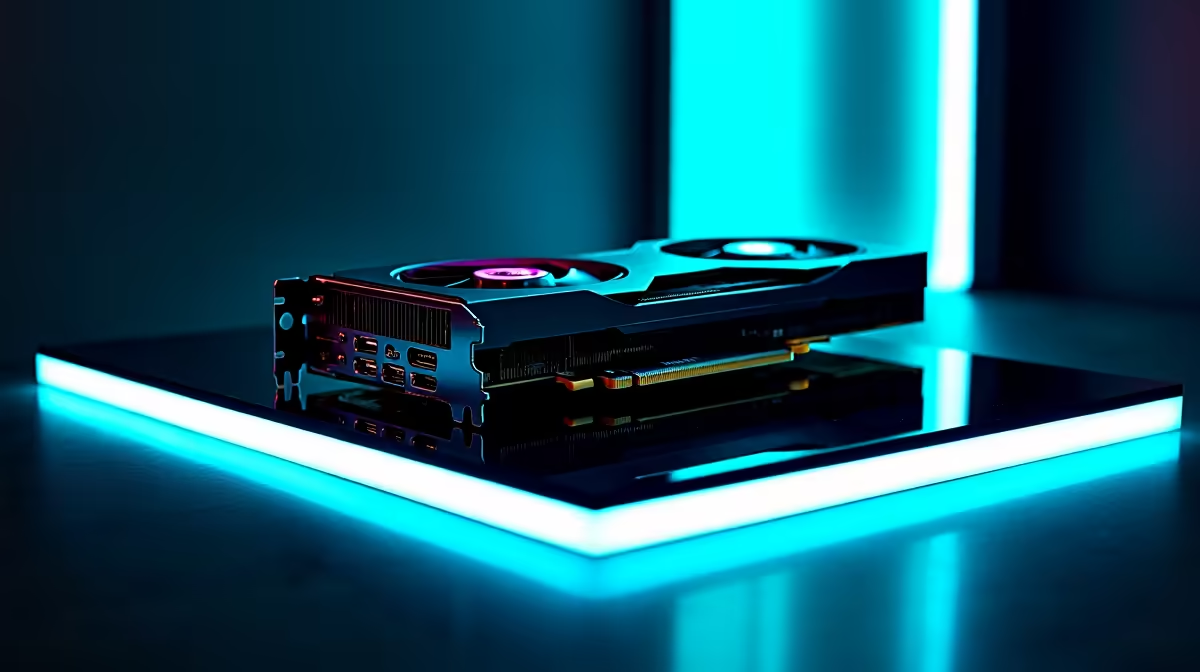
Are you tired of dropping frames when holding an angle on Mirage? Counter-Strike 2 demands absolute precision. For South African gamers, ping is already a battle. You do not want hardware lag joining the fight. If you grabbed Nvidia's latest powerhouse, you might wonder how to get 144Hz in CS2 on RTX 5080 setups consistently. Let us optimise your rig for maximum competitive advantage.
The RTX 5080 is an absolute monster. It pushes incredible pixel counts with ease. However, CS2 uses the highly demanding Source 2 engine. This engine relies heavily on both your GPU and your processor. You need a balanced system to prevent annoying bottlenecks. If you are upgrading your rig, exploring the latest graphics cards is just the start. You need a remarkably fast CPU to match the graphical output.
Even with top-tier hardware, raw power needs direction 🔧. To guarantee you hit that buttery smooth 144fps... or even 360fps... you must tweak your video settings. Start by setting your global shadow quality to high. Shadows give away enemy positions. Keep model and texture detail medium to save VRAM. If you prefer a complete package rather than building from scratch, checking out our gaming PC deals can save you thousands of ZAR.
Always enable NVIDIA Reflex Low Latency in your CS2 video settings. Set it to 'Enabled + Boost'. This forces your RTX 5080 to maintain maximum clock speeds during intense firefights, drastically reducing input lag when you need to flick-shot a peeking AWPer.
Many local pros play on stretched resolutions like 1280x960. This makes player models appear wider. It also guarantees massive frame rates. But with an RTX 5080, native 1440p or even 4K is entirely playable. Just ensure your monitor is actually set to 144Hz in your Windows display settings. It is a common mistake to leave it at 60Hz. For those wanting a plug-and-play solution, our pre-built PCs come fully configured for high refresh rate gaming.
Sometimes you need to practice your spray control away from your desk. Modern mobile hardware has closed the performance gap significantly. If you travel often or face rotational power cuts, premium laptops now feature stunning screens with 144Hz and higher. They offer a fantastic backup plan for dedicated rank grinders. You never have to miss a crucial clan match again.
Make sure your Nvidia drivers are always up to date. Background apps can also steal precious CPU cycles. Close unnecessary launcher apps before queuing up for Premier mode. With the right tweaks, figuring out how to get 144Hz in CS2 on RTX 5080 hardware is incredibly easy 🚀. Your hardware has the muscle. It just needs the right configuration. Do not forget to browse our weekly specials to find high-refresh-rate monitors at unbeatable ZAR prices ✨.
Ready to Dominate the Leaderboards? Achieving true competitive excellence requires hardware that never holds you back. Explore our massive range of gaming PC deals and find the perfect machine to conquer your CS2 matches.
How to Get 144Hz in CS2 on RTX 5080 available at Evetech.co.za with local warranty and fast delivery.
How to Get 144Hz in CS2 on RTX 5080 - check Evetech for latest stock and SA pricing.
Depends on your use case. How to Get 144Hz in CS2 on RTX offers good value at current Rand pricing.
Bandwidth Explained: What Buyers Need to Know. Plain-English explanation of what it means, why it matters & how it affects your buying decisions in SA.
Read more
Set Up RX 7800 XT for Competitive Gaming. Step-by-step instructions with SA-specific tips, common pitfalls to avoid & expert recommendations.
Read more
Can the Ryzen 5 9600X Handle 4K Gaming Without Bottlenecking Detailed answer with SA data, expert analysis & practical recommendations for local buyers.
Read more
Why Is Ping So High in South Africa for Gaming Detailed answer with SA data, expert analysis & practical recommendations for local buyers.
Read more
Can a 1200W PSU Handle the RX 9070 XT? Power. Plain-English explanation of what it means, why it matters & how it affects your buying decisions in SA.
Read more
How Does Altitude Affect PC Cooling in Gauteng Detailed answer with SA data, expert analysis & practical recommendations for local buyers.
Read more
AMD RX 9050 XT: Rumoured Specs, Price & Release. SA-focused analysis with local pricing data, real-world insights & actionable buying advice.

Can RTX 4080 Super Run AI Workloads for SA Developers Detailed answer with SA data, expert analysis & practical recommendations for local buyers.

Can RTX 4090 Run AI Workloads for SA Developers Detailed answer with SA data, expert analysis & practical recommendations for local buyers.

Top Settings for Intel Arc B580 at Ultrawide 1440p picks evaluated on performance, value & SA availability with current Rand pricing from Evetech.

RTX 4060 CS2 Low Settings at 1080p: FPS Results. Real-world benchmark data, FPS numbers & performance analysis. What SA gamers can actually expect.

Visual Artifacts: Possible GPU Issue Issue #1. Diagnosis steps, proven fixes & when to seek professional help. SA-specific support info included.

Can the RTX 4090 Handle 1440p 144Hz Gaming. Performance testing verdict with real data & practical recommendations for SA buyers.

Top ASUS GPU Under R15000 picks evaluated on performance, value & SA availability with current Rand pricing from Evetech.

GTA 6 Max Settings on RTX 5070. Tested & verified settings for best FPS and visual quality on SA hardware budgets.

Cyberpunk 2077 Max Settings on RTX 5080. Tested & verified settings for best FPS and visual quality on SA hardware budgets.

Starfield Max Settings on RTX 5070 Ti. Tested & verified settings for best FPS and visual quality on SA hardware budgets.

Top RTX 5090 Under R5000 picks evaluated on performance, value & SA availability with current Rand pricing from Evetech.