

Can Your PC Run Kingdom Come: Deliverance 2? Quick Spec Check Guide
Can Your PC Run Kingdom Come: Deliverance 2?. Everything you need to know with SA pricing, step-by-step instructions & expert recommendations.
Read moreGet 144Hz in Dragon Age on RTX 4090. Step-by-step instructions with SA-specific tips, common pitfalls to avoid & expert recommendations.
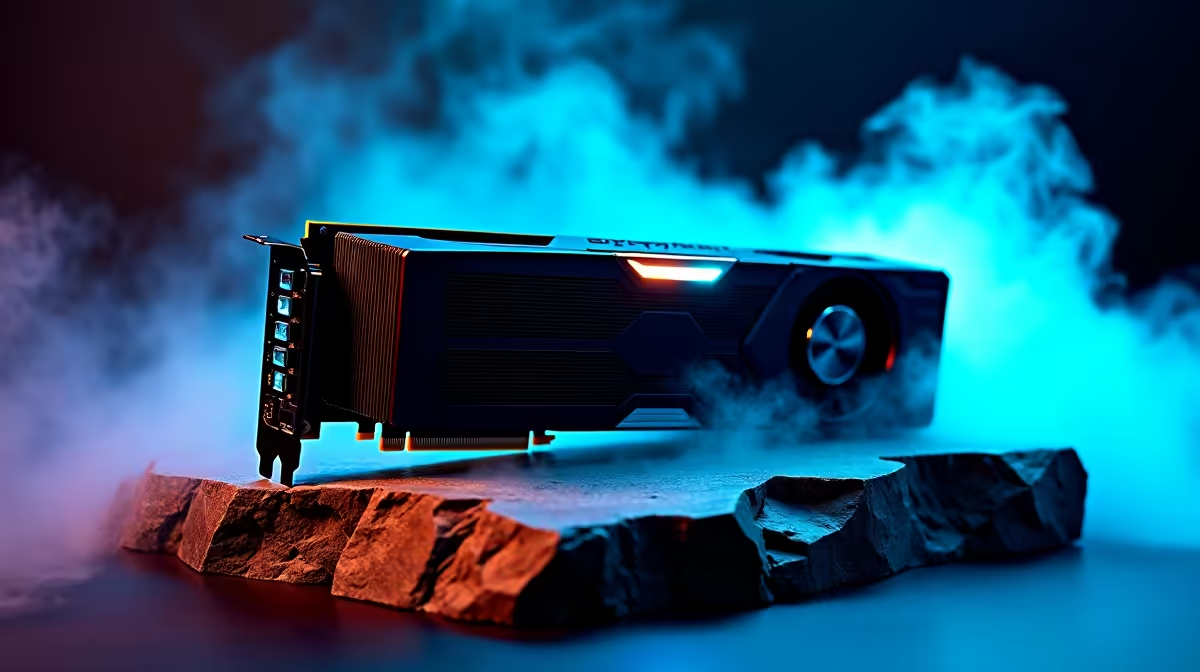
Dragon Age has returned in all its visually stunning glory... but if your frame rate is stuttering during heavy magical combat, you are missing out. Pushing this massive fantasy epic to its absolute limits requires serious hardware. If you are wondering how to get 144Hz in Dragon Age on RTX 4090 setups, you have come to the right place. Let us tweak those settings and unlock buttery-smooth gameplay for South African gamers.
The RTX 4090 is an absolute monster of a GPU... but modern AAA titles are incredibly demanding. Even with top-tier hardware, getting a locked 144 frames per second at 4K resolution requires smart adjustments. First, ensure your system is not bottlenecking your graphics card. Pairing an ultra-high-end GPU with an older processor will severely limit your frame rates. If you are building a completely new rig from the ground up, browsing the best gaming PC deals ensures you get a perfectly balanced system that will not hold back your graphical power.
To hit that magic 144Hz target consistently, start with DLSS (Deep Learning Super Sampling). You must enable DLSS 3 with Frame Generation ⚡. This AI-powered technology is the most powerful tool for RTX 40-series owners, effectively doubling your frame rate without sacrificing visual clarity. It analyses sequential frames and motion data to generate additional high-quality frames, making combat feel incredibly fluid.
Next, look closely at Ray Tracing. While the RTX 4090 handles Ray Tracing beautifully, setting it to maximum can dip your frames below 100fps during intense spell-casting sequences. Dial Ray Traced Reflections down to high or medium. You still get gorgeous puddles and metallic armour glints, but you claw back crucial frames.
If you prefer a portable setup that can also handle these demanding settings, our premium range of notebooks for sale in South Africa includes absolute powerhouses featuring RTX 4090 mobile chips.
Always update your Nvidia drivers before launching a major new RPG. Nvidia frequently releases Game Ready Drivers specifically tailored to boost frame rates and fix stuttering in massive titles like Dragon Age.
Sometimes the issue is not the game itself. Ensure your monitor is actually set to 144Hz in the Windows Display settings... a surprising number of gamers play at 60Hz without realising it! Furthermore, check your thermals. If your GPU gets too hot, it will throttle performance to protect itself, causing sudden frame drops. Good case airflow is essential here in South Africa, especially during our warmer summer months.
For gamers who want guaranteed performance without the hassle of tweaking and building from scratch, checking out ready-to-ship pre-built PC deals is a brilliant move. These machines are stress-tested to keep temperatures low and frame rates high.
Alternatively, if you are just looking to swap out an older GPU to finally push those high frame rates, you can easily find the latest graphics cards to match your budget. Upgrading your rig does not have to cost hundreds of thousands of ZAR. Do not forget to keep a close eye on our weekly tech specials to save some hard-earned cash on your next big upgrade 🚀.
Ready to Find Your Perfect Match? Achieving flawless 144Hz gameplay requires the right hardware foundation. For maximum power, choice, and value in South Africa, Evetech is hard to beat. Explore our massive range of gaming specials and find the perfect machine to conquer your next fantasy adventure.
How to Get 144Hz in Dragon Age on RTX 40 available at Evetech.co.za with local warranty and fast delivery.
How to Get 144Hz in Dragon Age on RTX 40 - check Evetech for latest stock and SA pricing.
Depends on your use case. How to Get 144Hz in Dragon Age offers good value at current Rand pricing.
Can Your PC Run Kingdom Come: Deliverance 2?. Everything you need to know with SA pricing, step-by-step instructions & expert recommendations.
Read more
60FPS Unstable: Achieve. Step-by-step instructions with SA-specific tips, common pitfalls to avoid & expert recommendations.
Read more
Quantisation in AI? How It Lets You Run Models. Plain-English explanation of what it means, why it matters & how it affects your buying decisions in SA.
Read more
Protect Your 1TB SSD During Load Shedding. Step-by-step instructions with SA-specific tips, common pitfalls to avoid & expert recommendations.
Read more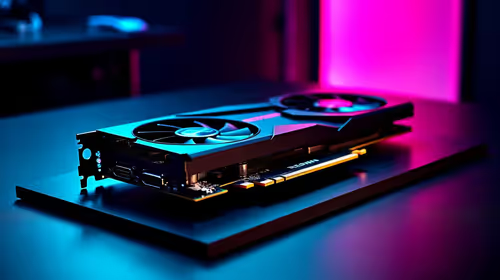
What Import Duties Apply to PC Hardware. Practical breakdown of costs, regulations & whether it makes financial sense for SA buyers.
Read more
the MacBook Notch and Does It Affect Usage. Plain-English explanation of what it means, why it matters & how it affects your buying decisions in SA.
Read more
AMD RX 9050 XT: Rumoured Specs, Price & Release. SA-focused analysis with local pricing data, real-world insights & actionable buying advice.

Can RTX 4080 Super Run AI Workloads for SA Developers Detailed answer with SA data, expert analysis & practical recommendations for local buyers.

Can RTX 4090 Run AI Workloads for SA Developers Detailed answer with SA data, expert analysis & practical recommendations for local buyers.

Top Settings for Intel Arc B580 at Ultrawide 1440p picks evaluated on performance, value & SA availability with current Rand pricing from Evetech.

RTX 4060 CS2 Low Settings at 1080p: FPS Results. Real-world benchmark data, FPS numbers & performance analysis. What SA gamers can actually expect.

Visual Artifacts: Possible GPU Issue Issue #1. Diagnosis steps, proven fixes & when to seek professional help. SA-specific support info included.

Can the RTX 4090 Handle 1440p 144Hz Gaming. Performance testing verdict with real data & practical recommendations for SA buyers.

Top ASUS GPU Under R15000 picks evaluated on performance, value & SA availability with current Rand pricing from Evetech.

GTA 6 Max Settings on RTX 5070. Tested & verified settings for best FPS and visual quality on SA hardware budgets.

Cyberpunk 2077 Max Settings on RTX 5080. Tested & verified settings for best FPS and visual quality on SA hardware budgets.

Starfield Max Settings on RTX 5070 Ti. Tested & verified settings for best FPS and visual quality on SA hardware budgets.

Top RTX 5090 Under R5000 picks evaluated on performance, value & SA availability with current Rand pricing from Evetech.