


Bandwidth Explained: What SA Buyers Need to Know
Bandwidth Explained: What Buyers Need to Know. Plain-English explanation of what it means, why it matters & how it affects your buying decisions in SA.
Read moreMaximize RTX 5060 Performance in Gaming. Step-by-step instructions with SA-specific tips, common pitfalls to avoid & expert recommendations.
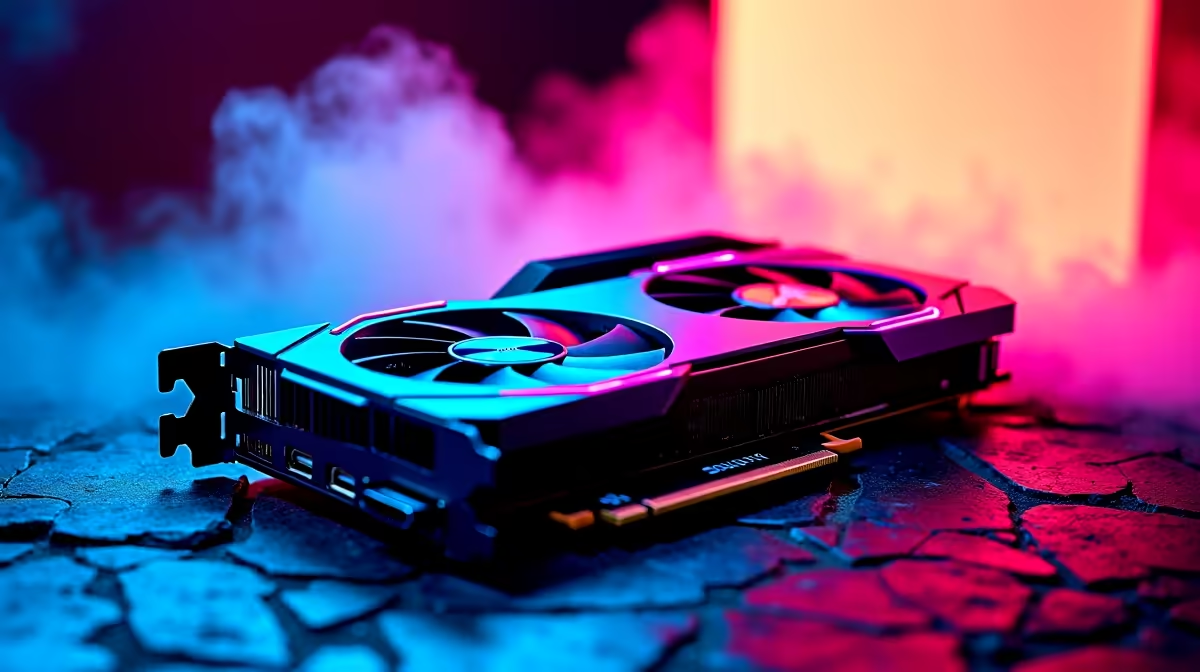
Getting your hands on fresh hardware is a massive win... especially when every ZAR counts in South Africa. If you recently upgraded your rig, you probably want to squeeze every single frame out of your favourite titles. Learning how to maximize RTX 5060 performance in gaming is easier than you think. Let us look at a few quick tweaks to keep your FPS high and your system running smoothly.
The RTX 5060 is an absolute powerhouse for 1080p and 1440p monitors. To truly maximize RTX 5060 performance in gaming, you need to use NVIDIA DLSS. Deep Learning Super Sampling renders your game at a lower resolution and upscales it using AI. This gives you a massive frame boost without losing visual quality.
If you are shopping around for the latest graphics cards, DLSS support is a huge reason to choose team green. Make sure you enable Frame Generation in supported titles to double your performance instantly. Do not forget to turn on NVIDIA Reflex in your game menus to reduce input lag... making your shots feel incredibly crisp.
Your shiny new GPU cannot do all the heavy lifting alone. A weak CPU or slow RAM will throttle your frame rates... leaving unused power on the table. You ideally want at least 16GB of fast memory to keep up with modern textures. If you want to avoid bottlenecks, ensure your processor matches your graphical output. For those looking to upgrade their entire setup, browsing the best gaming PC deals is a smart move.
Sometimes building from scratch is too much hassle. Grabbing one of our pre-built PC deals ensures that your power supply, motherboard, and cooling are perfectly balanced out of the box.
Open your NVIDIA Control Panel and head to Manage 3D Settings. Change the Power Management Mode from Normal to Prefer Maximum Performance. This simple tweak stops your GPU from downclocking during intense gaming sessions... keeping your frame rates incredibly stable.
What if you are gaming on the go? The mobile version of this chip is equally impressive... provided you manage your thermals. Laptop gamers should always play plugged into the wall to ensure the GPU draws full wattage.
If you are hunting for portable power, check out our massive range of notebooks for sale. Always elevate the back of your laptop slightly to improve airflow and stop thermal throttling.
Heat is the enemy of high frame rates, especially during a scorching South African summer. When your card gets too hot, it automatically slows down to protect itself. Ensure your chassis has good airflow with clean intake fans. You can also use software like MSI Afterburner to set a custom fan curve. This keeps your temperatures low during intense heatwaves.
If you need some extra cooling fans or a better chassis, keep an eye on our tech specials to save some ZAR. By tweaking your settings and keeping your system cool, you can easily maximize RTX 5060 performance in gaming.
Ready to Dominate Your Next Match? Pushing your hardware to the limit is incredibly rewarding, but having the right base components is essential. Explore our massive range of gaming PCs and find the perfect machine to conquer your virtual world.
How to Maximize RTX 5060 Performance in available at Evetech.co.za with local warranty and fast delivery.
How to Maximize RTX 5060 Performance in - check Evetech for latest stock and SA pricing.
Depends on your use case. How to Maximize RTX 5060 Perfo offers good value at current Rand pricing.
Bandwidth Explained: What Buyers Need to Know. Plain-English explanation of what it means, why it matters & how it affects your buying decisions in SA.
Read more
Set Up RX 7800 XT for Competitive Gaming. Step-by-step instructions with SA-specific tips, common pitfalls to avoid & expert recommendations.
Read more
Can the Ryzen 5 9600X Handle 4K Gaming Without Bottlenecking Detailed answer with SA data, expert analysis & practical recommendations for local buyers.
Read more
Why Is Ping So High in South Africa for Gaming Detailed answer with SA data, expert analysis & practical recommendations for local buyers.
Read more
Can a 1200W PSU Handle the RX 9070 XT? Power. Plain-English explanation of what it means, why it matters & how it affects your buying decisions in SA.
Read more
How Does Altitude Affect PC Cooling in Gauteng Detailed answer with SA data, expert analysis & practical recommendations for local buyers.
Read more
AMD RX 9050 XT: Rumoured Specs, Price & Release. SA-focused analysis with local pricing data, real-world insights & actionable buying advice.

Can RTX 4080 Super Run AI Workloads for SA Developers Detailed answer with SA data, expert analysis & practical recommendations for local buyers.

Can RTX 4090 Run AI Workloads for SA Developers Detailed answer with SA data, expert analysis & practical recommendations for local buyers.

Top Settings for Intel Arc B580 at Ultrawide 1440p picks evaluated on performance, value & SA availability with current Rand pricing from Evetech.

RTX 4060 CS2 Low Settings at 1080p: FPS Results. Real-world benchmark data, FPS numbers & performance analysis. What SA gamers can actually expect.

Visual Artifacts: Possible GPU Issue Issue #1. Diagnosis steps, proven fixes & when to seek professional help. SA-specific support info included.

Can the RTX 4090 Handle 1440p 144Hz Gaming. Performance testing verdict with real data & practical recommendations for SA buyers.

Top ASUS GPU Under R15000 picks evaluated on performance, value & SA availability with current Rand pricing from Evetech.

GTA 6 Max Settings on RTX 5070. Tested & verified settings for best FPS and visual quality on SA hardware budgets.

Cyberpunk 2077 Max Settings on RTX 5080. Tested & verified settings for best FPS and visual quality on SA hardware budgets.

Starfield Max Settings on RTX 5070 Ti. Tested & verified settings for best FPS and visual quality on SA hardware budgets.

Top RTX 5090 Under R5000 picks evaluated on performance, value & SA availability with current Rand pricing from Evetech.