

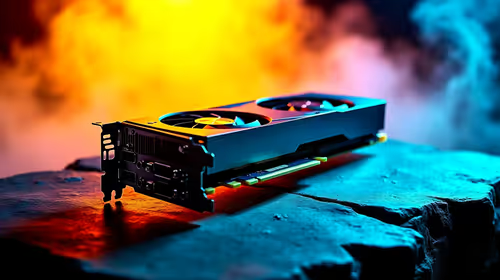
Why Is My RX 9070 XT Running Hot in SA Summer?
Why Is My RX 9070 XT Running Hot in SA Summer Detailed answer with SA data, expert analysis & practical recommendations for local buyers.
Read moreOptimize RTX 4060 Ti for Minecraft. Step-by-step instructions with SA-specific tips, common pitfalls to avoid & expert recommendations.

Minecraft might look like simple blocks... but switch on ray tracing and it will bring an average rig to its knees. If you recently upgraded, you are probably wondering how to optimize RTX 4060 Ti for Minecraft. South African gamers know the pain of stuttering frames right when a Creeper sneaks up. Let us get those frames smooth and your world's colour looking incredible.
The RTX 4060 Ti is a beast for 1080p and 1440p monitors. It features NVIDIA's Ada Lovelace architecture. It also boasts DLSS 3 frame generation. This means you can run heavy shaders without dropping below 60fps. Still hunting for the right GPU? Browsing the latest graphics cards is a smart first step.
Bedrock Edition has native RTX support built right in. It looks absolutely stunning. To optimise your RTX 4060 Ti for Minecraft here, head straight to your video settings. Turn on the "Ray Tracing" toggle. Set your render distance to around 16 chunks. Pushing it higher will drop your frames fast. Want a machine built specifically to handle this? Our gaming PCs are tuned for peak performance.
Java Edition relies heavily on third-party mods. Iris is highly recommended for modern NVIDIA cards. Pair it with Complementary Shaders for gorgeous lighting. Keep your shadow resolution at 2048x. Anything higher eats VRAM without much visual gain. Sometimes it is easier to just grab one of our pre-built PCs. They already have the CPU power to back up your graphics card.
Playing Java Edition with heavy shaders? The default 2GB RAM allocation is simply not enough. Open your Minecraft Launcher, go to Installations, and edit your JVM Arguments to allocate at least 6GB to 8GB of RAM for a stutter-free experience.
Do not forget the software side of things. Open your NVIDIA Control Panel. Set your Power Management Mode to "Prefer maximum performance". This stops your card from downclocking while you are mining diamonds. Prefer gaming on the move? You can apply these exact same software tweaks to modern laptops equipped with 40-series hardware.
Building a rig in South Africa means watching your budget closely. The 4060 Ti offers brilliant value for your hard-earned ZAR. You get premium features without the flagship price tag. Always keep an eye on our weekly specials. It is the best way to stretch your rands even further when upgrading your setup.
Ready to Build Your Ultimate Minecraft Machine? Experiencing true ray-traced lighting changes how you play forever. Explore our massive range of PC graphics cards and find the perfect hardware to conquer your blocky worlds.
How to Optimize RTX 4060 Ti for Minecraf available at Evetech.co.za with local warranty and fast delivery.
How to Optimize RTX 4060 Ti for Minecraf - check Evetech for latest stock and SA pricing.
Depends on your use case. How to Optimize RTX 4060 Ti fo offers good value at current Rand pricing.
Why Is My RX 9070 XT Running Hot in SA Summer Detailed answer with SA data, expert analysis & practical recommendations for local buyers.
Read more
RTX 4070 Ti Super Black Screen Issue: Fix. Diagnosis steps, proven fixes & when to seek professional help. SA-specific support info included.
Read more
Can a 700W PSU Handle the RTX 4060? Power. Wattage requirements, recommended PSU models & efficiency ratings for SA buyers at Evetech.
Read more
Can the RTX 4090 Run Cyberpunk 2077 at 60fps. Real-world benchmark data, FPS numbers & performance analysis. What SA gamers can actually expect.
Read more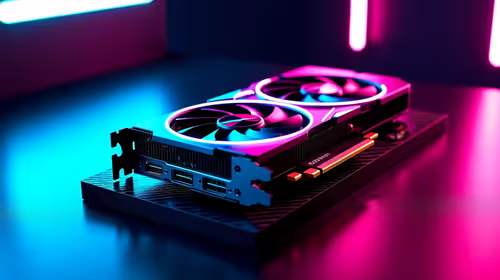
Can the RTX 5090 Handle 1440p 144Hz Gaming. Performance testing verdict with real data & practical recommendations for SA buyers.
Read more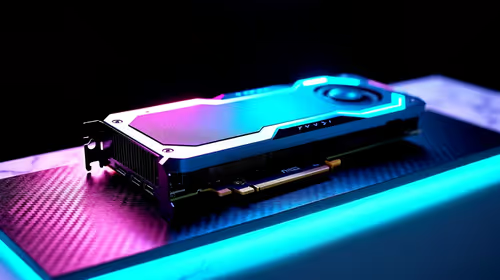
Why Is My RX 7900 XTX Underperforming? Common. SA-focused analysis with local pricing data, real-world insights & actionable buying advice.
Read more
Top Valorant Settings for RTX 5070: FPS Optimisation picks evaluated on performance, value & SA availability with current Rand pricing from Evetech.

RDNA 3.5 Graphics in Ryzen AI 400? Can You Game. Plain-English explanation of what it means, why it matters & how it affects your buying decisions in SA.

GPU Price Index : December Report. Current stock data & price tracking for SA buyers. See what is available and where prices are heading.

RX 9070 XT Elden Ring Nightreign at 4K: FPS. Real-world benchmark data, FPS numbers & performance analysis. What SA gamers can actually expect.

Core i5-14600K + B760 + RTX 5060 Build Under. Full parts list, Rand pricing & expected performance. Build confidently with SA-available components.

RX 7600 Apex Legends at 4K: FPS Benchmark. Real-world benchmark data, FPS numbers & performance analysis. What SA gamers can actually expect.

RX 7900 XTX GTA 6 at 4K: FPS Benchmark & Optimal. Real-world benchmark data, FPS numbers & performance analysis. What SA gamers can actually expect.

Head-to-head comparison of RTX 5070 vs RX 9070 XT: Gaming Performance for SA gamers. Performance benchmarks, Rand pricing & which delivers better value.

Top RTX 5070 Under R25,000 picks evaluated on performance, value & SA availability with current Rand pricing from Evetech.
Core i5-14600K + B760 + RTX 5060 Build Under. Full parts list, Rand pricing & expected performance. Build confidently with SA-available components.

Top Monitor for RX 9070: Resolution & Refresh Rate picks evaluated on performance, value & SA availability with current Rand pricing from Evetech.

Valorant Settings on RX 9060 XT: Performance. Real-world benchmark data, FPS numbers & performance analysis. What SA gamers can actually expect.