

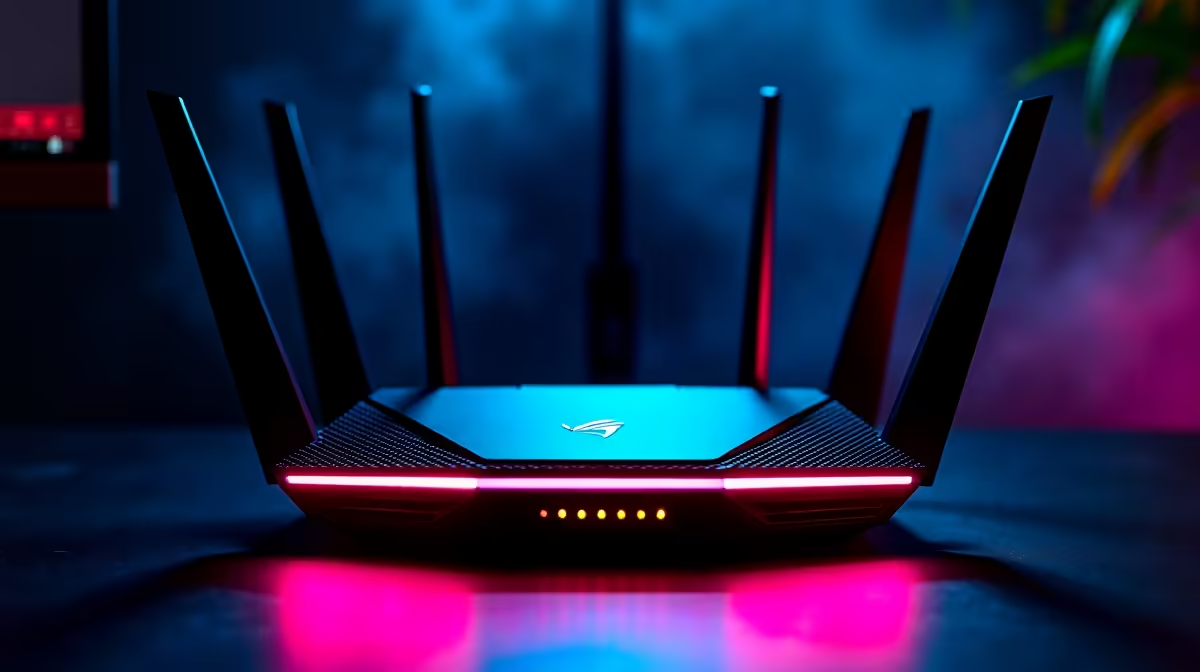
Quick Answer
Setting up fibre internet for gaming in South Africa takes less than a day once your ISP installs the ONT (optical network terminal). The key steps are choosing the right ISP and speed tier, configuring your router for low-latency gaming traffic, and optimising your local network for wired gaming connections.
Choosing Your Fibre Provider and Speed Tier for Gaming
South Africa's fibre network runs on infrastructure from Openserve, Vumatel, Octotel, MetroFibre, and others. Your ISP connects on top of this infrastructure. The infrastructure provider in your area is determined by geography, not by choice, but you select which ISP to use on top of that infrastructure.
For gaming, latency to game servers matters more than raw download speed. A 25Mbps fibre connection with consistent 5ms latency to the router edge outperforms a 100Mbps connection with variable latency during congestion. Research which ISPs in your area are known for low contention ratios. Uncongested ISPs in SA gaming forums frequently show round-trip times to Johannesburg-based servers of 2 to 8ms, while heavily congested budget ISPs can show 20 to 50ms even on the same underlying fibre infrastructure.
For a single gamer, a 25Mbps to 50Mbps package is sufficient. For households with streaming, multiple gamers, and remote work simultaneously, 100Mbps to 200Mbps prevents any single user from impacting the others. NSFAS students in residences are often covered by campus network infrastructure, but off-campus digs may need a personal fibre connection, which many SA ISPs now offer on month-to-month contracts without installation fees.
Setting Up Your Router After Fibre Installation
Your ISP installer will place an ONT device, which connects to your fibre line and outputs an Ethernet signal. This plugs into your router's WAN port. Most ISPs in SA use PPPoE authentication, meaning your router needs your ISP username and password configured in its WAN settings. Your ISP provides these credentials at sign-up.
After initial setup, change your router's default admin password immediately. Leave SSID names and passwords generic to avoid advertising your address through your network name. Enable WPA3 security if your router supports it, or WPA2-AES as a minimum.
For gaming-focused router configuration, enable QoS and prioritise gaming traffic. Gaming packets are small and time-sensitive. If your router supports device-level QoS, assign your gaming PC or console the highest priority tier. This ensures that a download running in the background on another device does not spike your gaming latency.
Wiring Your Gaming Station for Low Latency
Wi-Fi introduces variable latency caused by interference, distance, and contention with other wireless devices. For serious gaming, a wired Ethernet connection from your router to your gaming PC delivers the lowest, most consistent latency. Cat 6 Ethernet cable handles speeds up to 1Gbps, which exceeds any residential fibre plan available in SA, making it future-proof for the foreseeable term.
If running a cable through walls is not practical in your residence or rental property, a powerline adapter kit is the next best option. Powerline adapters transmit network data through your existing electrical wiring and deliver more consistent latency than Wi-Fi in most home environments. They are affected by old or noisy wiring, but in most SA homes they outperform Wi-Fi significantly for gaming.
If you must use Wi-Fi, a Wi-Fi 6 router on the 5GHz band with your gaming device positioned within clear line of sight delivers acceptable performance for casual gaming. Enable band steering off and lock your gaming device to 5GHz only to prevent it from roaming to a congested 2.4GHz band.
Managing Loadshedding on a Fibre Connection
Loadshedding cuts power to your router, ONT, and PC simultaneously. A UPS protecting your ONT and router keeps your fibre connection active during an outage, which is critical if you are mid-session or working from home. The ONT typically draws less than 10W, and most routers draw 15 to 25W, so even a modest 600VA UPS provides 60 to 90 minutes of runtime for networking equipment.
Your ISP's backbone infrastructure has generator and UPS backup at exchange level, so the fibre line itself remains live during residential loadshedding. The only break in your connection is at your own equipment. Protecting your ONT and router with a small UPS is the single most impactful loadshedding solution for a home fibre user.
Frequently Asked Questions
How long does fibre installation take in South Africa? Once you sign up with an ISP and confirm that fibre infrastructure runs past your property, installation typically takes 5 to 15 business days depending on the ISP and infrastructure provider. In high-demand areas with Openserve or Vumatel coverage, same-week installations are sometimes available.
Can I use my existing router with a new fibre connection? Yes, provided your router supports PPPoE WAN configuration and has an Ethernet WAN port. Most home routers sold in the past 5 years meet these requirements. Log into your router's admin panel and configure the WAN type to PPPoE with your ISP credentials. If your router does not support PPPoE, your ISP can sometimes supply or recommend a compatible model.
What is a good ping target for gaming on SA fibre? For SA-based game servers, under 10ms is excellent and easily achievable on uncongested fibre. For European servers, 150 to 180ms is typical due to the geographic distance and routing through undersea cables. For US servers, 200ms or more is expected. Always choose the nearest server region to minimise geographic latency, which no ISP or router setting can overcome.
Does fibre improve gaming compared to LTE or 5G in South Africa? For most SA gamers who have access to both, fibre delivers more consistent latency and lower jitter than mobile networks, particularly during peak evening hours when mobile towers are congested. 5G is a viable alternative where fibre infrastructure has not yet reached, but fibre remains the gold standard for stable gaming connectivity in SA.
Ready to Find Your Perfect Match? Build your complete gaming and fibre-ready setup at Evetech











