

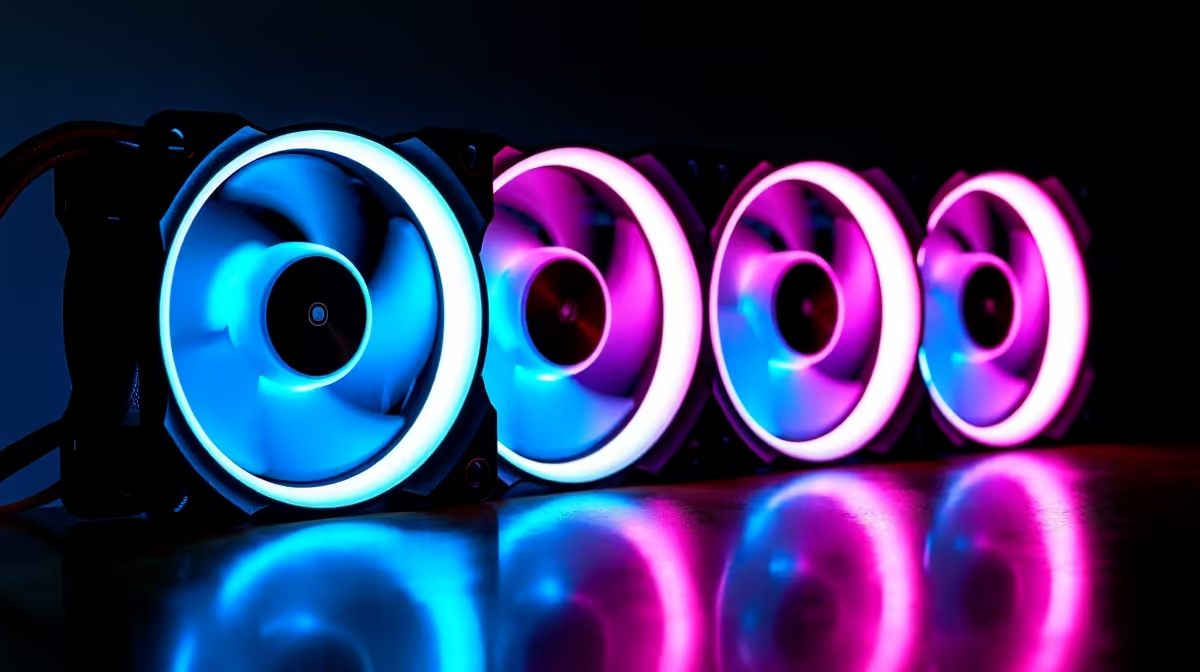
Aura Sync compatibility matters if you're building with an ASUS motherboard and want unified RGB lighting across your PC, but it's not critical if you're willing to use third-party software or don't prioritise lighting aesthetics. Here's the real trade-off analysis for South African builders.
What Aura Sync Actually Does
Aura Sync is ASUS's unified RGB control software. When enabled, it lets you set one colour scheme that applies to all compatible hardware—motherboard LEDs, ARGB fans, GPU lighting, RAM, and external peripherals.
Example: You want your entire PC to "breathe" blue. Without Aura Sync, you'd open Corsair iCUE to control Corsair fans, ASUS Aura to control motherboard LEDs, and GPU manufacturer software to control graphics card lighting. With Aura Sync, all of this happens in one place.
The convenience is real, but it's not revolutionary—it saves maybe 5–10 minutes of setup.
Aura Sync Ecosystem Compatibility
Aura Sync officially supports:
- ASUS Aura-native RGB components (motherboards, some GPUs, some peripherals)
- Some third-party ARGB products via firmware updates
- Asus-branded peripherals
Notably, Aura Sync does NOT natively support:
- Corsair ARGB fans (Corsair iCUE is incompatible)
- Thermaltake RGB fans (unless they're Thermaltake Aura-edition, which are rare)
- Some Noctua models (Noctua has its own ecosystem)
- Budget third-party fans from Deepcool, Lian Li, or others
When you browse ARGB case fans on Evetech, check the product description. If it says "ASUS Aura Sync compatible," it'll work. If it doesn't mention Aura Sync, assume it won't integrate with ASUS software natively.
The Real Question: Do You Need This?
Before prioritising Aura Sync compatibility, ask yourself:
Do you actually care about RGB lighting? If your answer is "I want it to look cool but don't plan to change colours regularly," then Aura Sync compatibility is low-priority. Set it once and forget it.
Will your build have a visible case? Non-windowed cases make RGB nearly invisible. If your case is closed, Aura Sync compatibility adds zero value.
Are you building a gaming-focused system or a productivity PC? Gamers often prioritise aesthetics (where Aura Sync helps). Productivity builders rarely care (where Aura Sync is irrelevant).
Is your budget tight? Aura Sync-compatible fans cost 5–15% more than generic ARGB fans. That money might be better spent on better-quality non-Sync fans.
Scenario 1: You Should Prioritise Aura Sync
Build Profile: ASUS motherboard, ASUS GPU, tempered glass case, RGB-focused aesthetic, €1500+ budget.
Why: You're already invested in ASUS hardware. Adding Aura Sync-compatible fans creates a seamless lighting experience. All components light up uniformly without juggling multiple software interfaces.
Reality: You'll spend 15–20 minutes on initial setup, then rarely touch RGB controls. It looks polished and professional.
Recommendation: Prioritise Aura Sync compatibility in fan selection. Accept the small price premium for the integration benefit.
Scenario 2: Aura Sync is Optional
Build Profile: ASUS motherboard, third-party GPU (e.g., NVIDIA RTX), budget R5000–8000, moderate RGB interest.
Why: Your GPU won't integrate with Aura Sync anyway (you'll use NVIDIA GeoForce Experience or manufacturer iCUE for GPU lighting). Your motherboard RGB will sync, but fans will be managed separately. One extra software window isn't a dealbreaker.
Reality: You'll have two RGB control points—Aura for motherboard, and Corsair iCUE or Thermaltake's software for fans. Still manageable, slightly less polish.
Recommendation: Aura Sync compatibility is nice-to-have, not essential. Don't let it override other factors (fan noise, bearing quality, price). Choose the best-quality fan in your budget and accept managing RGB separately.
Scenario 3: Skip Aura Sync
Build Profile: Non-ASUS motherboard (MSI, Gigabyte, Intel), non-windowed case or office PC, budget-first approach.
Why: You're not in the ASUS ecosystem. Aura Sync provides no value. MSI boards use Mystic Light, Gigabyte uses RGB Fusion—none of which integrate with ASUS Aura Sync. You'll manage RGB separately regardless.
Reality: You'll control motherboard LEDs with your brand's software and fans with the fan manufacturer's software. Not unified, but functional and usually straightforward.
Recommendation: Ignore Aura Sync compatibility entirely. Choose fans based on cooling performance, noise levels, and price. RGB will work fine—just managed separately.
The Software Hassle: Managing Multiple RGB Ecosystems
Many South African builders end up managing 2–3 RGB software suites:
- Motherboard software (Aura, Mystic Light, or RGB Fusion)
- GPU software (GeoForce Experience, AMD Adrenalin, or manufacturer iCUE)
- Fan software (Corsair iCUE, Thermaltake's app, etc.)
This isn't ideal, but it's not a dealbreaker either. You set up once and typically leave it alone. The overhead only matters if you're constantly tweaking colours.
Some advanced users create compromise solutions: set all RGB to white (or off) and accept that unified control is lost. This actually looks cleaner than mismatched colours anyway.
Practical Solutions to Avoid the Aura Sync Requirement
Option 1: Buy the Best ARGB Fans Regardless of Sync Choose fans based on cooling performance, noise, and quality. Accept that RGB is managed separately. This often results in better-quality fans at similar or lower prices.
Option 2: Standardise on One Ecosystem If you're building around ASUS, commit to ASUS components where it makes sense (motherboard, maybe GPU). Then buy standard ARGB fans and manage them with the manufacturer's software. It's not Aura Sync, but it's intentional and clean.
Option 3: Disable RGB and Save Money This is genuinely underrated. RGB adds heat perception (doesn't impact actual cooling), costs extra, and requires software management. A well-cooled PC with no RGB lighting is objectively better than an RGB-laden PC with mediocre cooling. Invest in better fans and heatsinks instead of RGB.
Price Impact of Aura Sync Compatibility
When comparing identical 120mm ARGB fans from the same brand:
- Non-Sync version: R650–750
- Aura Sync version: R700–850
That's roughly 10% price premium. For a dual-intake setup, you're spending R100–200 extra for Aura Sync compatibility. Multiply by your entire system and you're looking at R300–400 total.
Value calculation: Is unified RGB worth R300–400 to you? If your case isn't windowed or you don't care about aesthetics, probably not. If you're building a showpiece PC and you're already ASUS-heavy, maybe yes.
The Future of RGB Standardisation
The PC industry is gradually moving toward standardised RGB control—OpenRGB is an open-source project that lets you control any ARGB device from one interface, regardless of manufacturer. It's not officially supported yet, but it's gaining traction.
In 2–3 years, the Aura Sync requirement may become irrelevant as third-party software bridges the gap. This argues against over-prioritising Aura Sync compatibility today.
Real-World South African Builder Profiles
Profile 1 - Student (NSFAS Budget, R3500 PC) ASUS B550 motherboard (mid-range budget), RTX 3050, basic case. Aura Sync compatibility is irrelevant—they're buying R400 budget fans that work fine without sync. Total RGB cost is negligible in the overall budget.
Decision: Skip Aura Sync, buy best-value fans.
Profile 2 - Gaming Enthusiast (R10K+ System) ASUS ROG B650 motherboard, ASUS RTX 4080, premium case with tempered glass. Aura Sync is appealing because they're already ASUS-heavy. Spending R300 extra for integrated RGB makes sense at this budget scale.
Decision: Prioritise Aura Sync for fans to match existing ecosystem.
Profile 3 - Professional/Workstation (R15K+ System) Mixed components (maybe ASUS motherboard but non-ASUS GPU), focus on performance not aesthetics. RGB is distracting in a home office. Aura Sync is not a consideration.
Decision: Buy best-performing fans regardless of sync, potentially disable RGB entirely.
Checking Compatibility Before You Buy
When you shop for case fans on Evetech, verify compatibility by:
- Check product page: Search the description for "Aura Sync" or "ASUS compatible"
- Check manual or specs: Some ARGB fans are Aura-compatible but not marketed as such
- Contact Evetech support: If unsure, ask before purchase
- Verify your motherboard has ARGB header: You need both the fan and the motherboard to support ARGB. Check your motherboard manual for "ARGB_1" or similar 3-pin header.
The Honest Assessment
Aura Sync compatibility is a nice-to-have, not a must-have. It provides convenience if you're already invested in ASUS hardware and you care about unified RGB control. For most South African builders, especially those on tighter budgets, it's not worth compromising on fan quality or price.
The best RGB system is one you don't think about—set it once and enjoy it. Whether that's unified through Aura Sync or managed through separate software is a secondary concern compared to actually having good cooling performance.
BIOS RGB Headers Vary
When Aura Sync Breaks Down
Common failure modes:
- BIOS updates: Sometimes ASUS releases BIOS updates that cause RGB recognition issues. Check forums for your specific board before major BIOS updates.
- Driver conflicts: GPU drivers or chipset drivers occasionally conflict with Aura Sync. Reinstalling often fixes it.
- Firmware updates: Some ARGB fans require firmware updates to work properly with Aura Sync. Check the manufacturer's website if fans aren't recognised.
These are rare but possible, adding a small "software troubleshooting overhead" to Aura Sync compatibility.
Find the right ARGB case fans for your build on Evetech. Whether you're prioritising Aura Sync integration or seeking pure cooling performance, our full range of PC components has fans that match your motherboard and budget. Compare options and build with confidence.











