



850W PSU Planning for RTX 5080 Super Builds in SA
850W for RTX 5080 Super needs a full-build check, not a simple yes. Review GPU guidance, CPU draw, transient load, connectors, PSU quality, and upgrade plans before deciding.
Read moreRTX 5080 Super should be enough for Marvel Rivals at 4K in a balanced SA gaming PC, but settings, patches, CPU pairing, and monitor refresh still shape the result. Use the verdict to plan realistic headroom.
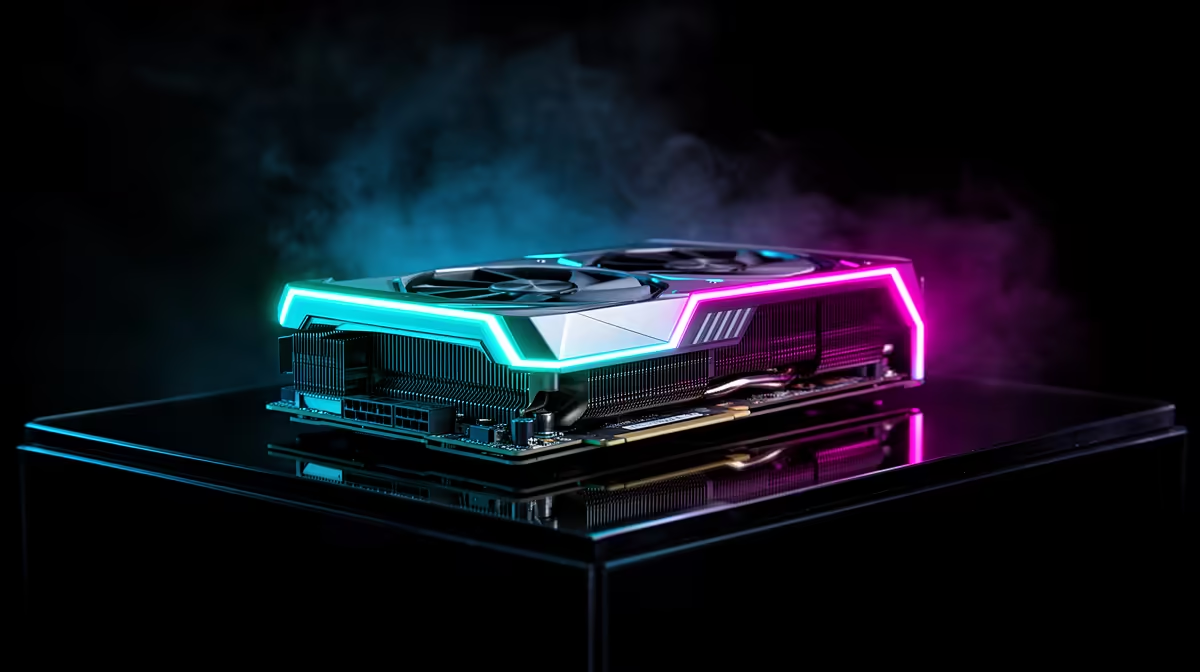
Yes - the RTX 5080 Super can run Marvel Rivals at 4K, and 4K 120-144 fps is a realistic premium target, with lower-latency settings still more useful than maximum eye candy. For SA buyers, treat above roughly R35,000 for the graphics-card tier as a broad planning band rather than a live price, then add the monitor and platform cost before deciding.
At 4K, Marvel Rivals should be judged by frame pacing, visible clarity, and the monitor you actually own. An RTX 5080 Super gives a large graphics ceiling, but that ceiling is wasted if Windows is still set to 60Hz, the display cable is wrong, or the CPU is already the limiting part. For local players on Vumatel, Openserve, Frogfoot, Rain 5G, or campus WiFi, online games also need stable latency; a faster GPU cannot fix a poor route to the server.
A sensible partner list is Ryzen 7 7800X3D, 32GB DDR5-6000, a 1TB NVMe SSD, and an 850W quality ATX 3.0 PSU. Match that with a 4K 144Hz monitor so the extra frames are visible, not only present in a benchmark overlay. Check case GPU clearance, 12V-2x6 or 16-pin cable routing, motherboard spacing, and airflow before checkout, because premium cards can be long, hot, and awkward in compact towers.
In Marvel Rivals, the first settings to test are render scale, shadows, effects detail, latency mode, and the monitor refresh setting. Keep native 4K as the baseline, then compare a high preset with one tuned profile that protects the frame target. If DLSS, frame generation, or a frame cap is available, use it to match the monitor instead of chasing a number the screen cannot show.
For lighter and esports games, yes, it can be overkill unless the PC also serves newer AAA titles. For heavy ray-traced games, the headroom can be useful when paired with a strong CPU and high-refresh screen.
Expect 4K 120-144 fps as a realistic premium target, with lower-latency settings still more useful than maximum eye candy. Local network quality affects online smoothness, but offline FPS still comes from the CPU, GPU, RAM, driver, and graphics settings.
Upgrade the monitor if it cannot show the target refresh, and upgrade the CPU if GPU usage stays low while frame times spike. For modern gaming, 32GB DDR5 and a fast NVMe SSD are safer partners than stretching an older platform too far.
Before buying for Marvel Rivals, write down your monitor refresh rate, PSU wattage, case GPU clearance, CPU model, and target resolution; those five checks prevent most expensive mismatches.
850W for RTX 5080 Super needs a full-build check, not a simple yes. Review GPU guidance, CPU draw, transient load, connectors, PSU quality, and upgrade plans before deciding.
Read more
FPS drops blamed on a wireless gaming headset often point to input, driver, USB, network, or system-load checks. Use a quick SA-friendly troubleshooting flow to isolate software, firmware, thermals, storage, and game settings before replacing
Read more
1440p is the sweet spot for Polokwane gamers because it balances sharper visuals with manageable GPU demand. Compare refresh rate, graphics card tier, monitor size, and game settings before choosing a display.
Read more
240Hz monitors are mainstream in SA esports because smoother motion and lower input feel matter in Sandton matches. See how GPU frame rates, panel choice, desk setup, and local budget decide whether 240Hz is a smart upgrade from 144Hz.
Read more
4K monitors still cost more for gamers because resolution, refresh rate, panel quality, and GPU demands raise the bar. Polokwane buyers should compare screen size, ports, adaptive sync, and whether 1440p is a better fit.
Read more
Edenvale gpu price pressure questions need cautious SA context because pricing can move with availability, exchange rates, specs, and warranty support. Treat the trend as a planning signal, not a fixed price promise.
Read more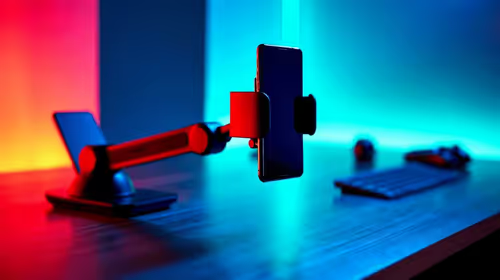
Tired of shaky navigation? We test if an extendable arm phone mount can stabilize your device on bumpy South African roads. Discover the truth about mount stability and road safety for your daily commute! 📱🚗

Cyber Monday gaming chair is a cautious guide for seasonal tech deal planning. Compare spec priorities, timing, warranty support, and realistic SA price checks for SA buyers without assuming live prices, availability, or exact benchmark results.

Pre-Black Friday wired gaming mouse buying planning should focus on shape, specs, warranty, and usual price bands. Use this SA guide to shortlist sensible options before deal periods without assuming live discounts.

ATX 3.1 vs ATX 3.0 for Competitive Esports comes down to GPU power connectors, PSU quality, cable routing, headroom, and upgrade plans. SA buyers should match the choice to their setup instead of assuming one option always wins.

How to fix FPS drops on AM5 motherboard starts with BIOS, chipset drivers, cooling, and memory stability. South African gamers can work through power, EXPO, refresh-rate, overlay, and game-setting checks before spending on new hardware.

RX 9070 XT build frame pacing issues needs a step-by-step check before replacing parts. Review drivers, settings, thermals, power, background apps, display limits, cables, and game options before changing hardware.

Low fps on rtx 5080 build in south africa usually needs a settings, driver, thermal, or power check first. Work through safe SA troubleshooting steps before replacing parts or assuming a full upgrade.

1440p is the sweet spot for Mbombela gamers because it sharpens detail without demanding 4K-level GPU power. SA buyers should weigh monitor refresh rate, graphics card tier, desk size, and game mix before moving up from 1080p.
850W for RTX 5080 Super needs a full-build check, not a simple yes. Review GPU guidance, CPU draw, transient load, connectors, PSU quality, and upgrade plans before deciding.

Bluetooth headset or 2.4GHz wireless headset decisions in SA hinge on latency, device support, battery, and dongle access. Gamers should match the headset to competitive play, couch use, calls, and platform ports.
FPS drops blamed on a wireless gaming headset often point to input, driver, USB, network, or system-load checks. Use a quick SA-friendly troubleshooting flow to isolate software, firmware, thermals, storage, and game settings before replacing

ATX 3.1 vs ATX 3.0 for streaming on Twitch and YouTube Difference explained is mostly about compatibility, budget, upgrade path, and setup fit. SA buyers should check device support and real needs before expecting a clear win from either option.