

Can Your PC Run Kingdom Come: Deliverance 2? Quick Spec Check Guide
Can Your PC Run Kingdom Come: Deliverance 2?. Everything you need to know with SA pricing, step-by-step instructions & expert recommendations.
Read moreRTX 5070 Ti Fans Spinning Constantly: Noise. SA-focused analysis with local pricing data, real-world insights & actionable buying advice.
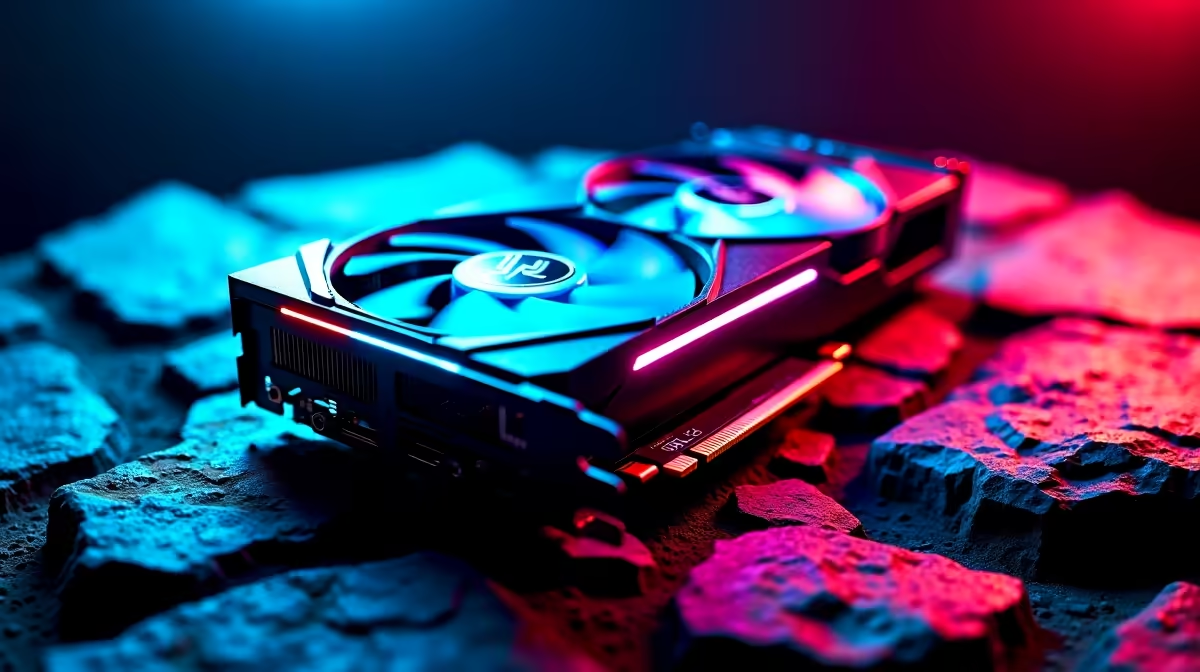
RTX 5070 Ti fans running constantly at high speed under light loads typically indicate a fan curve misconfiguration, thermal paste application issues, or inadequate case airflow. Adjusting the fan curve in MSI Afterburner or the AIB partner's software is the fastest first fix.
Nvidia's RTX 5070 Ti is a high-TDP GPU, and its AIB variants (from ASUS, MSI, Gigabyte, and others) ship with fan curve profiles calibrated for the card's maximum power envelope. Some factory profiles are aggressive, keeping fans spinning even when GPU temperature is well within safe range. Others have a zero-RPM mode that stops fans below 50 to 55 degrees Celsius and ramps aggressively once that threshold is crossed. If your card lacks zero-RPM mode or that mode is disabled, fans will run continuously.
The first step is to identify whether the fan speed is appropriate for the GPU temperature being reported. Open MSI Afterburner or the AIB partner's monitoring tool and check the GPU temperature at idle. An RTX 5070 Ti at idle should sit between 35 and 55 degrees Celsius in a well-ventilated case. If fans are at 60 to 80 percent speed with a temperature below 60 degrees, the fan curve is the problem, not a thermal or hardware fault.
In MSI Afterburner, navigate to the fan control section and enable the custom fan curve. Set the curve so that fans remain at 0 RPM below 50 degrees Celsius, ramp to 30 percent at 65 degrees, and reach 80 to 100 percent only above 80 degrees Celsius. Most gaming loads will keep the RTX 5070 Ti below 80 degrees in a case with two or more intake fans.
For ASUS cards using GPU Tweak III, the Fan Expert section offers similar per-temperature-point curve editing. Gigabyte cards use Aorus Engine. Always save the custom profile so it loads automatically at system startup.
If the GPU temperature is legitimately high (above 80 degrees at idle or 90+ degrees under load), the fan curve is responding correctly but case airflow is the underlying problem. The RTX 5070 Ti exhausts a significant volume of hot air. In a case without front intake fans or with a closed mesh front panel, that hot air recirculates and raises ambient temperature inside the case.
Add at minimum two 120 mm or 140 mm front intake fans and ensure the rear has one exhaust fan. Cases with open mesh fronts, like the Fractal Design Torrent range, handle high-TDP GPU thermals significantly better than cases with closed decorative fronts. SA builders should also check that the case is not positioned in a confined desk alcove without ambient airflow, particularly during summer months when ambient temperatures in homes without air conditioning can push above 30 degrees Celsius.
Q: Can I enable zero-RPM mode on the RTX 5070 Ti if it did not come with it? A: Zero-RPM mode availability depends on the AIB partner and specific card model. ASUS ROG and TUF variants typically include it and allow enabling or disabling via GPU Tweak III. MSI Gaming X models include it via Dragon Center or the newer MSI Center software. Check your card's software documentation.
Q: Is it safe to run the RTX 5070 Ti at 85 degrees Celsius under load? A: Yes. Nvidia GPUs are rated to throttle at 83 to 87 degrees Celsius junction temperature depending on the AIB partner's TJMax configuration. Sustained operation at 85 degrees is within specification but indicates the thermal solution is working at its limit. Improving airflow to keep the card below 80 degrees extends component longevity.
Q: Should I replace the thermal paste on my RTX 5070 Ti to reduce noise? A: Only if the card is out of warranty and thermal testing confirms the GPU is running hotter than expected for your case configuration. Factory thermal paste on RTX 5070 Ti AIB cards is generally adequate. Incorrect reapplication can worsen temperatures. Exhaust airflow improvement is a lower-risk first intervention.
Also at Evetech: RTX 5070 Ti Gaming PCs | RTX 5070 Gaming PCs
Ready to Find Your Perfect Match? Shop PC Cooling Solutions at Evetech
RTX 5070 Ti Fans Spinning Constantly: No available at Evetech.co.za with local warranty and fast delivery.
RTX 5070 Ti Fans Spinning Constantly: No - check Evetech for latest stock and SA pricing.
Depends on your use case. RTX 5070 Ti Fans Spinning Cons offers good value at current Rand pricing.
Can Your PC Run Kingdom Come: Deliverance 2?. Everything you need to know with SA pricing, step-by-step instructions & expert recommendations.
Read more
60FPS Unstable: Achieve. Step-by-step instructions with SA-specific tips, common pitfalls to avoid & expert recommendations.
Read more
Quantisation in AI? How It Lets You Run Models. Plain-English explanation of what it means, why it matters & how it affects your buying decisions in SA.
Read more
Protect Your 1TB SSD During Load Shedding. Step-by-step instructions with SA-specific tips, common pitfalls to avoid & expert recommendations.
Read more
What Import Duties Apply to PC Hardware. Practical breakdown of costs, regulations & whether it makes financial sense for SA buyers.
Read more
the MacBook Notch and Does It Affect Usage. Plain-English explanation of what it means, why it matters & how it affects your buying decisions in SA.
Read more
AMD RX 9050 XT: Rumoured Specs, Price & Release. SA-focused analysis with local pricing data, real-world insights & actionable buying advice.

Can RTX 4080 Super Run AI Workloads for SA Developers Detailed answer with SA data, expert analysis & practical recommendations for local buyers.

Can RTX 4090 Run AI Workloads for SA Developers Detailed answer with SA data, expert analysis & practical recommendations for local buyers.

Top Settings for Intel Arc B580 at Ultrawide 1440p picks evaluated on performance, value & SA availability with current Rand pricing from Evetech.

RTX 4060 CS2 Low Settings at 1080p: FPS Results. Real-world benchmark data, FPS numbers & performance analysis. What SA gamers can actually expect.

Visual Artifacts: Possible GPU Issue Issue #1. Diagnosis steps, proven fixes & when to seek professional help. SA-specific support info included.

Can the RTX 4090 Handle 1440p 144Hz Gaming. Performance testing verdict with real data & practical recommendations for SA buyers.

Top ASUS GPU Under R15000 picks evaluated on performance, value & SA availability with current Rand pricing from Evetech.

GTA 6 Max Settings on RTX 5070. Tested & verified settings for best FPS and visual quality on SA hardware budgets.

Cyberpunk 2077 Max Settings on RTX 5080. Tested & verified settings for best FPS and visual quality on SA hardware budgets.

Starfield Max Settings on RTX 5070 Ti. Tested & verified settings for best FPS and visual quality on SA hardware budgets.

Top RTX 5090 Under R5000 picks evaluated on performance, value & SA availability with current Rand pricing from Evetech.