


Does RTX 5070 Run Hot in South African Climate?
Does RTX 5070 Run Hot in South African Climate Detailed answer with SA data, expert analysis & practical recommendations for local buyers.
Read moreRX 9070 Temperature Guide: Normal Temps & Keep It. Step-by-step instructions with SA-specific tips, common pitfalls to avoid & expert recommendations.

Summer in South Africa is brutal on your PC. When you drop serious ZAR on a new GPU, you want peak performance. The last thing you need is thermal throttling ruining your frame rates. If you are pushing your system to the limit, keeping it chilly is crucial. Let us dive into this RX 9070 temperature guide to explore normal temps and how to keep it cool.
Modern GPUs are built to handle serious heat. But what is actually normal? When you buy graphics cards of this calibre, you should expect idle temperatures between 35°C and 45°C. Once you boot up a demanding AAA title, those numbers will climb. A standard load temperature sits comfortably between 70°C and 80°C.
Do not panic if you see a hotspot or junction temperature hitting 95°C. AMD designs these chips to boost until they hit thermal limits. As long as your average edge temperature is under 85°C, your hardware is perfectly safe.
Airflow is your best friend. A cramped case with poor ventilation will choke even the best coolers. If you are upgrading, make sure your chassis has enough intake and exhaust fans. Sometimes it is easier to grab one of our pre-built PC deals where the airflow is already optimised by professionals.
For those building from scratch, cable management is vital. Tucked away cables allow cool air to flow directly to your GPU fans. If you want a machine built right the first time, check out our best gaming PC deals for rigs that run as cool as they look.
Customise your fan curve using AMD Adrenalin software. Setting your fans to ramp up aggressively after 65°C keeps your peak temperatures much lower during long gaming sessions... saving your hardware in the long run.
If your GPU consistently hits 90°C on the core, you have a problem. Thermal throttling will kick in. This forces the card to drop clock speeds to protect itself. You will notice sudden frame drops and stuttering.
Desktop components naturally run cooler than mobile chips. If you prefer portability, you might be used to higher temps on notebooks for sale in South Africa. However, a massive desktop card should never run as hot as a laptop.
Regular maintenance is key. Dust buildup acts like a blanket over your heatsink. Give your PC a quick clean every few months. If your current setup is beyond saving, keep an eye on our tech specials to upgrade your cooling solution without breaking the bank.
Ready to Upgrade Your Gaming Experience? Keeping your hardware cool is just the start. If you want maximum performance, incredible visuals, and the best value in South Africa, Evetech has you covered. Explore our massive range of PC components and find the perfect hardware to conquer your world.
RX 9070 Temperature Guide: Normal Temps available at Evetech.co.za with local warranty and fast delivery.
RX 9070 Temperature Guide: Normal Temps - check Evetech for latest stock and SA pricing.
Depends on your use case. RX 9070 Temperature Guide: Nor offers good value at current Rand pricing.
Does RTX 5070 Run Hot in South African Climate Detailed answer with SA data, expert analysis & practical recommendations for local buyers.
Read more
How Long Will the RX 7900 XTX Last for Gaming Detailed answer with SA data, expert analysis & practical recommendations for local buyers.
Read more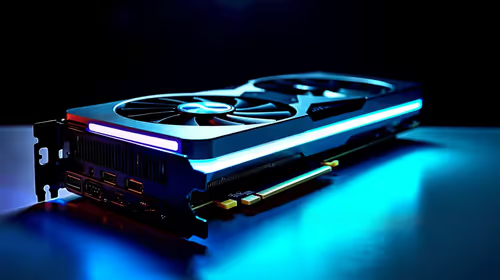
RTX 5050 Temperature Guide: Normal Temps & Keep. Step-by-step instructions with SA-specific tips, common pitfalls to avoid & expert recommendations.
Read more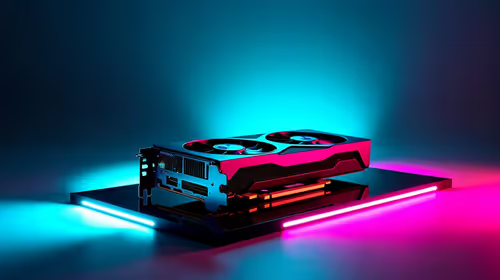
RX 7800 XT Temperature Guide: Normal Temps & Keep. Step-by-step instructions with SA-specific tips, common pitfalls to avoid & expert recommendations.
Read more
Get 144Hz in Dragon Age on RX 9070 XT. Step-by-step instructions with SA-specific tips, common pitfalls to avoid & expert recommendations.
Read more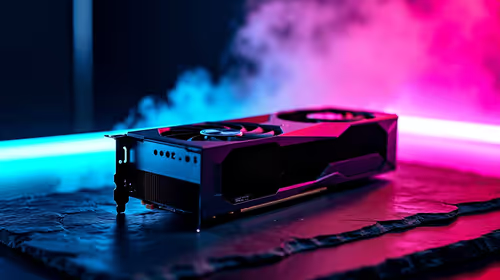
Can a 550W PSU Handle the RX 9070? Power. Wattage requirements, recommended PSU models & efficiency ratings for SA buyers at Evetech.
Read more
Complete ATX Case Size Guide: Interior Dimensions. Best deals curated with real SA discounts, price history & tips on getting genuine value.

What GPU Do You Need for AI & Machine Learning. Hardware requirements breakdown with recommended specs & SA pricing for each tier.

Top Settings for RTX 4060 at Ultrawide 1440p picks evaluated on performance, value & SA availability with current Rand pricing from Evetech.

Head-to-head comparison of FreeSync vs G-Sync Explained: Which Should Gamers for SA gamers. Performance benchmarks, Rand pricing & which delivers better value.

Every spec on PCIe 5.0 explained in plain English. What matters for gaming and creator work in 2026, what's marketing fluff, and how each number translates to real-world performance.

Every spec on bios explained in plain English. What matters for gaming and creator work in 2026, what's marketing fluff, and how each number translates to real-world performance.

Every spec on gaming setups explained in plain English. What matters for gaming and creator work in 2026, what's marketing fluff, and how each number translates to real-world performance.

Every spec on cooling systems explained in plain English. What matters for gaming and creator work in 2026, what's marketing fluff, and how each number translates to real-world performance.

Every spec on understanding how much vram is needed explained in plain English. What matters for gaming and creator work in 2026, what's marketing fluff, and how each number translates to real-world.

How to pick the right PCIe 5.0 for your build in 2026: the features worth paying for, ZAR value tiers, and the trade-offs between budget, mid-range and flagship picks.

Every spec on gpu explained in plain English. What matters for gaming and creator work in 2026, what's marketing fluff, and how each number translates to real-world performance.

Every spec on gpu explained in plain English. What matters for gaming and creator work in 2026, what's marketing fluff, and how each number translates to real-world performance for SA buyers.