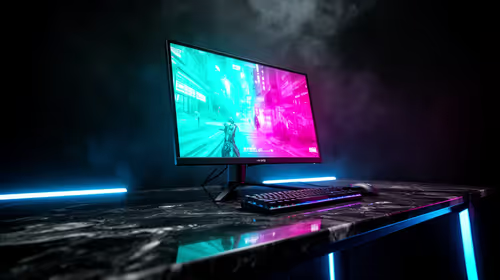
Plug one cable into your laptop and a second screen appears on the desk beside it. That is the whole pitch for a portable monitor, a thin external display that travels with you and turns any single-screen setup into a dual-screen one in seconds. No driver disc, no power brick juggling, no fixed desk required.
Quick Answer
A portable monitor is a lightweight 15.6 to 17 inch external display that usually takes both its video signal and its power from a single USB-C cable. It acts as an instant plug-and-play second screen for a laptop, phone, or handheld console, with nothing to install.
How It Actually Works
The clever part is one connector doing two jobs. Modern USB-C ports can carry a video signal using a feature called DisplayPort Alt Mode, and the same cable carries power. So when you connect a portable monitor to a laptop with a compatible USB-C port, the laptop sends the picture and supplies the electricity down one wire. The monitor lights up and the operating system treats it as a normal second display.
There is no driver to install because the display uses standards already built into Windows, macOS, and most phones. The system sees a monitor, extends or mirrors your desktop onto it, and that is that. Some larger or brighter portable monitors draw more power than a single laptop port can spare, in which case they include a second USB-C port so you can add a charger, but the simplest models run off one cable.
What You Connect It To
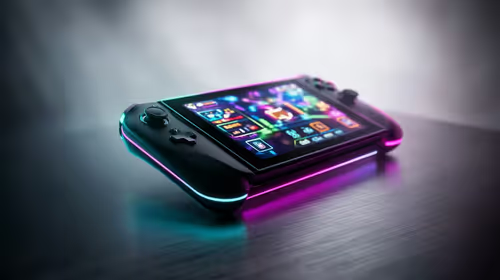
The appeal is flexibility. A laptop is the obvious pairing, giving you a spreadsheet on one screen and email on the other from a coffee shop or a res desk. Many portable monitors also work with phones that support video over USB-C, turning a handset into a desktop-style workspace. They are popular with handheld consoles too, giving a bigger picture than the built-in screen. The one requirement is that the source device can output video over USB-C, or that the monitor offers an HDMI input as a fallback.
If you want to see the sizes and panel types currently available, the portable monitor range at Evetech lists what is in stock with local pricing.
What To Check Before Buying
Confirm your laptop's USB-C port supports video output, since not every USB-C port does. Look at the panel: an IPS panel gives better viewing angles for sharing a screen, and a matte finish cuts glare if you work near windows. Check the resolution suits your eyes, with full HD the common sweet spot for a 15.6 inch travel screen. And weigh up whether you want a built-in stand or kickstand cover, because a screen that will not stand up on its own is a daily annoyance.
Frequently Asked Questions
Do I need to install software for a portable monitor?
No. It uses display standards already built into Windows, macOS, and most phones, so it works the moment you plug it in. There is nothing to download.
Can one USB-C cable really power and drive the screen?
Yes, for most models. USB-C carries the video signal and power together. Brighter or larger screens may need a second USB-C port for a charger, but simpler ones run off a single cable.
Will a portable monitor work with my phone?
If your phone outputs video over USB-C, yes. It gives you a larger, desktop-style workspace from a handset. Check your phone's specification for video-out support before buying.
What size portable monitor should I get?
A 15.6 inch screen is the common travel choice, balancing a usable picture against a light, bag-friendly size. Larger 17 inch panels give more room but add weight.
Does it need its own power outlet?
Usually not. It draws power from the device it connects to over USB-C. Only higher-brightness models may want a separate charger plugged into a second port.