Most security cameras ship their footage to a company's cloud and ask for a monthly fee to let you watch it back. Frigate flips that arrangement on its head. It is free, open-source NVR software that runs AI object detection on your own hardware, watching your IP camera streams and telling people, vehicles and animals apart without anything leaving your network.
Quick Answer
Frigate is open-source network video recorder software that performs real-time AI object detection locally on RTSP camera feeds, with no cloud subscription. It runs on your own machine, identifies people, cars, animals and packages on-device, and keeps all footage and detection data inside your home network. It pairs especially well with Home Assistant.
How Frigate Works
Frigate takes the RTSP video streams your IP cameras already produce and processes them on hardware you control. It runs cheap motion detection on the CPU first, then passes only the interesting frames to a dedicated AI detector that draws boxes around objects and decides whether it is looking at a person, a vehicle, an animal or a package. Crucially, it only records and alerts when it sees something you care about, which slashes the storage and noise of motion-only systems that trigger on every swaying tree.
Because everything happens locally, there is no monthly fee and no footage sitting on someone else's server. Your video and the detection data stay on your own network, which is the whole appeal for privacy-minded households.
The Hardware That Runs It
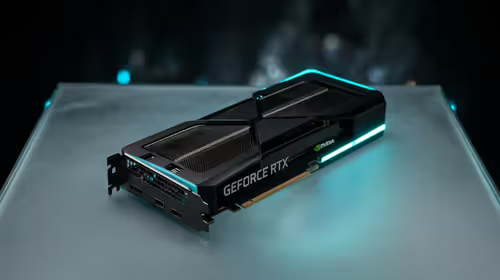
Frigate's object detection benefits hugely from an AI accelerator so the work does not bog down your CPU. You have several routes. A Google Coral TPU is the long-standing low-power option, though for fresh builds an Intel integrated GPU through the OpenVINO detector, or a dedicated AI accelerator, is now often the better recommendation. NVIDIA GPUs accelerate detection through TensorRT, and compatible AMD GPUs work too. The practical point: pick a small, always-on machine and give Frigate something to offload detection to, rather than running it on CPU alone.
The smart home and accessory hardware you need, from compatible cameras to the small always-on box that runs the software, lives in the smart home and appliances range at Evetech. Storage and networking extras to round out a build sit in the accessories best sellers.
Frequently Asked Questions
Does Frigate cost anything?
No. Frigate itself is free, open-source software with no subscription. Your only costs are the hardware to run it and the cameras you connect, both of which you own outright.
Do I need a special AI accelerator?
You can run Frigate without one, but detection then leans entirely on your CPU and may struggle with several cameras. An accelerator like a Coral TPU, an Intel iGPU, or an NVIDIA GPU offloads that work and keeps performance smooth.
What cameras work with Frigate?
Any camera that provides an RTSP stream, which covers most standard IP cameras. Frigate ingests those feeds directly rather than locking you into one brand's ecosystem.
Does it work with Home Assistant?
Yes. Frigate is designed to integrate tightly with Home Assistant, so detections can trigger automations like turning on lights when a person is seen, all running locally.
Want camera footage that stays yours? Build a local Frigate setup with the cameras, accelerators and always-on hardware in the smart home range at Evetech and skip the monthly cloud fee for good.