



850W PSU Planning for RTX 5080 Super Builds in SA
850W for RTX 5080 Super needs a full-build check, not a simple yes. Review GPU guidance, CPU draw, transient load, connectors, PSU quality, and upgrade plans before deciding.
Read moreThermal Throttling and Prevent It. Step-by-step instructions with SA-specific tips, common pitfalls to avoid & expert recommendations.
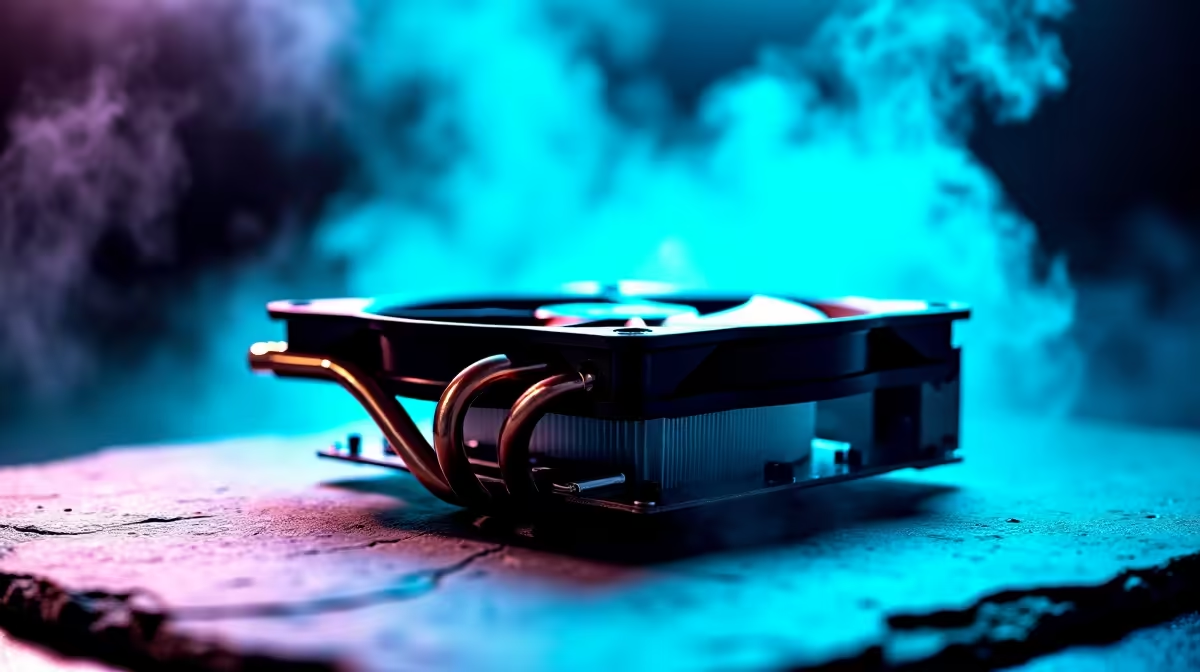
It is the middle of a South African summer. You are clutching a 1v4 in Valorant... and suddenly your frames drop from 240 to 30. Your rig sounds like a Boeing 737 taking off. You have just become a victim of a very common PC gaming enemy. If you are wondering what is thermal throttling and how to prevent it, you are in the right place.
Let us break down what thermal throttling actually means. When your CPU or graphics card works hard, it generates serious heat. Modern processors have built-in safety limits. If temps cross that threshold... usually around 90 degrees Celsius... the component intentionally slows itself down. It reduces clock speeds to cool off and prevent permanent damage. This safety feature causes those brutal lag spikes ruining your gaming sessions.
How do you know heat is the culprit? Stuttering gameplay is the first red flag. Sometimes your system might completely shut down to save itself. This is especially true for mobile warriors. If you are browsing powerful laptops for sale in South Africa, remember that compact designs trap heat fast.
Even desktop users are not safe from dust. If you recently picked up one of our pre-built PC deals, regular maintenance is vital. Pet hair and Highveld dust will choke your intake fans within months. A choked fan means zero airflow.
Now that we understand the problem, let us fix it. Knowing how to prevent thermal throttling comes down to airflow and regular maintenance.
First, elevate your rig off the carpet. Ensure your exhaust fans have at least fifteen centimetres of breathing room. If you are hunting for the best gaming PC deals, look for cases with mesh front panels. Mesh allows cool air to flow freely. A well-ventilated case is your first line of defence against the heat.
Next, consider your hardware. The stock fan included with your processor is often not enough for heavy gaming. Upgrading your cooling solution is the smartest investment you can make. Browse our premium CPU coolers to find liquid AIOs or beefy air towers. These upgrades will keep your temps frosty. ❄️
Finally, do not forget about system upgrades and seasonal discounts. Keeping your hardware running efficiently saves you thousands of ZAR. You can stretch your budget further by keeping an eye on our weekly tech specials. Look out for extra case fans and high-quality thermal paste. Replacing old thermal paste every two years works wonders for temperature control. 🚀
If your system is still running hot after a good clean, try undervolting your CPU or GPU using a tool like MSI Afterburner. It reduces power draw without sacrificing performance, dropping your temperatures by up to 10 degrees instantly.
Ready to Defeat the Heat? Do not let high temperatures ruin your competitive edge. Whether you need a massive liquid cooler, high-performance thermal paste, or a brand-new airflow case, Evetech has you covered. Upgrade your cooling setup today and keep your frames high and temps low.
What Is Thermal Throttling and How to Pr available at Evetech.co.za with local warranty and fast delivery.
What Is Thermal Throttling and How to Pr - check Evetech for latest stock and SA pricing.
Depends on your use case. What Is Thermal Throttling and offers good value at current Rand pricing.
850W for RTX 5080 Super needs a full-build check, not a simple yes. Review GPU guidance, CPU draw, transient load, connectors, PSU quality, and upgrade plans before deciding.
Read more
FPS drops blamed on a wireless gaming headset often point to input, driver, USB, network, or system-load checks. Use a quick SA-friendly troubleshooting flow to isolate software, firmware, thermals, storage, and game settings before replacing
Read more
1440p is the sweet spot for Polokwane gamers because it balances sharper visuals with manageable GPU demand. Compare refresh rate, graphics card tier, monitor size, and game settings before choosing a display.
Read more
240Hz monitors are mainstream in SA esports because smoother motion and lower input feel matter in Sandton matches. See how GPU frame rates, panel choice, desk setup, and local budget decide whether 240Hz is a smart upgrade from 144Hz.
Read more
4K monitors still cost more for gamers because resolution, refresh rate, panel quality, and GPU demands raise the bar. Polokwane buyers should compare screen size, ports, adaptive sync, and whether 1440p is a better fit.
Read more
Edenvale gpu price pressure questions need cautious SA context because pricing can move with availability, exchange rates, specs, and warranty support. Treat the trend as a planning signal, not a fixed price promise.
Read more
Cyber Monday gaming chair is a cautious guide for seasonal tech deal planning. Compare spec priorities, timing, warranty support, and realistic SA price checks for SA buyers without assuming live prices, availability, or exact benchmark results.

Pre-Black Friday wired gaming mouse buying planning should focus on shape, specs, warranty, and usual price bands. Use this SA guide to shortlist sensible options before deal periods without assuming live discounts.

ATX 3.1 vs ATX 3.0 for Competitive Esports comes down to GPU power connectors, PSU quality, cable routing, headroom, and upgrade plans. SA buyers should match the choice to their setup instead of assuming one option always wins.

Wi-Fi 6E vs Wi-Fi 6 depends on Couch co-op gaming needs, platform limits, and budget fit. Compare compatibility, latency, upgrade path, and real setup constraints before choosing for an SA build.

How to fix FPS drops on AM5 motherboard starts with BIOS, chipset drivers, cooling, and memory stability. South African gamers can work through power, EXPO, refresh-rate, overlay, and game-setting checks before spending on new hardware.

RX 9070 XT build frame pacing issues needs a step-by-step check before replacing parts. Review drivers, settings, thermals, power, background apps, display limits, cables, and game options before changing hardware.

Low fps on rtx 5080 build in south africa usually needs a settings, driver, thermal, or power check first. Work through safe SA troubleshooting steps before replacing parts or assuming a full upgrade.

1440p is the sweet spot for Mbombela gamers because it sharpens detail without demanding 4K-level GPU power. SA buyers should weigh monitor refresh rate, graphics card tier, desk size, and game mix before moving up from 1080p.
850W for RTX 5080 Super needs a full-build check, not a simple yes. Review GPU guidance, CPU draw, transient load, connectors, PSU quality, and upgrade plans before deciding.

Bluetooth headset or 2.4GHz wireless headset decisions in SA hinge on latency, device support, battery, and dongle access. Gamers should match the headset to competitive play, couch use, calls, and platform ports.
FPS drops blamed on a wireless gaming headset often point to input, driver, USB, network, or system-load checks. Use a quick SA-friendly troubleshooting flow to isolate software, firmware, thermals, storage, and game settings before replacing

ATX 3.1 vs ATX 3.0 for streaming on Twitch and YouTube Difference explained is mostly about compatibility, budget, upgrade path, and setup fit. SA buyers should check device support and real needs before expecting a clear win from either option.