

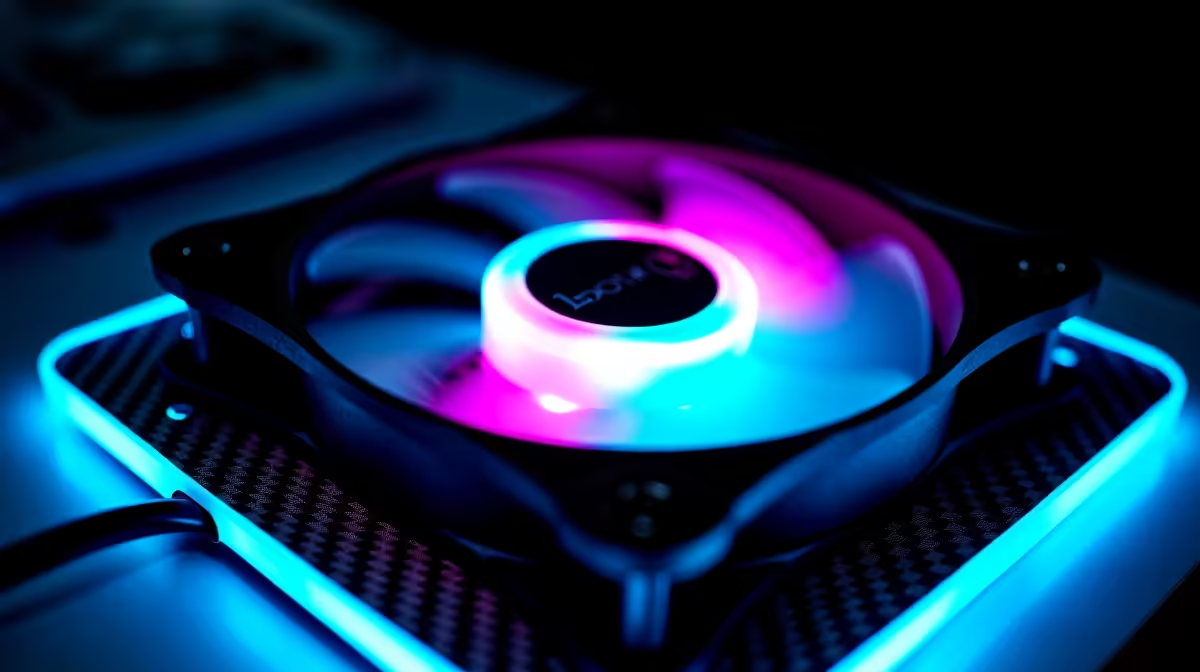
Case fan placement determines cooling performance more than fan brand or RPM—incorrect positioning wastes money and thermal potential, while strategic placement multiplies your investment. Before choosing fans, understand the seven placement zones in a typical case and how airflow interacts with each.
The Seven Placement Zones in Standard Cases
Zone 1: Front/Bottom Intake: Pulls ambient air in, typically 1–2 fans. This is your primary cooling—air should flow directly toward your GPU and CPU heatsink. Most cases optimise this zone with large vents and minimal obstructions. South African ambient air (30°C+ during summer) goes straight into this zone, so cleanliness matters—filter your intakes.
Zone 2: Side Intake: Some cases have side vents. Avoid putting fans here unless your case specifically supports it—side intake creates turbulence with front intake, reducing overall efficiency. Exception: very large cases with isolated side chambers (rare for consumer builds).
Zone 3: Top Exhaust: Hot air naturally rises, making the top exhaust your most effective exit point. One or two 120mm fans here removes hot CPU and VRM air directly. This zone should always have at least one exhaust fan in a positive-pressure system.
Zone 4: Rear Exhaust: The second most important exhaust zone. One 120mm fan here removes GPU and case-general hot air. Every case should have at least one rear exhaust.
Zone 5: Bottom Intake: Growing in popularity for vertical builds. Pulls cool air directly into the GPU region (which sits at the bottom-middle of most cases). This zone is optional but extremely effective—even one 120mm bottom fan drops GPU temperatures 5–8°C.
Zone 6: Bottom Exhaust: Rare and generally inefficient—hot air doesn't naturally exit downward. Skip this unless your case has integrated bottom ducting (like specialised server cases).
Zone 7: Radiator-Mounted Fans (if liquid cooling): These have their own logic separate from standard airflow; they're not applicable to most South African gaming PCs which run air cooling.
The Golden Rule: Positive Pressure Foundation
Before choosing placement, decide your pressure strategy. Positive pressure (more air in than out) is the standard for gaming PCs because it prevents dust ingestion and maintains thermal stability.
To achieve positive pressure:
- Count your intake fans
- Count your exhaust fans
- Ensure intakes > exhausts (typically 2 intake : 1 exhaust ratio)
Example: 2x front intake + 1x bottom intake = 3 intake fans. 1x rear + 1x top exhaust = 2 exhaust fans. This is positive pressure and works well.
Negative pressure (exhausts > intakes) creates dust problems—air sneaks in through every crack, coating your components. Avoid it.
Temperature Zones and Component Cooling
CPU and Heatsink: Cooling depends on cool air reaching the heatsink. Front intake fans blow directly past the heatsink, so position intake fans to align with your heatsink orientation. If your CPU cooler is mounted upright (tall tower style), front intake air flows around it effectively. If it's mounted sideways, you might benefit from top exhaust pulling air through the fins.
When you shop for CPU coolers on Evetech, consider your case's airflow design. Some coolers work better with specific intake/exhaust configurations.
GPU and VRAM: GPUs generate intense localised heat. Your GPU sits at the mid-to-lower part of most cases. Front intake and bottom intake both feed the GPU region—two fans here (one front, one bottom) represent the most effective GPU cooling investment. Top and rear exhaust must keep up to prevent hot air from re-circulating back to the GPU.
RAM and VRM: These components aren't heavy heat producers, but they benefit from case-level circulation. Positive pressure with good front-to-rear airflow naturally cools these areas. They don't need dedicated fan placement unless you're overclocking (which is rare in SA gaming).
Power Supply: PSUs sit at the bottom, isolated from the main case airflow in modern designs. If your case has a PSU shroud (separate bottom chamber), the PSU has its own intake directly from the case bottom. Don't restrict this intake area—it's your PSU's lifeline. Bottom case fans should not directly conflict with PSU intake.
Strategic Placement for Your Build
Budget Gaming Build (Single GPU, Ryzen 5/Core i5):
- Front intake: 2x 120mm
- Rear exhaust: 1x 120mm
- No bottom intake
- Thermals: Adequate for 60–70°C gaming temps in summer
Mid-Range Gaming Build (RTX 4060 Ti, Ryzen 5 5600X equivalent):
- Front intake: 2x 120mm
- Bottom intake: 1x 120mm
- Rear exhaust: 1x 120mm
- Top exhaust: 1x 120mm (optional but recommended)
- Thermals: Excellent; GPU stays 50–65°C even in summer
High-End Gaming Build (RTX 4080, Ryzen 7 7700X equivalent):
- Front intake: 3x 120mm or 2x 140mm
- Bottom intake: 2x 120mm
- Rear exhaust: 1x 120mm
- Top exhaust: 1-2x 120mm
- Thermals: Premium; GPU and CPU stay in the 45–60°C range
Cable Routing and Airflow Obstruction
Placement is pointless if cables block airflow. Spend time routing cables before installing fans:
- Route power cables behind the motherboard tray (most cases have a cable management channel)
- Bundle SATA and USB headers with velcro straps, keep them away from intake zones
- If your case has a bottom intake, ensure no power cables pass directly beneath the fan
- Don't let cables drape across your heatsink or GPU
Poor cable management can reduce intake efficiency by 30–40%, negating expensive fan upgrades.
Case Design Impact on Placement
Not all cases support all placements:
Front Intake: Universal—every case has a front.
Top Exhaust: Most cases support this, but some (especially compact ITX cases) have limited top vent space. Check specs before planning top fans.
Rear Exhaust: Standard, but case height varies. 120mm fits most; ultra-compact cases might only support 92mm rear fans.
Bottom Intake: Increasingly common in gaming cases, but not universal. Check your case manual—if the bottom is solid or has tiny vents, bottom intake isn't viable.
Side Intake: Only useful in very large cases with dual-chamber designs. Most builders should skip this.
When you browse cases on Evetech, the product description should specify where fans can be mounted. Always verify before committing.
Dust Management Through Placement
Positive pressure only works if you filter incoming air. Standard practice:
- Front intake fans: Mount with fine mesh filters (usually included with the case)
- Bottom intake fans: Also add filters to prevent dust from sucking up from the case floor
- Top and rear exhaust: No filters needed—hot air flows out unobstructed
Clean intake filters monthly during heavy use (gaming multiple hours daily), quarterly during light use. A clogged filter forces fans to work harder and reduces cooling efficiency by 10–15%.
Temperature Gradients and Case Convection
Understanding natural convection helps placement decisions:
- Hot air rises naturally: Top exhaust should be your first exhaust investment, not your last
- Cool air sinks: Bottom/front intake takes advantage of gravity
- Stagnant zones form: Avoid placing all exhausts in one location (e.g., only top); spread them (top + rear) to capture hot air across the case
Ideal pattern: Cool air front → up through GPU → out top/rear. Bottom intake aids this by creating a secondary path for GPU cooling specifically.
Noise Considerations for Placement
Fan noise varies with placement:
- Intake fans: Noise is somewhat muffled as air enters; they can spin slightly faster than exhaust at the same perceived volume
- Exhaust fans (especially top): Noise exits the case directly; top exhaust noise is more noticeable than front intake
- Rear exhaust: Noise points directly at the person typically sitting in front of the PC
For a quiet build, prioritise high-quality exhaust fans over intake fans. A cheap intake fan with a good exhaust fan sounds better than the reverse.
Seasonal Adjustments for SA Climate
South Africa's temperature variation (15°C winter to 35°C summer) affects fan placement logic:
Winter: Your fans can run slower and quieter. Consider disabling top exhaust in winter if noise is a concern—positive pressure from front + bottom intake is sufficient at cool ambient temps.
Summer: Your intake fans work harder because ambient air is hotter. Bottom intake becomes critical during summer months. Ensure your case hasn't accumulated dust in the intake filters—this matters 10x more in heat stress.
Common Placement Mistakes
Mistake 1: All exhaust, no intake. Negative pressure. Dust storms. Your PC becomes a dust collector. Fix: Add bottom and front intake fans.
Mistake 2: Front intake only, top exhaust only. Works okay, but CPU and GPU hot air interfere with each other. Fix: Add a rear exhaust to separate CPU and GPU airflows.
Mistake 3: Assuming larger fans = better placement. Three 140mm fans might cool worse than two 120mm fans if placement is poor. Fix: Understand airflow paths first, then choose fan sizes.
Mistake 4: Placing intake fans only in the CPU region. GPU sits below the motherboard and starves for cool air. Fix: Place at least one intake fan to feed the GPU region (either front-bottom or dedicated bottom intake).
Case Design Variation Across Price Points
Testing Your Placement
Once installed, verify your setup:
- Visual smoke test: Hold an incense stick near intake and exhaust vents. Air should flow smoothly in and out.
- Temperature test: Run Cinebench R23 multi-core for 10 minutes. GPU and CPU should stabilise within 1–2 minutes. If temperatures are still climbing after 5 minutes, your placement is restricting airflow.
- Thermal imaging (advanced): Use a cheap thermal camera to spot dead zones in your case—areas where air stagnates.
- Sound test: Listen for turbulence or whistling, which indicates high-velocity air fighting restrictions.
Real-World South African Example
A typical Johannesburg gaming setup (Ryzen 5 5600X, RTX 4060):
- Summer ambient: 28–32°C
- Front intake (2x 120mm) at 1200 RPM
- Bottom intake (1x 120mm) at 1100 RPM
- Rear exhaust (1x 120mm) at 1400 RPM
- Top exhaust (1x 120mm) at 1300 RPM
Under gaming load in summer, this setup maintains GPU temps around 60°C and CPU around 65°C—excellent for the climate. The same fans in winter could drop to 45°C and 50°C respectively, showing how ambient affects your absolute temps. The key is that placement ensures fans work with airflow physics, not against it.
Optimize your case airflow with strategic fan placement. Browse Evetech's complete PC component selection to find the right fans for your chosen case and build configuration. Smart placement multiplies your cooling investment—start with the right layout.











