

Quick Answer
A R25,000 streaming setup budget in South Africa buys you a genuinely professional-quality streaming and content creation rig, covering a capable capture PC or gaming PC, a quality webcam or camera, a condenser microphone, lighting, and audio interface. Here is exactly how to allocate that budget.
What R25,000 Gets You: The Full Budget Breakdown
R25,000 is a serious content creation budget by South African standards and covers a complete, broadcast-ready streaming setup without compromise in any critical area. The key is allocating intelligently rather than spending unevenly on one category while neglecting others.
A suggested allocation for a dual-PC or single high-performance PC streaming setup:
Streaming or gaming PC at R14,000 to R16,000 covers a system with an Intel Core i5-14600K or AMD Ryzen 5 7600X, 32GB DDR5 RAM, and an NVIDIA RTX 4060 Ti or RTX 4070. This handles simultaneous gaming and streaming encoding without frame drops.
Webcam or camera at R1,500 to R3,000. At the lower end, a 1080p 60fps USB webcam delivers clean, professional-looking video for most streaming platforms. At R2,500 to R3,000 you can source a mirrorless camera with a capture card for cinematic quality.
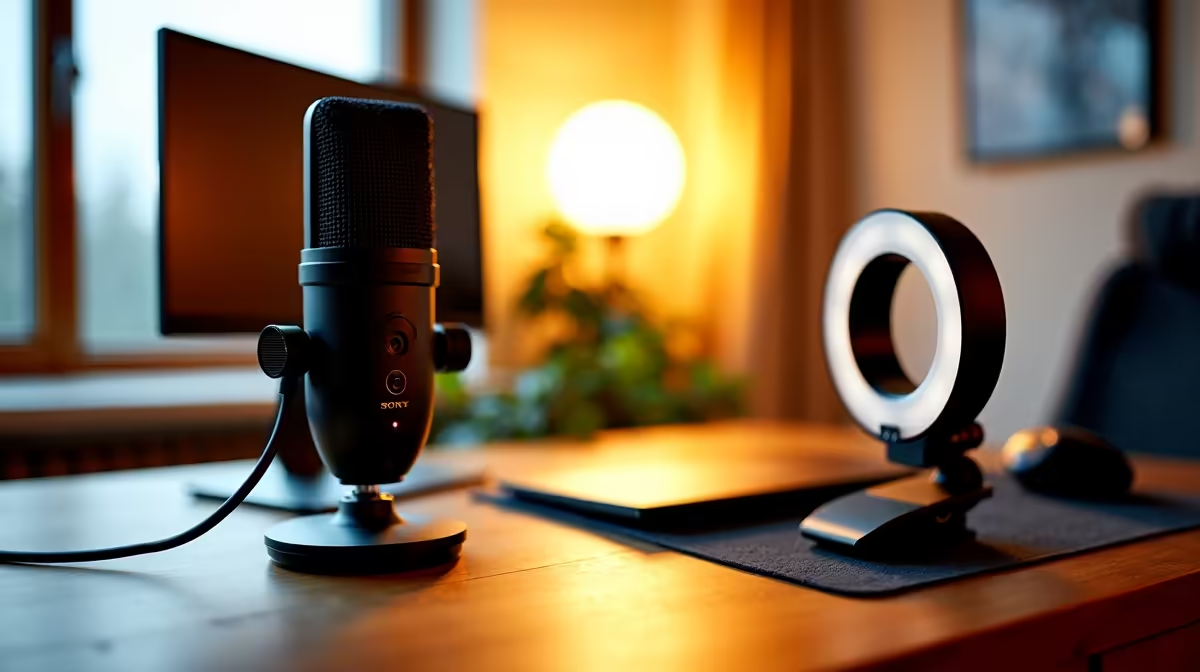
Microphone at R1,200 to R2,500. A USB or XLR condenser microphone in this range delivers broadcast-quality vocal clarity. Cardioid pickup patterns reject keyboard noise and room reverb, which matters in untreated spaces like student rooms and home offices.
Lighting at R800 to R1,500. A ring light or dual softbox kit in this range eliminates flat, shadowy webcam footage. Good lighting has a greater impact on perceived stream quality than upgrading from a mid-range to premium camera.
Remaining budget R1,500 to R2,500 covers accessories including microphone arm, acoustic treatment foam panels, cable management, and a streaming deck or controller.
PC Configuration for South African Streamers
A single-PC streaming setup at R25,000 is entirely viable with the right hardware. The NVIDIA NVENC encoder on RTX 40-series cards offloads stream encoding from the CPU, meaning your CPU is free to run the game at full performance. This makes single-PC streaming with a midrange GPU and CPU combination significantly more capable than equivalent single-PC setups from three or four years ago.
For NSFAS students who are working with a much smaller total budget, a streaming setup starting from R5,000 to R8,000 is possible with a capable laptop, a budget microphone, and natural lighting, but that is a different tier from the R25,000 full build discussed here.
Loadshedding is a real concern for SA streamers. A UPS large enough to run your PC and monitor for 60 to 90 minutes costs between R1,500 and R3,000 and is a critical investment if you stream on a schedule during stage 2 to stage 4 schedules. Factor this into your budget if you are in a loadshedding-heavy area.
Audio Quality: The Often Underestimated Investment
Viewers tolerate poor video quality far better than poor audio. A muffled, echoey, or noisy microphone drives away viewers faster than any technical issue. Allocating R1,500 to R2,500 of your R25,000 budget specifically to audio, including the microphone, arm, and basic room treatment, is one of the highest-return investments in the entire setup.
XLR microphones paired with an audio interface give you more control over your gain, EQ, and monitoring chain than USB microphones. At R25,000 total, spending R2,000 on an XLR microphone and R800 on a basic audio interface is a realistic and professional choice.
For room treatment, even R300 to R500 worth of acoustic foam panels on the wall behind and beside your recording position reduces echo noticeably. This is especially relevant in hard-walled student accommodation and home offices with tiled floors.
Software and Platform Setup Costs
OBS Studio is free and industry-standard for streaming. Streamlabs OBS and Voicemeeter for audio routing are also free. At the R25,000 budget level, you do not need to allocate anything for streaming software itself.
Stream overlays, alerts, and branding can be built free using Canva or purchased cheaply on design marketplaces. Channel subscriptions on Twitch or becoming a YouTube partner are milestone-based, not upfront costs. Your R25,000 covers the hardware stack entirely without software expenditure.
Frequently Asked Questions
Is R25,000 enough for a dual-PC streaming setup in South Africa? Not comfortably for a proper dual-PC setup with high-end hardware on both machines. A dual-PC setup generally requires R30,000 to R40,000 to do properly. At R25,000, a single high-performance PC with NVENC encoding is the recommended approach and delivers excellent results.
Should I buy a DSLR or mirrorless camera for streaming on a R25,000 budget? At R25,000 total budget, a quality webcam with 1080p or 4K output is the right choice. A camera plus capture card uses R3,000 to R5,000 of your budget, leaving less for PC hardware where it matters more at this tier. Upgrade to a mirrorless camera setup at a later stage when your channel revenue can justify the expenditure.
Can I stream professionally without a dedicated streaming PC? Yes. Modern CPU and GPU hardware is efficient enough that single-PC streaming is standard practice among professional streamers. NVENC hardware encoding on RTX cards delivers near-x264-slow quality without CPU overhead. A mid-to-high range single PC handles streaming and gaming simultaneously.
How does loadshedding affect streaming in South Africa? Loadshedding is one of the most significant unique challenges for SA streamers. A UPS keeps your setup running through shorter outages but extended stage 6 cuts will exhaust most residential UPS units. Planning your stream schedule around the loadshedding schedule for your area reduces unexpected cut-offs. Publishing your loadshedding contingency plan to your audience also builds credibility and understanding.
Ready to Find Your Perfect Match? Build your R25,000 streaming setup with Evetech











