

Should You Upgrade to the RTX 5060 Ti from a RX 7600?
Should You Upgrade to the RTX 5060 Ti from a RX 7600 Detailed answer with SA data, expert analysis & practical recommendations for local buyers.
Read moreChoosing a 2.5 inch SATA SSD upgrade path in South Africa? Get faster boots, reliable storage, and clear next steps for upgrades—without overpaying. ⚡💾
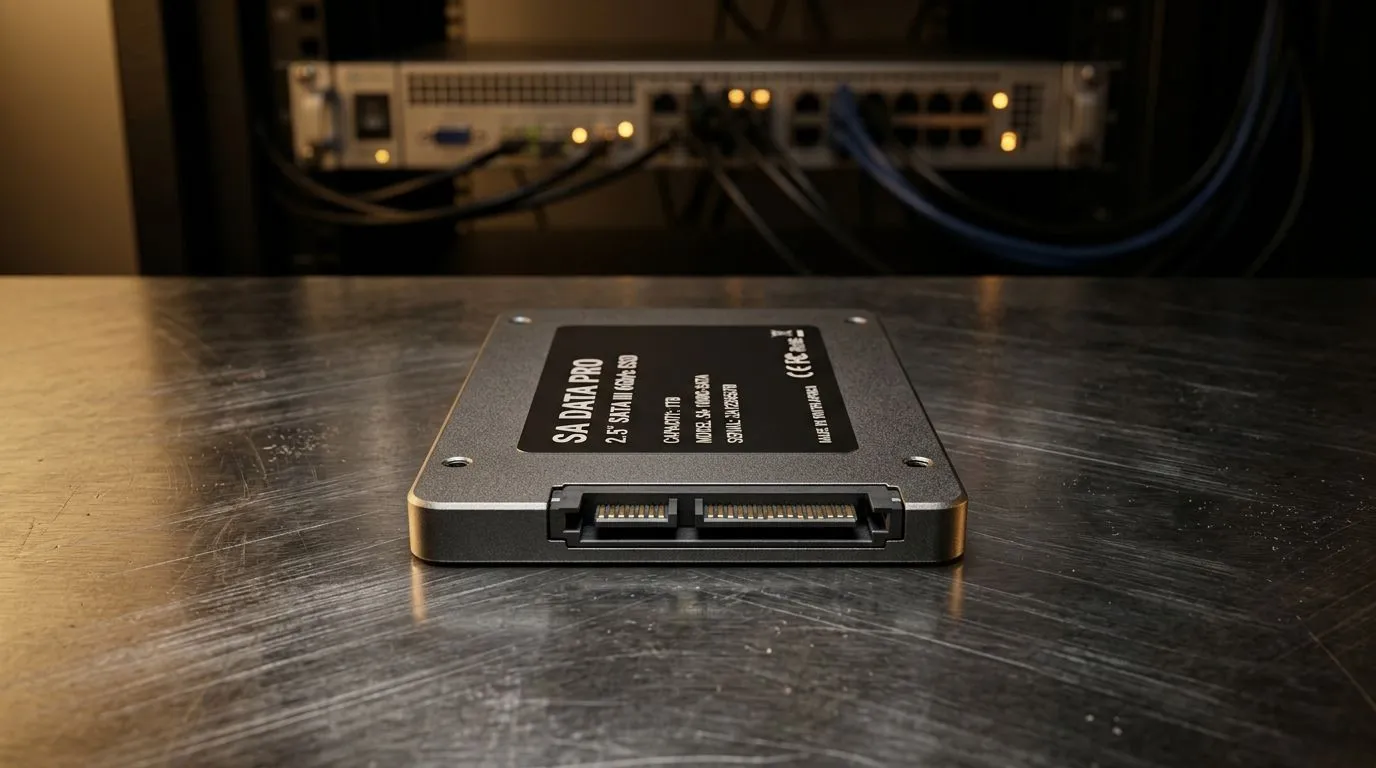
So your games take forever to load… and your PC feels a bit “stuck”? You’re not imagining things. Upgrading from a hard drive to solid-state storage is one of the most noticeable performance changes you can make without replacing the whole machine. 🔧
In South Africa, a 2.5 inch SATA SSD upgrade path is especially popular because many desktops and laptops still use a 2.5-inch SATA bay. That means you can modernise storage cheaply, often for less than a new game bundle.
This guide walks you through the upgrade path, what to buy, how to install safely, and what to check before you click “Buy”.
Not all SSDs are interchangeable. The “2.5 inch SATA” label only tells part of the story. Here’s what actually matters:
If you only install one game, 500GB can work… but for a gamer PC with a few big titles and Windows updates, 1TB is often the sweet spot. Decide based on how many games you want installed at once.
SATA SSDs use the SATA interface. Your best gains come from faster access and lower latency, not from exceeding the SATA limit. Think of it as “snappier” rather than “instant rocket boots”.
Most 2.5-inch SATA SSDs will work in any standard 2.5-inch SATA slot, but it still helps to buy from a range that’s curated for compatibility.
If you want to browse options first, start with Evetech’s SSD selection: Solid State Drives for sale
Prefer a specific brand? Here are quick paths: ADATA 2.5-inch SSDs Kingston 2.5-inch SSDs
Before you open the case, plan your storage move.
If you already have data you care about, back it up. If you have a suitable cloning tool, cloning can reduce downtime. If not, do a clean install of Windows and re-install games.
A lot of people get mixed up between 2.5-inch SATA drives and M.2 SSDs. If your system supports M.2, that’s a different upgrade path entirely. Still, it’s worth knowing what’s compatible: M.2 2280 SSD options
Use this checklist like a pre-match routine:
If you want to filter by interface options, start here: [SSD interface options](https://www.evetech.co.za/PC-Components/buy-solid-state-drives-83?attributes-interface\=Gen+5+%28NVM…
"When migrating to a new SSD, disconnect other drives during the Windows install. It helps prevent boot confusion, especially if you had multiple drives with different boot settings. After install, reconnect storage drives and verify the boot order in BIOS."
For many South African gamers, the 2.5-inch SATA route hits the best balance between performance and cost. You get shorter load times, smoother menu transitions, and a system that feels more responsive even outside of gaming. 🚀
And because it’s an “upgrade path”, you’re also building a platform for future improvements. One day it might be a bigger SATA drive… or an M.2 sprint.
Ready to Find Your Perfect Match? If you want a smooth upgrade with the right fit, interface, and capacity for your setup, Evetech makes it easy to compare options. Explore our massive range of laptop specials and get the system storage upgrade you’ll actually feel in your games.
Yes. A 2.5 inch SATA SSD upgrade path boosts boot and app load times on many older laptops and PCs without the cost of NVMe.
Choose a 2.5 inch SATA SSD when your system only supports SATA or when you want a cost-effective upgrade before moving to NVMe.
Most laptops that have a 2.5 inch SATA bay support it. Check your storage interface (SATA) and drive thickness/height.
Use trusted cloning software, connect both drives, clone from the old drive to the new 2.5 inch SATA SSD, then boot and verify.
If performance still feels limited, upgrade RAM (to match your motherboard) and consider a GPU upgrade for gaming workloads.
For typical use, 500GB to 1TB is a practical range. For heavy games and large files, consider 1TB or more.
Not always. Cloning often preserves your setup. If cloning is not used, a clean install may be best for a fresh, stable start.
You will typically see SATA SSD speeds far above HDDs, with real-world improvements in boot and app responsiveness even if peak rates are capped.
Should You Upgrade to the RTX 5060 Ti from a RX 7600 Detailed answer with SA data, expert analysis & practical recommendations for local buyers.
Read more
When Will the RTX 6090 Launch in South Africa Detailed answer with SA data, expert analysis & practical recommendations for local buyers.

Top Valorant Settings for RTX 5070: FPS Optimisation picks evaluated on performance, value & SA availability with current Rand pricing from Evetech.

RDNA 3.5 Graphics in Ryzen AI 400? Can You Game. Plain-English explanation of what it means, why it matters & how it affects your buying decisions in SA.

GPU Price Index : December Report. Current stock data & price tracking for SA buyers. See what is available and where prices are heading.

Core i5-14600K + B760 + RTX 5060 Build Under. Full parts list, Rand pricing & expected performance. Build confidently with SA-available components.

RX 7600 Apex Legends at 4K: FPS Benchmark. Real-world benchmark data, FPS numbers & performance analysis. What SA gamers can actually expect.

RX 7900 XTX GTA 6 at 4K: FPS Benchmark & Optimal. Real-world benchmark data, FPS numbers & performance analysis. What SA gamers can actually expect.

Head-to-head comparison of RTX 5070 vs RX 9070 XT: Gaming Performance for SA gamers. Performance benchmarks, Rand pricing & which delivers better value.

GPU Setup Guide Gamers. Clear setup instructions with SA-specific considerations, troubleshooting tips & recommended components.

Top RTX 5090 Under R12000 picks evaluated on performance, value & SA availability with current Rand pricing from Evetech.

Call of Duty Warzone 2 Settings on RX 7600. Real-world benchmark data, FPS numbers & performance analysis. What SA gamers can actually expect.

GTA 6 Settings on RTX 5070 Ti: Performance. Real-world benchmark data, FPS numbers & performance analysis. What SA gamers can actually expect.