

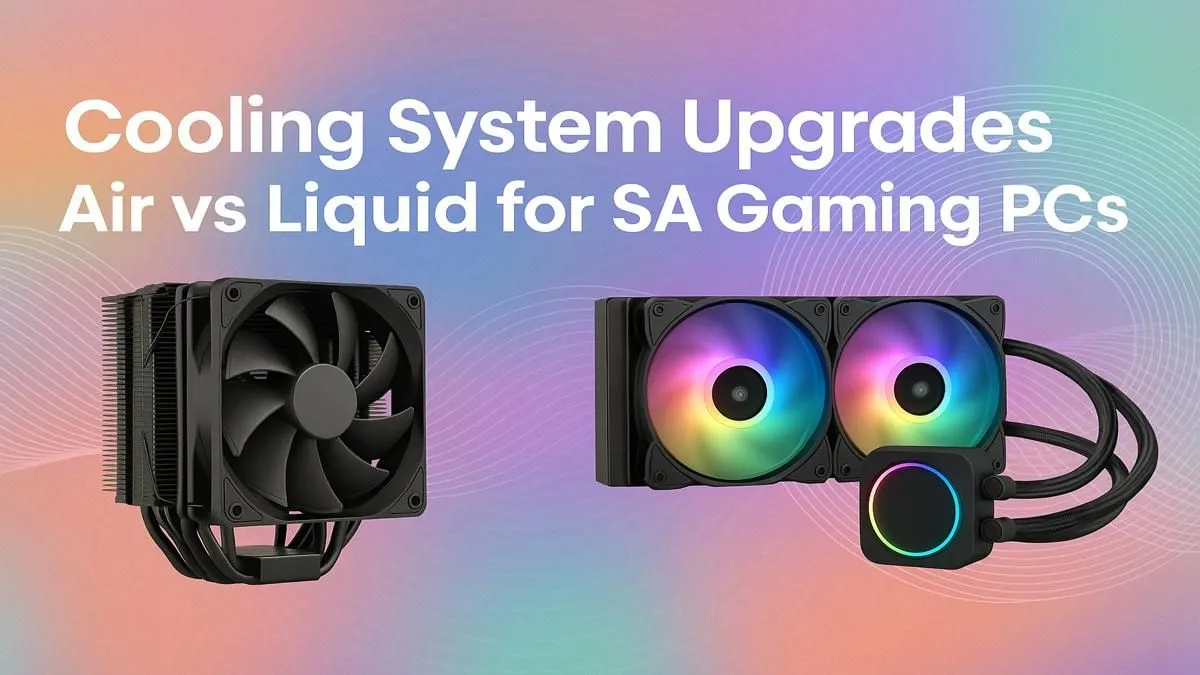
Is your gaming PC starting to sound like a jet engine during a tense Apex Legends match? Especially during a Mzanzi heatwave? That's the sound of your CPU cooler fighting for its life. Choosing between air vs liquid cooling for your gaming PC is one of the biggest decisions you'll make for performance and stability. This guide cuts through the noise to help you pick the perfect thermal solution for your rig, right here in South Africa.
Understanding Classic Air Cooling 💨
Air cooling is the trusted, traditional method for keeping your CPU from melting. It works on a simple principle: a metal heatsink with fins draws heat away from the CPU, and a fan (or two) blows that heat away from the heatsink. It's a straightforward and incredibly reliable system.
For most gamers, a quality air cooler is more than enough. They are cost-effective, easy to install, and have fewer points of failure. The only real moving part is the fan itself. High-end air coolers from brands like Noctua or be quiet! can even compete with entry-level liquid coolers, offering a fantastic balance of price and performance. The main drawback? They can be bulky, potentially interfering with tall RAM sticks or narrow cases.
When you're selecting one of the latest high-performance CPU processors, pairing it with an adequate cooler is non-negotiable to unlock its full potential.
Pros of Air Cooling:
- Reliability: With only a fan as a moving part, there's very little that can go wrong.
- Cost-Effective: Generally cheaper than liquid cooling alternatives, offering great value.
- Easy Installation: Perfect for first-time builders; just mount it and plug in the fan.
Cons of Air Cooling:
- Size & Clearance: Large tower coolers can be heavy and may not fit in all cases.
- Aesthetics: Can look less "clean" or modern compared to sleek AIOs.
- Peak Heat Dissipation: May struggle with heavily overclocked, top-tier CPUs under extreme load.
The Case for Modern Liquid Cooling 💧
Liquid cooling, specifically All-In-One (AIO) liquid cooling, has become a popular choice for enthusiasts seeking maximum performance and a premium look. An AIO is a sealed, self-contained loop consisting of a water block that sits on your CPU, a radiator, fans, and tubes connecting them all. The liquid absorbs heat from the CPU, travels to the radiator, where the fans cool it down, and then cycles back.
The primary advantage of liquid cooling for your gaming PC is its superior thermal dissipation capacity. Water is simply more efficient at transferring heat than air. This means lower temperatures, especially on high-end, overclocked processors, which can lead to higher, more stable boost clocks. They also tend to be quieter under load, as the radiator fans can spin at lower RPMs.
For those planning a high-end build from scratch, considering a solution like one of our Intel barebone kits allows you to factor in radiator placement and AIO compatibility from the very beginning.
Pros of Liquid Cooling:
- Superior Performance: Unmatched cooling potential for overclocking and high-TDP CPUs.
- Quieter Operation: Can achieve lower noise levels under heavy gaming loads.
- Sleek Aesthetics: Offers a clean, modern look with RGB lighting options. ✨
Cons of Liquid Cooling:
- Cost: AIOs are significantly more expensive than most air coolers.
- Complexity: Installation is more involved, and there are more potential points of failure (pump, leaks).
- Lifespan: The pump is a mechanical part with a finite lifespan, typically 5-7 years.
Case Compatibility Check 🔧
Before you buy any cooler, check your PC case specifications! For big air coolers, you need to know the maximum 'CPU Cooler Height'. For an AIO liquid cooler, you need to confirm 'Radiator Support' (e.g., 240mm, 280mm, 360mm) for the top, front, or rear of your case. A cooler that doesn't fit is just an expensive paperweight!
Air vs Liquid Cooling: The Head-to-Head Breakdown
So, how do they stack up directly? Your choice depends entirely on your budget, your components, and your priorities.
- For the Budget-Conscious Builder: Air cooling is the undisputed champion. You can get excellent performance for under R1000 that will handle most mid-range gaming CPUs without breaking a sweat.
- For the Overclocking Enthusiast: If you're pushing a top-tier CPU to its absolute limits, liquid cooling provides the thermal headroom you need to maintain stability and achieve the highest clocks.
- For the Silence Seeker: While both can be quiet, a large-radiator AIO often has the edge, keeping temperatures low without needing the fans to ramp up to jet-engine speeds.
- For the SFF (Small Form Factor) Builder: This is a tricky one. A low-profile air cooler might be your only option in a slim case, but in a compact cube-style case, a 120mm or 240mm AIO can provide excellent cooling where a large tower air cooler simply won't fit.
Whether you're building a new rig around Team Red or Team Blue, starting with a foundation like our AMD barebone kits can help you map out your build and decide which cooling path makes the most sense from the get-go.
Ultimately, the air vs liquid cooling debate isn't about one being definitively "better." It's about which is better for you. A high-end air cooler will outperform a cheap AIO, and a premium AIO will cool better than any air cooler on the market. Define your needs, check your budget, and build with confidence.
Ready to Beat the Heat? 🔥 The air vs liquid cooling debate is all about your specific build, budget, and performance goals. Whether you're after silent operation or rock-solid reliability, the perfect solution is waiting. Explore our massive range of PC components and build the perfectly chilled rig to conquer your world.











