

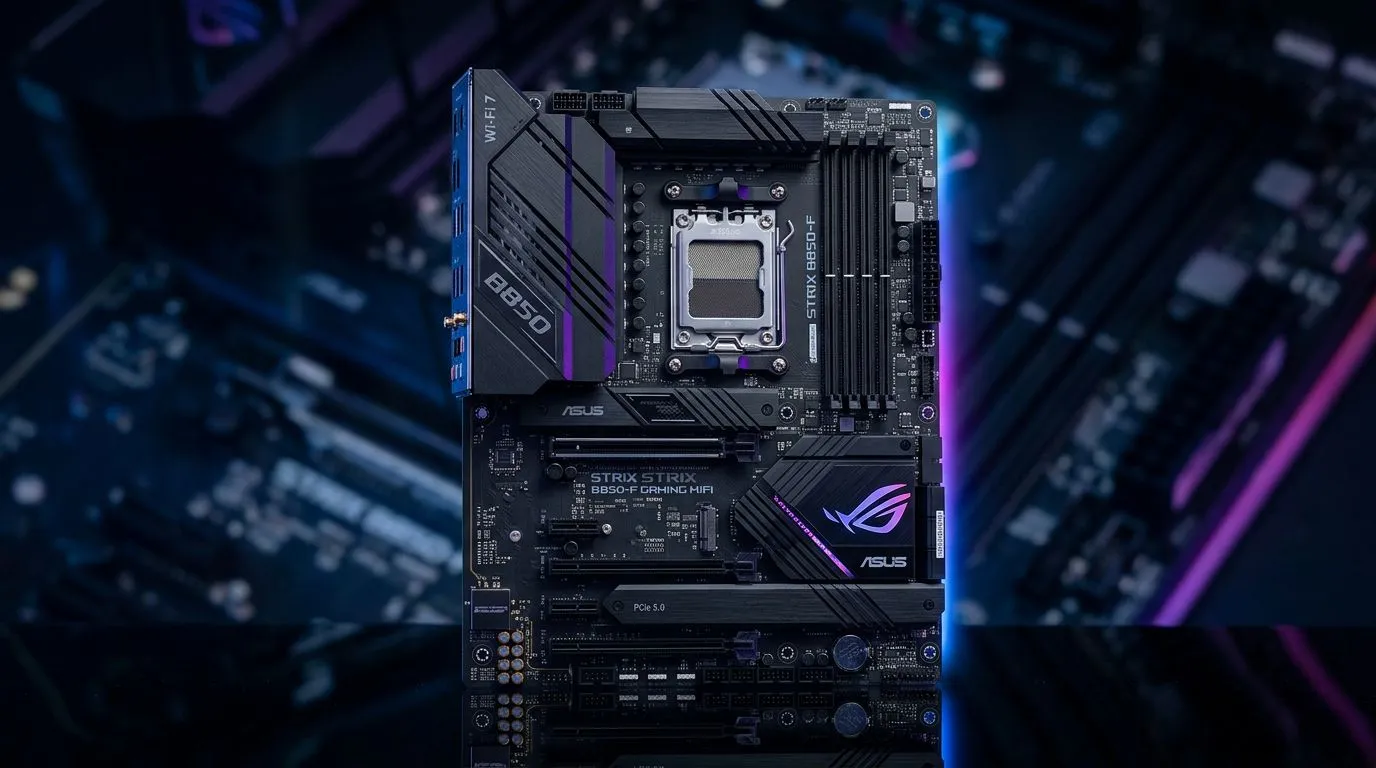
AMD B850 Motherboard Buying Guide: What You Need to Know for Your Next Upgrade
Shopping for a new motherboard in South Africa can feel like choosing a GPU… except you can’t just “buy what looks cool”. 🔧 You want the right socket, the right chipset features, and enough headroom for future upgrades.
If you’re building a gaming PC, upgrading an older rig, or moving to an AMD platform, this AMD B850 Motherboard Buying Guide: What You Need to Know will help you avoid the common traps. Let’s make your next purchase smarter… and cheaper where it counts.
AMD B850 Motherboard Buying Guide: Start With the Specs That Actually Matter
Before you look at RGB, or chase “the highest number”, pin down what your build needs today and tomorrow.
CPU compatibility (the first non-negotiable)
The motherboard must support your exact AMD CPU. Check:
- The CPU’s socket type
- The board’s supported BIOS/firmware status
- Whether you’ll need a BIOS update for newer chips
If your current CPU won’t run out of the box after an update, that’s a headache you can prevent with a quick spec check. ✅
VRM quality and sustained performance
For gaming, VRM stability matters more than people think, especially when you run longer sessions or higher power draw. Look for:
- Good phase design and heatsinks
- Clear cooling and thermal support in the board’s layout
This isn’t just for benchmarking. It can mean fewer throttling events during long play sessions.
Memory support: speed and stability
DDR support should match your target:
- Check the official supported memory speeds (not just “up to” marketing)
- Confirm the supported RAM type and capacity per slot
If you’re aiming for a smoother experience in games, stable RAM settings often beat “max speed” fantasies.
Productivity Pro Tip 🔧
Windows, keep your motherboard drivers organised: after installing the OS, update chipset drivers first, then network and storage drivers. This avoids annoying disconnects and slow installs that can happen when drivers are installed in the wrong order.
AMD B850 Motherboard Buying Guide: Choose the Right Chipset Features for Gaming
Feature checks are where buyers often get burned.
PCIe lanes and expansion plans
Do you want room for:
- One or more GPUs
- A fast NVMe SSD (or several)
- Capture cards, Wi‑Fi cards, or extra storage
Make sure the board layout doesn’t block slots when you install a bulky GPU. It happens. 😅
Storage options: M.2 placement and cooling
For modern gaming builds, NVMe is the norm. Prioritise:
- Enough M.2 slots
- Reasonable M.2 heat management (heatsinks matter in warm rooms)
If you’re building in a South African summer… plan for airflow. It’s not just comfort. It’s stability.
USB and connectivity you will actually use
Check:
- USB-A vs USB-C needs
- How many USB ports are available on the rear
- Network type (wired is still king for competitive play)
AMD B850 Motherboard Buying Guide: Picking the Best Value in South Africa (Without Regret)
Value isn’t always “cheapest”. Value is the board that supports your upgrades while avoiding unnecessary extras.
If you’re comparing AMD vs Intel for the whole upgrade path
If your build is still flexible, it helps to look at both sides. Here are useful starting points:
- Browse AMD boards here: AMD motherboards at Evetech
- If you’re still weighing options, compare against Intel: Intel motherboards at Evetech
When budget is tight, what to prioritise
A cheap board can work… if you choose carefully. Aim for:
- Reliable power delivery for your CPU range
- Enough slots for your storage needs
- A layout that supports your GPU size
For budget-friendly options, start with this selection: cheap Intel and AMD-based motherboards
AMD B850 Motherboard Buying Guide: Quick Checklist Before You Checkout
Use this before you click “Add to cart” 🔍:
- ✅ CPU socket compatibility confirmed
- ✅ RAM type and supported speed confirmed
- ✅ M.2 slots match your SSD plan
- ✅ PCIe layout works with your GPU size
- ✅ Enough USB ports for your setup
- ✅ Cooling strategy for your case (especially NVMe and VRM area)
If you’re unsure, a small spreadsheet with your current components helps. Write down what you’re keeping, what you’re changing, and what you might upgrade in 12 to 24 months.
Real-life scenario (so you don’t repeat the mistake)
A mate of mine wanted “just a basic board” to save money. The PC ran fine… until he added a second NVMe drive. The thermals weren’t great, and performance dipped. He ended up replacing the board sooner than planned.
Now he checks M.2 placement and cooling upfront. Saves him time and ZAR. 👍
AMD B850 Motherboard Buying Guide: Final Thoughts Before You Buy
When you buy a motherboard, you’re buying your upgrade path. Get the essentials right (compatibility, memory support, storage, and expansion), then refine based on your budget.
If you’re aiming for strong gaming stability, don’t ignore VRM and airflow. In South Africa, heat and dust build up. Planning now prevents annoying problems later. ✨
Ready to Find Your Perfect Match? The Mac vs Windows debate is complex, but for maximum power, choice, and value in South Africa, Windows is hard to beat. Explore our massive range of laptop specials and find the perfect machine to conquer your world.








