

Should You Upgrade to the RTX 5060 Ti from a RX 7600?
Should You Upgrade to the RTX 5060 Ti from a RX 7600 Detailed answer with SA data, expert analysis & practical recommendations for local buyers.
Read moreUnsure about ATX 3.1? This guide explains how ATX 3.1 improves PCIe 5.1 compatibility, smoother GPU boosts, and safer transient power handling ⚡🧩
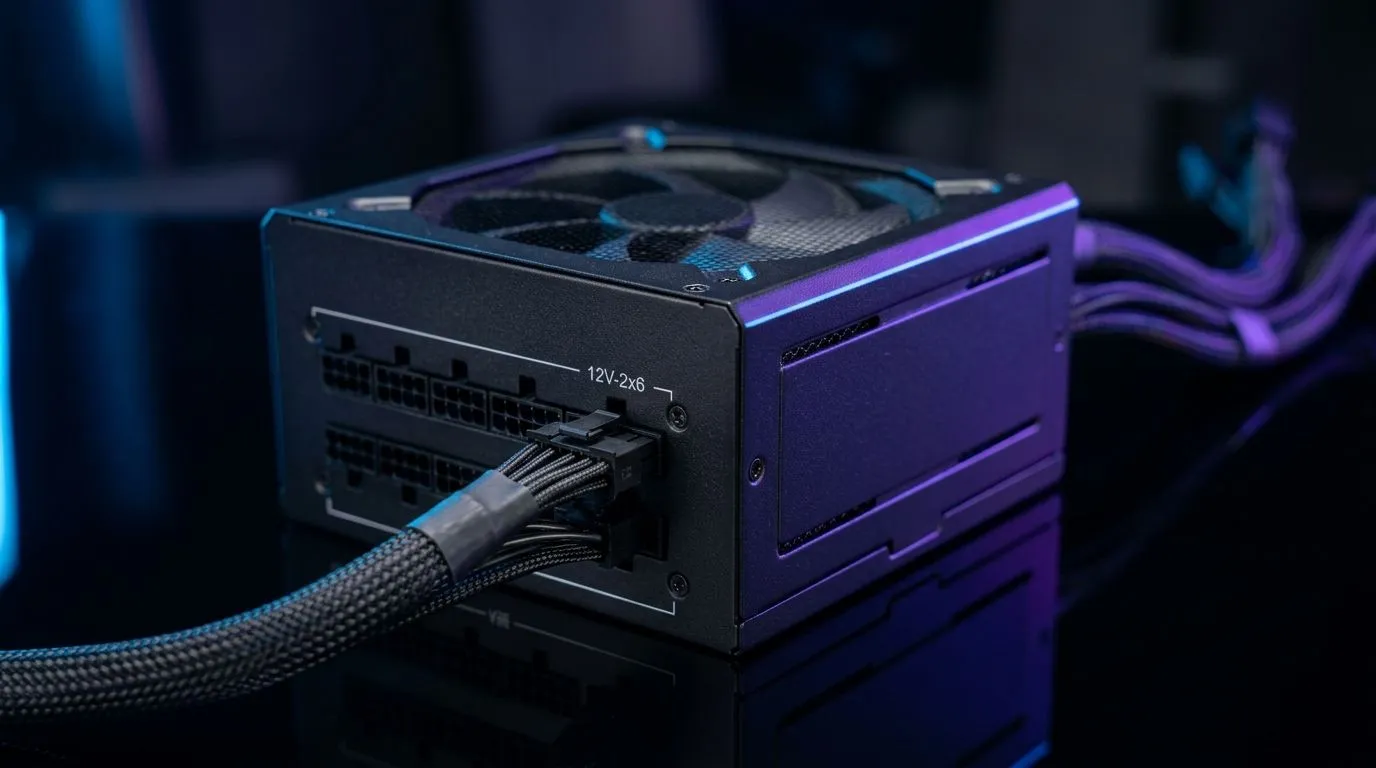
If you’re eyeing a new GPU upgrade, the power supply question lands fast. Is your current PSU ready for ATX 3.1? Can it handle PCIe 5.1 properly? And do you need a full replacement, or just the right connector support? For South African gamers building smart, this matters more than most spec sheets suggest. The right PSU protects your parts, keeps upgrades simple, and saves rand in the long run.
ATX 3.1 is the latest power supply design standard from Intel, while PCIe 5.1 is closely tied to the newer 12V-2x6 GPU power connector used by modern high-end graphics cards. In plain English... the newer standard improves how power is delivered to hungry components and helps support short power spikes more safely.
That means compatibility is not just about wattage. A 750W unit and a 750W unit can behave very differently if one is built for older GPU power delivery and the other is designed with current standards in mind. If you’re planning an upgrade path, this is where looking at the PSU first can save frustration later.
For gamers in SA, that’s especially useful when moving from an older mid-range build to a new RTX-class GPU. The PSU becomes the foundation. Get it right once, and the rest of the upgrade path gets easier.
There are three things worth checking before you buy:
A PSU with the proper modern connector support is cleaner and safer than using a bunch of adapters. Adapters can work, but native support usually means less cable clutter and fewer headaches during installation.
Modern GPUs can draw sharp bursts of power. A good PSU should not only meet the average demand, but also cope with transient spikes. This is one of the reasons newer standards exist.
An 80 PLUS-rated unit can help reduce wasted energy and heat. That matters in South Africa, where a cooler, more efficient system is simply easier to live with during long gaming sessions or summer heat.
For a closer look at current options, Evetech’s range of Corsair power supplies is a practical place to start if you want a reputable brand with strong upgrade potential.
If you’re buying for a future GPU upgrade, choose a PSU with more headroom than your current build needs. That extra margin often makes the difference between a smooth drop-in upgrade and a stressful full rebuild.
Let’s make this practical. If your current system uses a mid-tier GPU and you’re planning a jump to a more powerful card later, ATX 3.1 compatibility is worth prioritising now. You may not need it today, but your next graphics card might.
That’s the real value of an upgrade path mindset. You buy once with tomorrow in mind. Less replacing. Less double-spending. More time gaming.
If you’re comparing brand options, Evetech also lists GAMDIAS power supply choices for buyers who want another route to explore. Different brands, different feature sets... but the same principle applies. Check the standards, the wattage, and the connector support before you decide.
Efficiency is not just a nice spec on a box. A more efficient PSU can waste less power as heat, which helps with overall system thermals and may be kinder to your electricity bill over time. If you’re building a PC that runs often, those small gains add up.
For buyers who prefer efficiency-focused filtering, Evetech’s selection of 80 PLUS power supply options is worth checking before checkout.
And if you’re wondering whether it’s worth paying a bit more for a better-rated unit... ask yourself one question: would you rather replace a PSU now, or after a GPU upgrade forces the issue? The smarter move is usually obvious.
Before you add a PSU to cart, run through this quick checklist:
If you’re shopping for a new gaming rig or a cleaner upgrade path, this approach keeps the decision practical. No drama. No guesswork. Just a solid foundation for the rest of your build 🚀
Ready to Find Your Perfect Match? The Mac vs Windows debate is complex, but for maximum power, choice, and value in South Africa, Windows is hard to beat. Explore our massive range of laptop specials and find the perfect machine to conquer your world.
ATX 3.1 defines updated PSU requirements for modern GPUs, helping improve PCIe 5.1 compatibility and transient response when power spikes.
For best compatibility and transient power handling, an ATX 3.1 PSU is strongly recommended when building for PCIe 5.1-class GPUs.
ATX 3.1 refines transient and power excursion targets, improving how the PSU handles short, high-draw bursts typical of newer GPUs.
ATX 3.1 is designed to better manage rapid power excursions, supporting stable voltage delivery during GPU boost behavior.
Many PCIe 5.1 GPUs use 12VHPWR, and an ATX 3.1 PSU typically includes the right connector and guidance for safe installation.
It may work, but ATX 3.1 compatibility improves transient handling and reduces risk during high-load power spikes in demanding games.
Look for an ATX 3.1 certification or manufacturer claims in the PSU specs, including updated transient power support for modern GPUs.
Should You Upgrade to the RTX 5060 Ti from a RX 7600 Detailed answer with SA data, expert analysis & practical recommendations for local buyers.
Read more
When Will the RTX 6090 Launch in South Africa Detailed answer with SA data, expert analysis & practical recommendations for local buyers.

Top Valorant Settings for RTX 5070: FPS Optimisation picks evaluated on performance, value & SA availability with current Rand pricing from Evetech.

RDNA 3.5 Graphics in Ryzen AI 400? Can You Game. Plain-English explanation of what it means, why it matters & how it affects your buying decisions in SA.

GPU Price Index : December Report. Current stock data & price tracking for SA buyers. See what is available and where prices are heading.

Core i5-14600K + B760 + RTX 5060 Build Under. Full parts list, Rand pricing & expected performance. Build confidently with SA-available components.

RX 7600 Apex Legends at 4K: FPS Benchmark. Real-world benchmark data, FPS numbers & performance analysis. What SA gamers can actually expect.

RX 7900 XTX GTA 6 at 4K: FPS Benchmark & Optimal. Real-world benchmark data, FPS numbers & performance analysis. What SA gamers can actually expect.

Head-to-head comparison of RTX 5070 vs RX 9070 XT: Gaming Performance for SA gamers. Performance benchmarks, Rand pricing & which delivers better value.

GPU Setup Guide Gamers. Clear setup instructions with SA-specific considerations, troubleshooting tips & recommended components.

Top RTX 5090 Under R12000 picks evaluated on performance, value & SA availability with current Rand pricing from Evetech.

Call of Duty Warzone 2 Settings on RX 7600. Real-world benchmark data, FPS numbers & performance analysis. What SA gamers can actually expect.

GTA 6 Settings on RTX 5070 Ti: Performance. Real-world benchmark data, FPS numbers & performance analysis. What SA gamers can actually expect.