

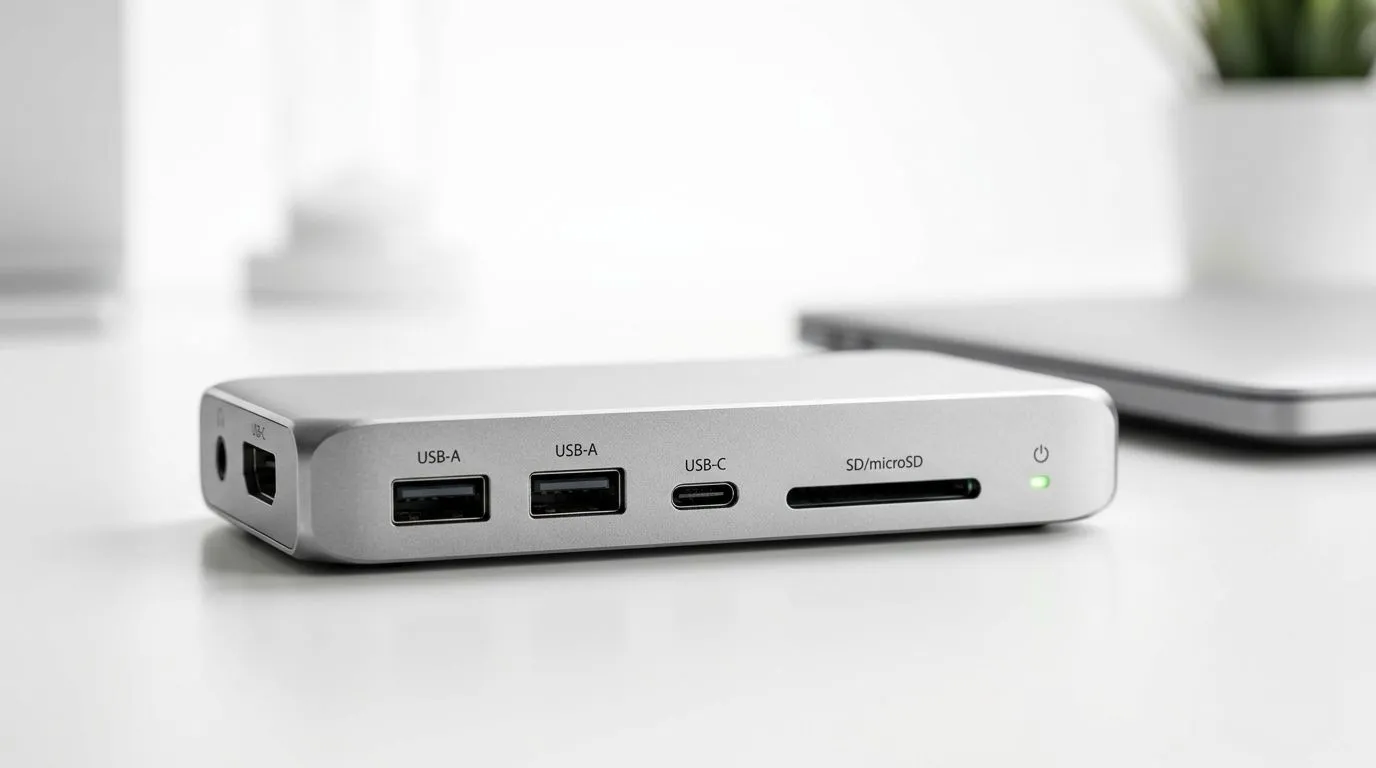
Best USB-C Hubs for Ultrabooks: Expand Your Connectivity (South Africa Edition) 🎮🔌
If you’ve got an ultrabook and you’re tired of hunting for chargers, HDMI cables, and random dongles… welcome. In South Africa, we move between work, study, and weekend gaming rigs, and your laptop should keep up. A solid USB‑C hub is often the cheapest “upgrade” that feels instant: add ports, tidy your desk, and get reliable connections for monitors and peripherals.
In this guide, we’ll help you choose the Best USB-C Hubs for Ultrabooks: Expand Your Connectivity with practical buying tips, clear checklist items, and Evetech options you can jump to right now. 🚀
Best USB-C Hubs for Ultrabooks: Expand Your Connectivity (What actually matters) 🔧
USB‑C hubs look similar, but not all are equal. Before you buy, confirm these basics:
1) Your ultrabook’s USB‑C supports video (or it won’t do HDMI)
Not every USB‑C port sends video. If your ultrabook’s USB‑C is “data only”, an HDMI hub won’t mirror your display. The safest approach is to check your laptop’s specs before choosing a hub.
2) Choose the right display standard for your use
For many ultrabooks, you’ll want a hub that supports modern video output (commonly HDMI). If you’re using a full‑HD or QHD external monitor, match the hub’s output to your monitor’s resolution and refresh target.
3) Port needs: build a hub around your actual day
Make a quick list:
- Do you use a mouse and keyboard permanently?
- Do you need USB storage access daily?
- Do you plug in headphones/aux often, or is it handled via Bluetooth?
- Do you need Ethernet for lag‑sensitive gaming sessions?
4) Power delivery (charging while docking) is the make‑or‑break
If you want one cable on your desk, look for USB‑C hubs with Power Delivery (PD) passthrough. That way you can charge your ultrabook through the hub while using peripherals.
Productivity Pro Tip ⚡
On Windows, press Win + K to quickly connect compatible wireless displays and audio. Even if your hub supports HDMI, wireless can save desk clutter for quick presentations and casual media watching. Then use your USB‑C hub for wired reliability during work sessions or when gaming on a stable connection.
Best USB-C Hubs for Ultrabooks: Expand Your Connectivity (Recommended shopping routes) ✨
Not sure where to start? Use these Evetech pages as your “hardware direction” for building a setup that makes sense for your budget and your port needs.
For Intel ultrabooks and upgrade-friendly options, browse Intel laptop specials here:
Intel laptops on special
If you’re shopping for Ryzen value, check out these Ryzen laptop deals:
Ryzen laptop deals
Want a laptop that’s more “plug in and play” for gaming plus extra connectivity? Start with gaming laptop deals and pick a machine that still fits your daily workflow:
Best gaming laptop deals
On a tighter budget? If you’re considering a capable ultrabook-style build under a strict limit, browse gaming laptops under R20k so you can compare what’s available at your price point:
Buy gaming laptops under R20k
And if you’re chasing smoother frames and better performance alongside your connectivity upgrades, these GeForce RTX gaming laptop specials are worth a look:
GeForce RTX gaming laptops on special
Best USB-C Hubs for Ultrabooks: Expand Your Connectivity (A simple buying checklist) 📌
Use this quick checklist before checkout:
- Confirm video support on your ultrabook’s USB‑C port (so HDMI output works).
- Check port layout: USB‑A vs USB‑C ports, plus whether you need HDMI + Ethernet.
- Look for USB‑C Power Delivery (PD) if you want one-cable docking.
- Choose a hub that matches your monitor (resolution and refresh expectations).
- Prioritise reliability over “too many ports” if you’re gaming or working from one stable desk setup.
Micro-scenario: the “desk tidy” moment
Imagine this: you arrive home, plug in one USB‑C cable, and your monitor, mouse, and storage just work. No fumbling, no “why is it not showing on HDMI?” stress. That’s why the best hub for an ultrabook isn’t just a spec sheet… it’s the one that matches your routine.
Best USB-C Hubs for Ultrabooks: Expand Your Connectivity (Why pairing matters) 🎮
A hub is only as good as the laptop ports it relies on. If you’re buying (or upgrading) both the laptop and your connectivity, focus on compatibility first. Then you can choose a hub that reliably supports:
- your main screen use (study, work, or gaming sessions)
- wired internet needs (if latency matters)
- charging through the dock (to avoid desk chaos)
If you’d like help building a setup that fits your needs, you’ll usually get the best outcome by starting with a laptop deal that matches your performance needs, then adding the right hub from there.
Ready to Find Your Perfect Match?
Ready to Find Your Perfect Match? The Mac vs Windows debate is complex, but for maximum power, choice, and value in South Africa, Windows is hard to beat. Explore our massive range of laptop specials and find the perfect machine to conquer your world.











