

Should You Upgrade to the RX 7600 from a RTX 4090?
Should You Upgrade to the RX 7600 from a RTX 4090 Detailed answer with SA data, expert analysis & practical recommendations for local buyers.
Read moreM.2 NVMe vs 2.5-Inch SSD breaks down speed, size, and upgrade flexibility ⚡ Learn which SSD fits your PC, laptop, and budget best.
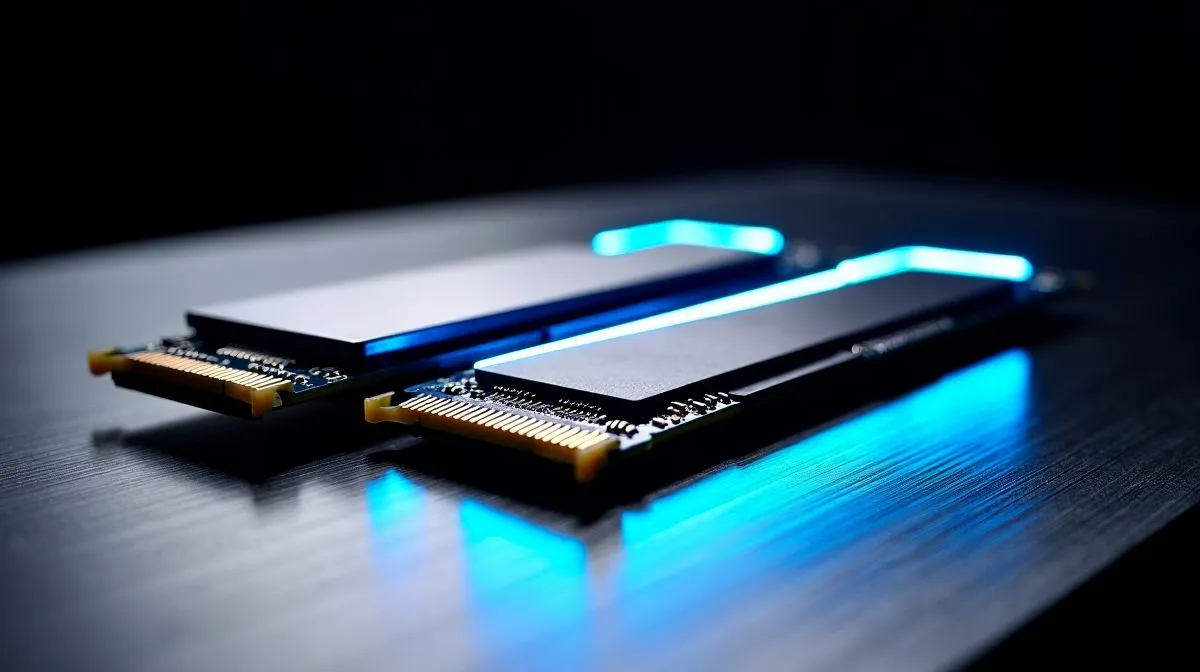
Still waiting for your PC to boot while your mates are already dropping into the lobby? We have all been there... staring at loading screens while the braai gets cold. If you want to speed up your rig, the choice usually comes down to M.2 NVMe vs 2.5-Inch SSD options. Let us break down which upgrade actually wins for your budget and motherboard.
When you decide to upgrade your PC storage, the terminology can get confusing quickly. A 2.5-inch SSD looks like a small metal rectangle. It connects to your motherboard using a SATA cable. An M.2 NVMe drive looks like a stick of gum... and snaps directly into the motherboard without any cables. 🚀
This is where the M.2 NVMe vs 2.5-Inch SSD comparison gets truly interesting. A standard 2.5-inch SATA drive maxes out at around 550 megabytes per second. That is fast enough for general browsing, office work, and older titles.
However, NVMe technology taps directly into your motherboard's PCIe lanes. This means speeds can reach a blistering 7000 megabytes per second on Gen 4 drives. If you are a serious gamer or content creator, that speed difference is massive. Moving large 4K video files happens in the blink of an eye. Loading massive open-world games takes seconds instead of minutes. ⚡
Install your Windows operating system and favourite competitive games on your fastest M.2 NVMe drive for instant boot times. You can then use a cheaper, high-capacity 2.5-inch SSD as a secondary drive to store your media files and older games.
Your choice depends entirely on your budget in ZAR and what your motherboard supports. Older motherboards might only have SATA ports. In that case, a 2.5-inch drive is your only path. Modern boards usually have multiple M.2 slots ready for action.
If you are on a tight budget, reliable Kingston drives offer excellent value for everyday gaming. Need something that balances high speed with affordability? Checking out ADATA SSDs is a smart move for mid-range builds.
For elite rigs where every millisecond counts, premium Corsair models deliver top-tier cooling and sustained read/write speeds. Finally, modern games like Call of Duty take up huge amounts of space. Upgrading to a massive 2TB storage drive ensures you never have to delete your favourites just to install a new update. ✨
So... which upgrade actually wins the battle? If your motherboard supports it, an NVMe drive is the undeniable victor for raw performance. It offers a cleaner PC build with better cable management and lightning-fast load times.
On the flip side, a 2.5-inch drive remains a fantastic, budget-friendly option for bulk storage. Combining both technologies is often the smartest strategy for South African gamers looking to maximise the value of their ZAR.
Ready to Supercharge Your Rig? The M.2 NVMe vs 2.5-Inch SSD debate comes down to your unique needs and motherboard. Whether you want blazing fast load times or massive bulk storage, we have you covered. Explore our massive range of solid state drives and find the perfect upgrade to conquer your world.
Yes. M.2 NVMe drives use PCIe and usually deliver much higher speeds than a 2.5-inch SATA SSD.
NVMe is a faster storage protocol, while SATA SSDs, often 2.5-inch, are limited by the SATA interface.
Yes, a 2.5-inch SSD is still a solid upgrade if your system lacks M.2 support or you want low-cost storage.
No. Your laptop must support M.2 NVMe. Some systems only support M.2 SATA or 2.5-inch SSDs.
M.2 NVMe is better for gaming load times, but a 2.5-inch SSD still offers a big jump over a hard drive.
Yes. Form factor and interface both matter. M.2 NVMe typically outperforms a 2.5-inch SATA SSD by a wide margin.
Check motherboard or laptop compatibility, available slots, interface type, and whether you need M.2 NVMe or 2.5-inch SSD.
Should You Upgrade to the RX 7600 from a RTX 4090 Detailed answer with SA data, expert analysis & practical recommendations for local buyers.
Read more
When Will the RTX 6090 Launch in South Africa Detailed answer with SA data, expert analysis & practical recommendations for local buyers.

Top Valorant Settings for RTX 5070: FPS Optimisation picks evaluated on performance, value & SA availability with current Rand pricing from Evetech.

RDNA 3.5 Graphics in Ryzen AI 400? Can You Game. Plain-English explanation of what it means, why it matters & how it affects your buying decisions in SA.

GPU Price Index : December Report. Current stock data & price tracking for SA buyers. See what is available and where prices are heading.

Core i5-14600K + B760 + RTX 5060 Build Under. Full parts list, Rand pricing & expected performance. Build confidently with SA-available components.

RX 7600 Apex Legends at 4K: FPS Benchmark. Real-world benchmark data, FPS numbers & performance analysis. What SA gamers can actually expect.

RX 7900 XTX GTA 6 at 4K: FPS Benchmark & Optimal. Real-world benchmark data, FPS numbers & performance analysis. What SA gamers can actually expect.

Head-to-head comparison of RTX 5070 vs RX 9070 XT: Gaming Performance for SA gamers. Performance benchmarks, Rand pricing & which delivers better value.

GPU Setup Guide Gamers. Clear setup instructions with SA-specific considerations, troubleshooting tips & recommended components.

Top RTX 5090 Under R12000 picks evaluated on performance, value & SA availability with current Rand pricing from Evetech.

Call of Duty Warzone 2 Settings on RX 7600. Real-world benchmark data, FPS numbers & performance analysis. What SA gamers can actually expect.

GTA 6 Settings on RTX 5070 Ti: Performance. Real-world benchmark data, FPS numbers & performance analysis. What SA gamers can actually expect.