

Should You Upgrade to the RX 7600 from a RTX 4090?
Should You Upgrade to the RX 7600 from a RTX 4090 Detailed answer with SA data, expert analysis & practical recommendations for local buyers.
Read moreMix and match RAM: Learn whether you can pair old and new RAM sticks, how speed, timings and voltage affect compatibility, and practical upgrade tips to avoid issues. ✅🧠
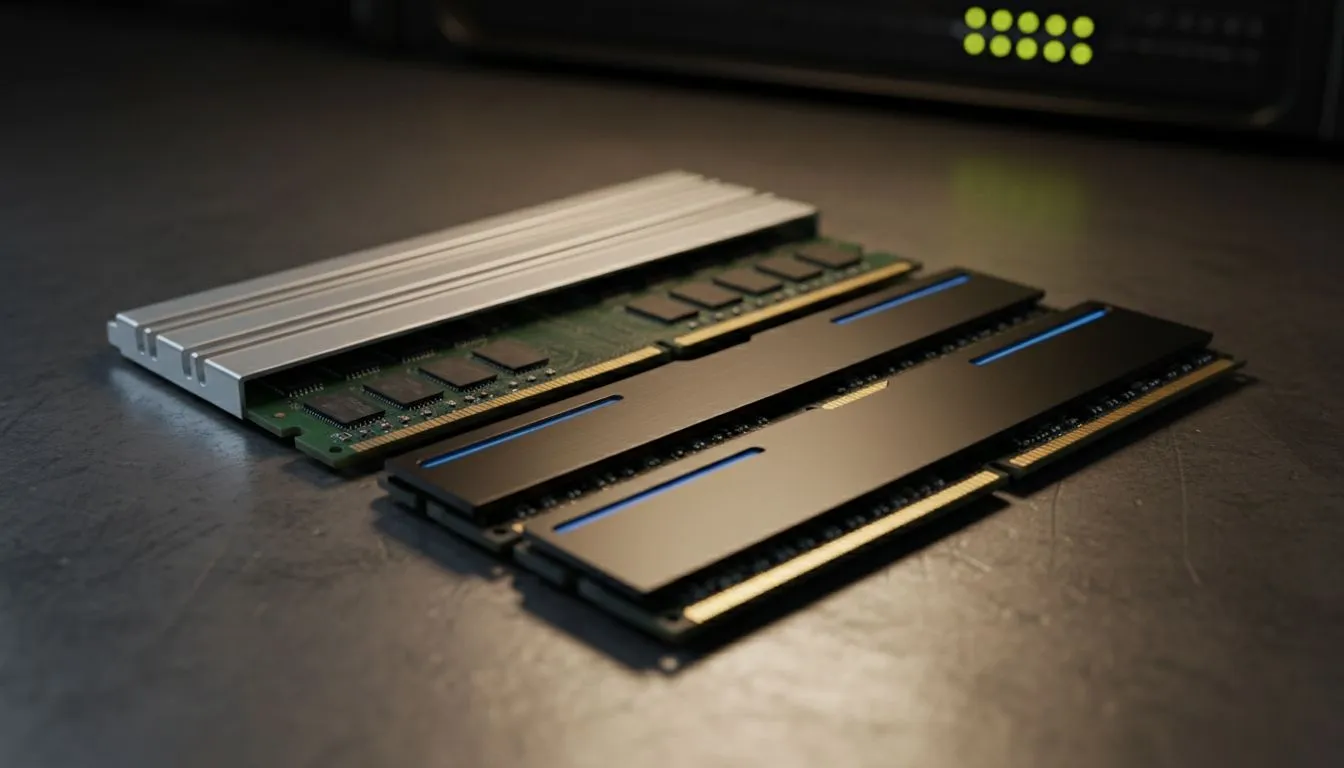
Found an old 8GB RAM stick gathering dust? Or maybe you've spotted a killer deal on a single module and you're wondering… can I just add it to my current setup? The temptation to mix and match RAM is real for South African gamers looking for a cheap performance boost. But before you start slotting modules, let's talk about whether it's a savvy move or a recipe for system instability and those dreaded blue screens. 🛠️
Technically, you can often use old and new RAM sticks together. Most modern motherboards are smart enough to find a common ground for different modules to work. However, "working" and "working optimally" are two very different things. When you mix and match RAM, you're forcing your system to compromise, and that compromise almost always comes at the cost of performance.
Think of it like putting two different-sized tyres on your car. It might roll, but the ride won't be smooth, and you're risking damage. The same principle applies here; you're inviting potential instability for a minor, often negligible, upgrade.
When you install RAM modules with different specifications, your motherboard's BIOS/UEFI runs a negotiation. To ensure stability, it defaults to the lowest common denominator for all installed sticks.
Let's say you have a speedy 16GB 3600MHz stick and you add an older 8GB 2666MHz stick. Your system won't run at a blended speed. Instead, it will force the faster 3600MHz stick to slow down and operate at 2666MHz to match its new partner. You've just paid for performance you can't even use. The same goes for CAS Latency (timings); the system will adopt the settings of the slowest module.
This is the most critical rule: you cannot mix RAM generations. The physical notches on the modules are different to prevent this. A motherboard designed for DDR5 will not accept DDR4, and so on. If your PC is still running on older, but once capable, DDR3 gaming RAM modules, you can't simply add a stick of the widely available DDR4 memory. The two are physically and electronically incompatible.
After installing any new RAM, it's wise to run a stability test. A tool like MemTest86, which you can boot from a USB drive, will scan your memory for errors. Running it overnight is the best way to confirm your mixed RAM setup is truly stable and not silently corrupting your data.
While a performance bottleneck is the most likely outcome, it's not the worst. Mixing RAM sticks, especially from different brands with different memory chips, can lead to serious headaches.
For these reasons, mixing old and new RAM is generally not recommended by PC building experts.
So, what's the best way to upgrade your RAM? The answer is simple: buy a matched kit. These kits contain two or four modules that have been tested together at the factory to guarantee they work perfectly in sync. This ensures you get the full speed and stability you paid for, enabling features like Dual-Channel mode for a significant performance uplift.
If your system is starting to feel sluggish and you're eyeing an upgrade, it's the perfect time to look at modern standards. Moving to a platform that supports cutting-edge DDR5 memory will provide a massive bandwidth improvement for gaming and productivity. Trusted brands like Kingston DDR5 offer rock-solid reliability, while performance-focused options from ADATA DDR5 provide guaranteed compatibility and speed right out of the box.
While the idea to mix and match RAM is a tempting shortcut, the potential for instability and lost performance just isn't worth the few hundred Rand you might save.
Ready to Ditch the Guesswork? Mixing RAM can be a gamble, but a proper upgrade doesn't have to be. For guaranteed performance and stability, a matched kit is the smart move. Explore our massive range of high-speed RAM and give your PC the boost it deserves.
Yes—often. Compatibility depends on DDR generation, speed, voltage and timings. Mismatched RAM may run at the slowest module's specs.
The system typically downclocks to the lowest speed. This can reduce bandwidth and sometimes disable optimal dual-channel operation.
No. Different DDR generations are physically and electrically incompatible. Use the same DDR type specified by your motherboard.
Usually not if specs match, but different brands can have different timings or voltages that may cause instability—test with memtest.
Check your motherboard QVL, match DDR generation, speed and voltage, and use online RAM compatibility checker tools before buying.
It can. Mismatched RAM may reduce memory bandwidth or break dual-channel, which can lower FPS in memory-sensitive games.
Be cautious. XMP may fail or push modules beyond stable settings. Manually set conservative timings or match modules for best stability.
Should You Upgrade to the RX 7600 from a RTX 4090 Detailed answer with SA data, expert analysis & practical recommendations for local buyers.
Read more
When Will the RTX 6090 Launch in South Africa Detailed answer with SA data, expert analysis & practical recommendations for local buyers.

Top Valorant Settings for RTX 5070: FPS Optimisation picks evaluated on performance, value & SA availability with current Rand pricing from Evetech.

RDNA 3.5 Graphics in Ryzen AI 400? Can You Game. Plain-English explanation of what it means, why it matters & how it affects your buying decisions in SA.

GPU Price Index : December Report. Current stock data & price tracking for SA buyers. See what is available and where prices are heading.

Core i5-14600K + B760 + RTX 5060 Build Under. Full parts list, Rand pricing & expected performance. Build confidently with SA-available components.

RX 7600 Apex Legends at 4K: FPS Benchmark. Real-world benchmark data, FPS numbers & performance analysis. What SA gamers can actually expect.

RX 7900 XTX GTA 6 at 4K: FPS Benchmark & Optimal. Real-world benchmark data, FPS numbers & performance analysis. What SA gamers can actually expect.

Head-to-head comparison of RTX 5070 vs RX 9070 XT: Gaming Performance for SA gamers. Performance benchmarks, Rand pricing & which delivers better value.

GPU Setup Guide Gamers. Clear setup instructions with SA-specific considerations, troubleshooting tips & recommended components.

Top RTX 5090 Under R12000 picks evaluated on performance, value & SA availability with current Rand pricing from Evetech.

Call of Duty Warzone 2 Settings on RX 7600. Real-world benchmark data, FPS numbers & performance analysis. What SA gamers can actually expect.

GTA 6 Settings on RTX 5070 Ti: Performance. Real-world benchmark data, FPS numbers & performance analysis. What SA gamers can actually expect.