

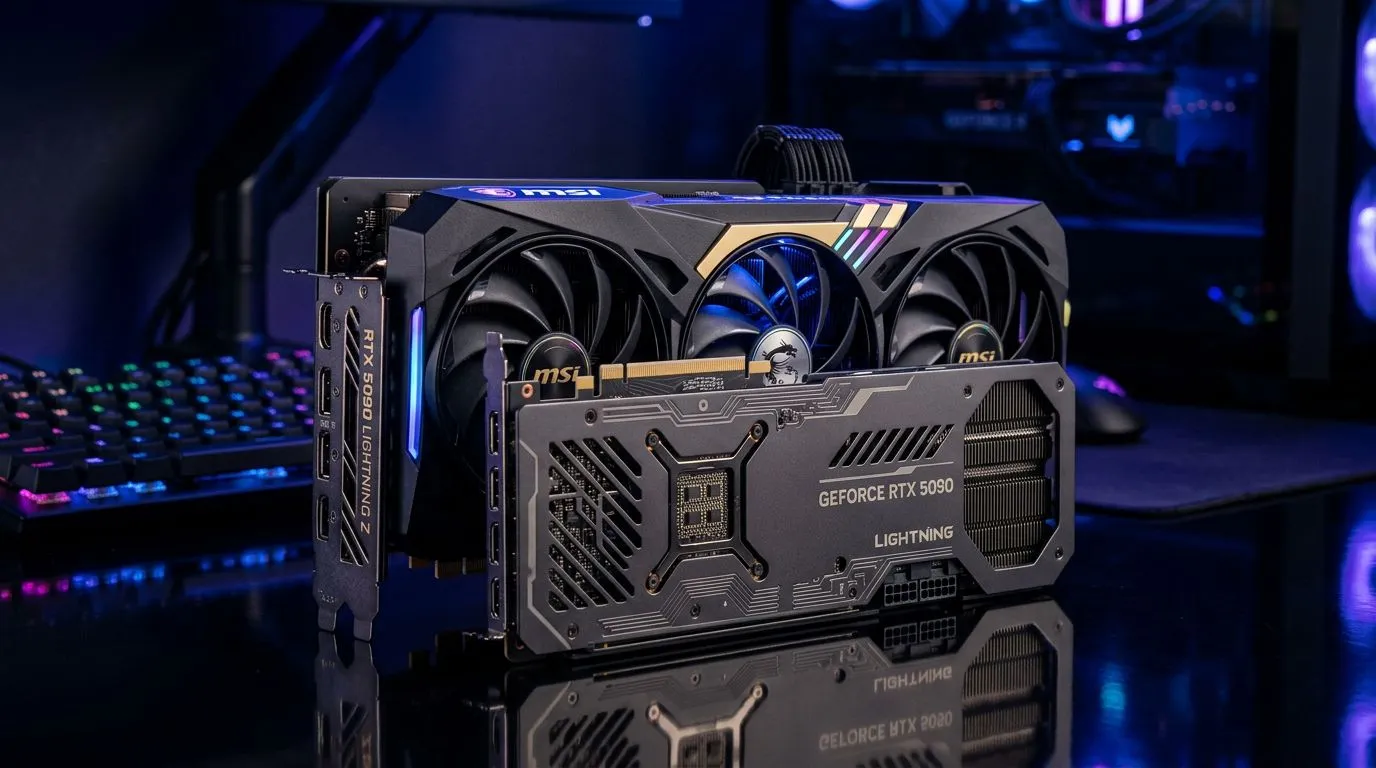
Do You Need a PCIe Gen 5 Motherboard for the RTX 5090? What South African gamers should know first
If you’re planning an RTX 5090 build, it’s easy to fall into the “future-proof everything” trap. After all, South Africa prices are not getting cheaper, and every upgrade needs to feel worth it. So… do you really need a PCIe Gen 5 motherboard for the RTX 5090, or can you save money and still get top performance?
Here’s the straight answer: for most gamers, a PCIe Gen 4 motherboard is usually not a performance bottleneck for a single graphics card. But there are still reasons to consider PCIe Gen 5… especially if you’re building for the long haul or adding faster storage later. 🔧⚡
PCIe Gen 5 motherboard requirements for the RTX 5090: the practical reality
PCIe (Peripheral Component Interconnect Express) is the lane system that connects your GPU to your CPU. Gen 5 doubles the bandwidth compared to Gen 4 on paper. In real-world gaming with a single high-end graphics card, the GPU almost never saturates PCIe Gen 4.
What that means for you in SA: if you’re buying an RTX 5090 for 1440p or 4K gaming, the performance difference between PCIe Gen 4 and Gen 5 motherboards is typically small or hard to notice, depending on the exact workload. The bigger wins usually come from:
- CPU performance and game optimisation
- GPU power limits and cooling quality
- RAM speed and capacity
- Using the right SSD and avoiding storage bottlenecks
So, do you “need” PCIe Gen 5? If you’re buying a single GPU and you’re not constantly moving huge datasets across the bus, you usually don’t.
If you are someone who also wants Gen 5-ready expansion (or faster future GPUs), then Gen 5 can make sense as part of a broader upgrade path.
When PCIe Gen 5 actually matters (and when it doesn’t)
PCIe Gen 5 becomes more relevant when you’re using bandwidth-hungry PCIe devices such as:
- multiple high-speed NVMe drives (especially with CPU lane constraints)
- specialised workloads like 3D rendering and heavy data streaming
- future GPUs or add-in cards that may better exploit higher bandwidth
For pure gaming today, most builds will be dominated by GPU and CPU performance, not link bandwidth. 🚀✨
Upgrade Path Pro Tip ⚡
On a gaming PC, prioritise stability and cooling over chasing maximum bus numbers. If you’re choosing between a faster GPU and a pricier PCIe Gen 5 board, go GPU-first in most budgets. Then spend the savings on quality PSU headroom and proper airflow so your RTX 5090 runs at its best under load.
How to choose the right board without wasting money for an RTX 5090 build
Before you commit, check these items on the motherboard spec sheet and in the retailer listing:
1) PCIe slot layout and CPU lane support
Some boards have additional PCIe slots, but whether they run at full speed depends on the number of populated lanes. Look for:
- one full-length x16 slot intended for the GPU
- clear documentation on how lanes split if you add extra M.2 drives
If you already know your storage plan (for example, “one Gen 4 NVMe now, another later”), pick a board that won’t slow down your main NVMe when the second drive is installed.
2) M.2 configuration (this affects load times and workflow)
Even if your GPU link doesn’t need Gen 5, storage can still be a real “feel it” upgrade. A modern NVMe SSD can reduce in-game and application stutters, especially on large installs.
3) VRM quality and thermals
You want stable power delivery. A cheaper board might have adequate specs on paper, but VRM cooling matters when your system pulls sustained watts during gaming sessions.
4) Budget reality check in ZAR
In South Africa, the “best” upgrade is often the one you can afford immediately. If the PCIe Gen 5 board premium is steep, it’s usually smarter to put that ZAR into:
- a stronger CPU tier
- a better-quality cooling solution
- more RAM (or faster RAM if your platform supports it well)
Links to explore NVIDIA graphics cards and pricing options on Evetech:
- If you’re shopping MSI options for your next GPU, browse the MSI range here: NVIDIA & ATI graphics cards by MSI
- Prefer Radeon options as a comparison point? Check out: Radeon Graphics Cards
- Want to compare across brands and find what fits your budget? Explore: NVIDIA & ATI graphics cards
- If you’re staying firmly with GeForce, start here: GeForce Graphics Cards
The decision guide: should you buy PCIe Gen 5 for RTX 5090?
Use this quick checklist:
- You’re building mainly for gaming (single GPU): PCIe Gen 4 is typically enough. Spend on the parts that impact FPS and smoothness.
- You want a long-term platform and plan multiple high-speed drives or future expansion: PCIe Gen 5 can be a smarter foundation.
- You’re doing creator work (streaming, rendering, heavy data pipelines): bandwidth can help more depending on your workflow, especially if you’re using additional PCIe devices.
If your current plan is “buy today, upgrade later,” you’ll usually get better results by buying the GPU and CPU you want now, then planning the next platform refresh based on prices and availability.
Quick buying checklist before you order from Evetech 🔧
Before checkout, confirm:
- Your GPU uses a physical x16 slot (it will)
- Your motherboard supports the CPU you’re pairing with it
- The board’s M.2 slots and cooling suit your SSD plan
- Your PSU meets the GPU requirements (don’t undersize it)
If you want help choosing a setup that matches your budget in ZAR, it’s worth getting the right guidance early. A few minutes now can save hours of troubleshooting later. 🙂
Ready to Find Your Perfect Match? The Mac vs Windows debate is complex, but for maximum power, choice, and value in South Africa, Windows is hard to beat. Explore our massive range of laptop specials and find the perfect machine to conquer your world.











