

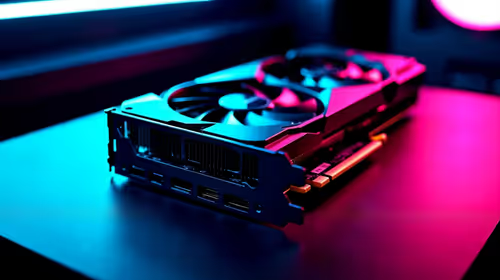
Should You Upgrade to the RX 7600 from a RTX 4090?
Should You Upgrade to the RX 7600 from a RTX 4090 Detailed answer with SA data, expert analysis & practical recommendations for local buyers.
Read moreNVMe SSD for laptop upgrade? 🚀 Learn what matters most—speed, capacity, heat, and compatibility—so you can pick a fast drive that boosts everyday performance.

Is your laptop taking ages to boot up while your squad is already in the lobby? You do not need to drop forty thousand ZAR on a brand-new rig just yet. A simple NVMe SSD for laptop upgrade can breathe fresh life into your machine. If you want lightning-fast load times and smooth multitasking, swapping out your old drive is the smartest move you can make.
Old hard drives and standard SATA SSDs simply cannot keep up with modern demands. NVMe technology uses the PCIe lanes on your motherboard... meaning it transfers data at blistering speeds. A Gen3 drive generally maxes out around 3500MB/s. A Gen4 drive can push past 7000MB/s. That is a massive leap in overall system responsiveness. Whether you are rendering 4K video or dropping into Warzone, you want those assets loading instantly. To get started, you can explore a wide variety of solid state drives to see what fits your current budget.
Before you buy anything, check your laptop manual. Most modern notebooks use the M.2 2280 form factor. You also need to confirm which PCIe generation your motherboard supports. Plugging a Gen4 drive into a Gen3 slot works... but it limits your speeds to Gen3 limits. Do not pay for speed you cannot use.
Always open your laptop back panel or check the manufacturer spec sheet before buying. Some thin-and-light laptops solder the storage directly to the board, meaning you cannot upgrade it at all.
Modern games are massive these days. A single AAA title can easily eat up over 100GB. If you only use your laptop for basic web browsing, 500GB might suffice. However, gamers and creators should aim much higher. With massive updates rolling out constantly, 1TB is quickly becoming the bare minimum. Upgrading to a 2TB high-capacity SSD ensures you never have to uninstall your favourite games just to try a new one.
Not all drives are built the same. You want storage that offers high read and write speeds alongside excellent endurance. South African tech buyers have brilliant options right now. For budget-friendly performance, ADATA NVMe drives offer incredible value for your ZAR. If you want tried-and-tested reliability that fits into almost any system perfectly, Kingston storage solutions are incredibly popular. Finally, if you are building a high-end mobile workstation and demand peak thermal performance, CORSAIR high-speed SSDs deliver top-tier speeds. 🚀
Swapping your drive is much easier than you think. You just need a small screwdriver and a USB drive with Windows installation media. Remember to back up your important files to the cloud or an external drive before making the swap. Once the new NVMe SSD is seated and screwed in... you just reinstall Windows and enjoy the speed. ✨
Ready to Supercharge Your Laptop? Do not let slow storage hold back your gaming or productivity. Upgrading is the most cost-effective way to optimise performance in South Africa. Explore our massive range of NVMe SSDs and find the perfect drive to conquer your world.
The best NVMe SSD for laptop upgrade is one that matches your laptop's M.2 support, offers strong read/write speed, and fits your budget.
A PCIe Gen 4 SSD is worth it if your laptop supports it. If not, a Gen 3 drive may deliver the same real-world performance.
For most users, 1TB is the sweet spot. It gives enough space for apps, games, and files without costing as much as larger drives.
Yes, but mostly for boot times, app loading, and file transfers. Real-world gains depend on your workload, not just peak speed.
Check your laptop manual or specs for M.2 size, PCIe generation, and whether it supports NVMe or only SATA M.2 drives.
Most laptops have limited space, so a heatsink is usually not practical. Focus on a drive with efficient thermals and low power draw.
Yes, a high-speed SSD can reduce load times and improve game installs, but GPU and CPU still affect overall gaming performance.
Should You Upgrade to the RX 7600 from a RTX 4090 Detailed answer with SA data, expert analysis & practical recommendations for local buyers.
Read more
When Will the RTX 6090 Launch in South Africa Detailed answer with SA data, expert analysis & practical recommendations for local buyers.

Top Valorant Settings for RTX 5070: FPS Optimisation picks evaluated on performance, value & SA availability with current Rand pricing from Evetech.

RDNA 3.5 Graphics in Ryzen AI 400? Can You Game. Plain-English explanation of what it means, why it matters & how it affects your buying decisions in SA.

GPU Price Index : December Report. Current stock data & price tracking for SA buyers. See what is available and where prices are heading.

Core i5-14600K + B760 + RTX 5060 Build Under. Full parts list, Rand pricing & expected performance. Build confidently with SA-available components.

RX 7600 Apex Legends at 4K: FPS Benchmark. Real-world benchmark data, FPS numbers & performance analysis. What SA gamers can actually expect.

RX 7900 XTX GTA 6 at 4K: FPS Benchmark & Optimal. Real-world benchmark data, FPS numbers & performance analysis. What SA gamers can actually expect.

Head-to-head comparison of RTX 5070 vs RX 9070 XT: Gaming Performance for SA gamers. Performance benchmarks, Rand pricing & which delivers better value.

GPU Setup Guide Gamers. Clear setup instructions with SA-specific considerations, troubleshooting tips & recommended components.

Top RTX 5090 Under R12000 picks evaluated on performance, value & SA availability with current Rand pricing from Evetech.

Call of Duty Warzone 2 Settings on RX 7600. Real-world benchmark data, FPS numbers & performance analysis. What SA gamers can actually expect.

GTA 6 Settings on RTX 5070 Ti: Performance. Real-world benchmark data, FPS numbers & performance analysis. What SA gamers can actually expect.