

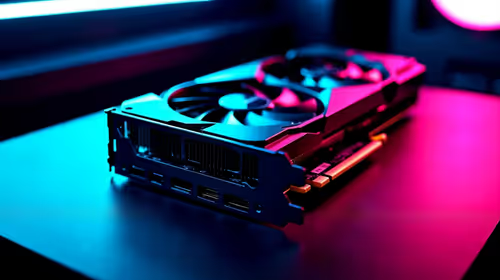
Should You Upgrade to the RX 7600 from a RTX 4090?
Should You Upgrade to the RX 7600 from a RTX 4090 Detailed answer with SA data, expert analysis & practical recommendations for local buyers.
Read moreNVMe SSD upgrade strategies can speed up laptops and desktops for South African students and remote workers 🚀 Learn what to buy, how much storage you need, and how to upgrade without overspending.

Waiting for your laptop to boot while load shedding threatens your remaining battery life is a uniquely South African stress. Whether you are compiling code for varsity or crunching heavy spreadsheets for your boss, sluggish storage kills productivity. Implementing smart NVMe SSD upgrade strategies for South African students and remote workers can breathe new life into an aging machine... without draining your ZAR budget. ⚡
Time is money. When deadlines loom, every second your PC spends loading a heavy PDF or launching Microsoft Teams feels like an absolute eternity. Traditional hard drives simply cannot keep up with modern multitasking demands. Making the jump to reliable solid state drives is the most cost-effective way to boost your system responsiveness. NVMe technology bypasses the older SATA bottlenecks... delivering speeds up to ten times faster. This means your laptop boots up in seconds, letting you save crucial documents before the power cuts out.
Not all storage is created equal. Your specific daily needs will dictate your ideal upgrade path. If you are a student stretching a tight textbook bursary, looking into ADATA NVMe options offers brilliant value. They deliver snappy performance without breaking the bank. Similarly, Kingston drives are famous for their rock-solid reliability... perfect for keeping those crucial final-year assignments safe from digital corruption.
For remote workers handling heavy video editing, graphic design, or massive databases, investing in premium Corsair SSDs ensures sustained read and write speeds. High-end drives prevent thermal throttling during intense workloads. And if you are tired of juggling external hard drives to store recorded lectures, media assets, and work backups, upgrading straight to massive 2TB SSDs gives you the ultimate breathing room. 🚀
Before buying your new storage, always check your laptop or motherboard manual to confirm it supports M.2 NVMe PCIe drives. Some older budget laptops only support M.2 SATA, which will not physically fit or work with an NVMe drive.
South Africans know exactly how to stretch a Rand. An NVMe SSD upgrade strategy is not just about raw speed... it is about hardware longevity. A faster drive means less time waiting and far more time doing. Furthermore, because NVMe drives have absolutely no moving parts, they consume significantly less battery power than mechanical drives. That is a massive win when you are trying to squeeze out an extra hour of work during a stage four grid failure. ✨
Whether you are running complex virtual machines for an IT degree or simply need your Zoom calls to launch without freezing your entire system, the right storage makes all the difference. Instead of spending upwards of R15,000 on a brand new laptop, spending a fraction of that amount on a high-speed storage drive can make your current machine feel like it just came out of the box. It is the ultimate productivity hack for anyone working or studying remotely.
Ready to Supercharge Your Setup? Upgrading your storage is the smartest investment you can make for your daily productivity. Explore our massive range of solid state drives and find the perfect NVMe SSD to conquer your workload.
A 1TB budget NVMe SSD is often the best balance of speed, storage, and value for notes, apps, and projects.
Yes. An NVMe SSD cuts boot times, opens apps faster, and improves multitasking for remote work and study.
For most users, 500GB is the minimum, while 1TB is better if you keep large files, games, or course material.
If your laptop has an M.2 NVMe slot, yes. Check your model specs before buying a compatible drive.
NVMe SSDs are much faster than SATA SSDs, which makes them better for faster launches and smoother multitasking.
Compare capacity, warranty, read speed, and reliability. A trusted budget NVMe SSD should give strong everyday performance.
Not always. Many desktop and some laptop SSD upgrades are simple, but get help if your device is hard to open.
Should You Upgrade to the RX 7600 from a RTX 4090 Detailed answer with SA data, expert analysis & practical recommendations for local buyers.
Read more
When Will the RTX 6090 Launch in South Africa Detailed answer with SA data, expert analysis & practical recommendations for local buyers.

Top Valorant Settings for RTX 5070: FPS Optimisation picks evaluated on performance, value & SA availability with current Rand pricing from Evetech.

RDNA 3.5 Graphics in Ryzen AI 400? Can You Game. Plain-English explanation of what it means, why it matters & how it affects your buying decisions in SA.

GPU Price Index : December Report. Current stock data & price tracking for SA buyers. See what is available and where prices are heading.

Core i5-14600K + B760 + RTX 5060 Build Under. Full parts list, Rand pricing & expected performance. Build confidently with SA-available components.

RX 7600 Apex Legends at 4K: FPS Benchmark. Real-world benchmark data, FPS numbers & performance analysis. What SA gamers can actually expect.

RX 7900 XTX GTA 6 at 4K: FPS Benchmark & Optimal. Real-world benchmark data, FPS numbers & performance analysis. What SA gamers can actually expect.

Head-to-head comparison of RTX 5070 vs RX 9070 XT: Gaming Performance for SA gamers. Performance benchmarks, Rand pricing & which delivers better value.

GPU Setup Guide Gamers. Clear setup instructions with SA-specific considerations, troubleshooting tips & recommended components.

Top RTX 5090 Under R12000 picks evaluated on performance, value & SA availability with current Rand pricing from Evetech.

Call of Duty Warzone 2 Settings on RX 7600. Real-world benchmark data, FPS numbers & performance analysis. What SA gamers can actually expect.

GTA 6 Settings on RTX 5070 Ti: Performance. Real-world benchmark data, FPS numbers & performance analysis. What SA gamers can actually expect.