

Fortnite Requirements: Do You Need Upgrade in GPU?
Fortnite Requirements: Do You Need Upgrade in GPU Detailed answer with SA data, expert analysis & practical recommendations for local buyers.
Read more- PCIe 4.0 NAS upgrade analysis - Compare NVMe cache vs extra networking - Check compatibility and performance - Buying and install checklist PCIe 4.0 NAS upgrade: decide whether NVMe caching or extra networking delivers faster access and throughput 🚀🔌
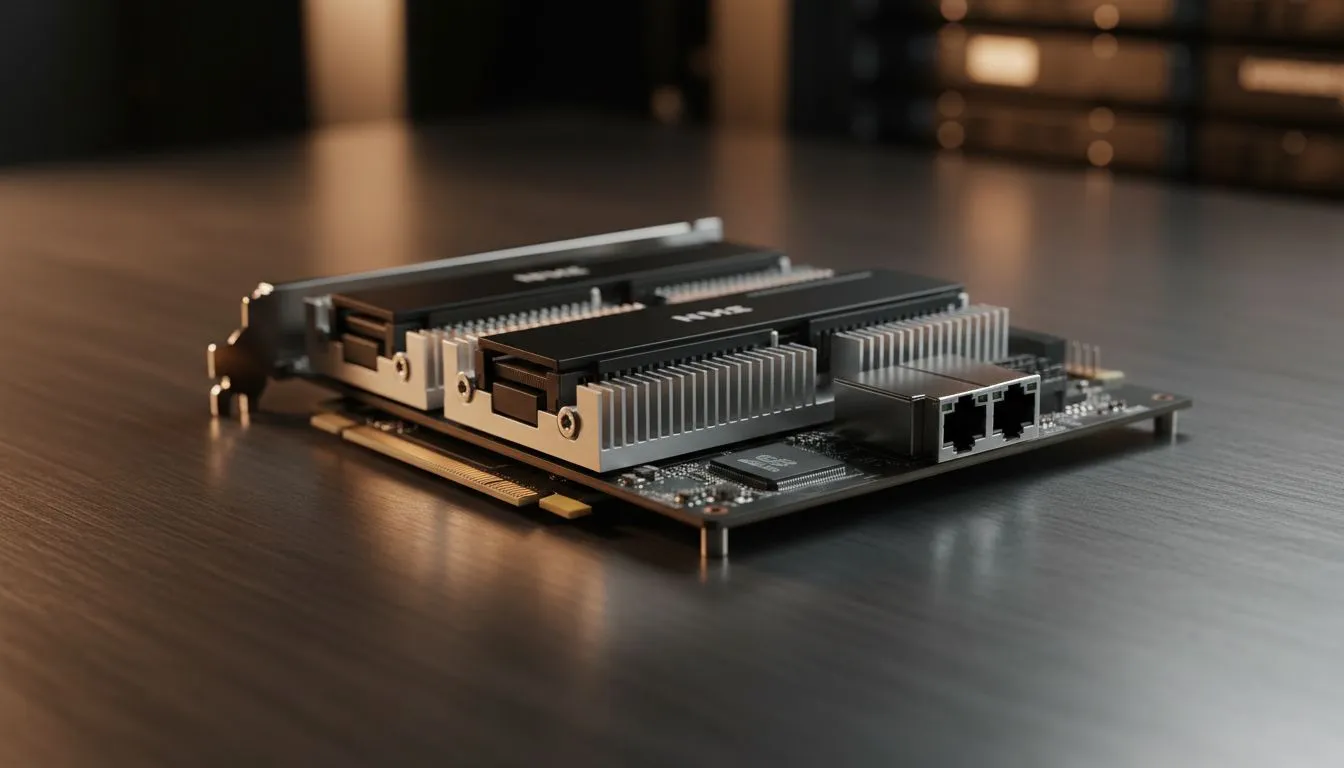
Staring at that empty PCIe 4.0 slot on your new NAS? It is a common South African dilemma. You want faster file transfers for your 4K edits... or perhaps smoother media streaming for the family. Choosing between lightning-fast NVMe caching and a high-speed networking card defines your home server experience. Let's break down which PCIe 4.0 NAS upgrade actually deserves your hard-earned Rands.
Adding NVMe drives to your system can significantly reduce latency. This is especially true for local creatives handling large video libraries... data that needs to be accessed instantly. When you opt for a PCIe 4.0 NAS upgrade focused on caching, you are telling the system to store frequently accessed files on ultra-fast flash memory.
This does not necessarily increase your sequential transfer speeds... that depends on your network. However, it makes the interface feel incredibly snappy. Small file operations become nearly instant. If you are starting your journey, picking up high-quality diskless NAS storage allows you to customise these internal components from day one. 🔧
What if your bottleneck is not the disks, but the cable? A PCIe 4.0 slot can easily handle a 10GbE or even a 25GbE network card. For South African gamers hosting dedicated servers, this is often the smarter route. High-speed networking ensures that multiple users can pull data simultaneously without a struggle. ⚡
In a market where high-speed fibre is becoming the norm in suburbs from Sandton to Umhlanga, your internal network needs to keep up. Brands like Orico offer various interface solutions that help bridge the gap between your server and your workstation. If you find your 1GbE connection is constantly maxed out at 110MB/s, a networking card is your priority. 🚀
Always check your NAS compatibility list before buying an NVMe drive for caching. Some systems are picky about drive endurance ratings. Choosing a drive with high Total Bytes Written (TBW) ensures your cache does not wear out prematurely under heavy read write cycles.
Deciding on your PCIe 4.0 NAS upgrade path depends on your daily habits. Do you deal with thousands of tiny files? Go for the NVMe cache. Do you move massive 100GB movie files or backups? The networking card wins every time.
Some modern Minis Forum hardware even allows for creative ways to implement high-speed storage in small footprints. Whatever you choose, ensure your local network switches can actually handle the extra speed. There is no point in a 10GbE card if your router is stuck in the last decade.
| Feature | NVMe Cache | 10GbE Networking |
|---|---|---|
| Primary Benefit | Lower Latency | Higher Throughput |
| Best For | Databases, Small Files | Large Media Transfers |
| Complexity | Plug and Play | Requires Switch Upgrade |
Ready to Supercharge Your Storage? Choosing the right upgrade can transform your digital life, whether you are a pro editor or a hardcore hoarder. Explore our massive range of diskless NAS storage and find the perfect hardware to build your ultimate home server today.
A PCIe 4.0 NAS upgrade lets you add NVMe cache or high-speed NICs to boost NAS throughput and lower latency with PCIe 4.0 NVMe cache or NICs.
Use NVMe cache to improve IOPS and latency for small files; add extra networking like 10GbE for higher multi-client throughput and bandwidth.
Verify your NAS PCIe slot version, lane count, firmware support and hot-swap constraints using a NAS PCIe compatibility guide before buying.
NVMe caching benefits for NAS include dramatic latency reduction and large IOPS gains for random workloads, often multiple times faster.
Yes, PCIe 4.0 supports 10GbE and 25GbE NICs; ensure lane allocation, switch support and proper drivers for a 10GbE PCIe 4.0 card for NAS.
Many NAS units require a PCIe 4.0 M.2 adapter or an adapter card to add NVMe cache; confirm form factor, cooling and BIOS support.
Choose high-endurance PCIe 4.0 NVMe drives with strong random IOPS and proven reliability—look for models labeled best PCIe 4.0 NVMe for NAS.
Fortnite Requirements: Do You Need Upgrade in GPU Detailed answer with SA data, expert analysis & practical recommendations for local buyers.
Read more
Top Valorant Settings for RTX 5070: FPS Optimisation picks evaluated on performance, value & SA availability with current Rand pricing from Evetech.

RDNA 3.5 Graphics in Ryzen AI 400? Can You Game. Plain-English explanation of what it means, why it matters & how it affects your buying decisions in SA.

GPU Price Index : December Report. Current stock data & price tracking for SA buyers. See what is available and where prices are heading.

RX 9070 XT Elden Ring Nightreign at 4K: FPS. Real-world benchmark data, FPS numbers & performance analysis. What SA gamers can actually expect.

Core i5-14600K + B760 + RTX 5060 Build Under. Full parts list, Rand pricing & expected performance. Build confidently with SA-available components.

RX 7600 Apex Legends at 4K: FPS Benchmark. Real-world benchmark data, FPS numbers & performance analysis. What SA gamers can actually expect.

RX 7900 XTX GTA 6 at 4K: FPS Benchmark & Optimal. Real-world benchmark data, FPS numbers & performance analysis. What SA gamers can actually expect.

Head-to-head comparison of RTX 5070 vs RX 9070 XT: Gaming Performance for SA gamers. Performance benchmarks, Rand pricing & which delivers better value.

Top RTX 5070 Under R25,000 picks evaluated on performance, value & SA availability with current Rand pricing from Evetech.
Core i5-14600K + B760 + RTX 5060 Build Under. Full parts list, Rand pricing & expected performance. Build confidently with SA-available components.

Top Monitor for RX 9070: Resolution & Refresh Rate picks evaluated on performance, value & SA availability with current Rand pricing from Evetech.

Valorant Settings on RX 9060 XT: Performance. Real-world benchmark data, FPS numbers & performance analysis. What SA gamers can actually expect.