

Should You Upgrade to the RX 7600 from a RTX 4090?
Should You Upgrade to the RX 7600 from a RTX 4090 Detailed answer with SA data, expert analysis & practical recommendations for local buyers.
Read more• Upgrade 4GB to 8GB RAM: check signs; • Explain benefits; • Quick checks; • Next steps ✅ Upgrade 4GB to 8GB RAM: Learn 10 clear signs your PC needs more memory and when an 8GB upgrade improves multitasking, app responsiveness, and gaming.
Is your PC feeling a bit… tired? That split-second stutter when you scope in, the agonising wait for Chrome to open another tab, the general sluggishness that makes you want to throw your mouse. In South Africa, where every second of power counts, a slow PC is extra frustrating. Before you consider a whole new rig, the culprit might be simpler than you think. Often, the jump from 4GB to 8GB RAM is the most affordable, high-impact upgrade you can make.
Think of RAM (Random Access Memory) as your computer's workbench. It's the super-fast, short-term memory it uses to juggle everything you're doing right now—your game, Discord, a few browser tabs, and your music player. With only 4GB of space, that workbench gets cluttered fast. Your PC is forced to shuffle data back and forth to your much slower main storage, causing those frustrating slowdowns. An upgrade from 4GB to 8GB RAM doubles your workspace instantly. 🚀
If you're nodding along, you probably already suspect your PC needs more memory. Here are the top ten tell-tale signs that your system is desperate for that 8GB boost.
Switching between your browser and a document shouldn't feel like wading through mud. If your PC groans every time you Alt+Tab, it's a classic sign your RAM is maxed out.
Modern websites are memory-hungry. If having more than 5-10 tabs open brings your system to a crawl or causes tabs to crash and reload, you definitely need more memory.
Are you experiencing sudden frame drops or freezes in games like Valorant, Fortnite, or Apex Legends, even on low settings? While your GPU is key, insufficient RAM can cause assets to load slowly, leading to jarring stutters that ruin your aim.
When an application freezes and your screen goes hazy, it's often because it ran out of available memory and your system can't cope. More RAM gives your apps the breathing room they need.
That long wait for Photoshop, your video editor, or even Microsoft Word to open is often your PC struggling to load the program's data into a cramped RAM space.
Press Ctrl+Shift+Esc to open the Windows Task Manager. Click on the "Performance" tab and then "Memory". If the usage is consistently sitting above 85-90% during normal use, it's a clear signal that your PC needs more memory. It's the most direct way to see the bottleneck in action!
In open-world games, have you ever seen textures on buildings or characters load in slowly right in front of you? This "pop-in" effect can be a symptom of your system not having enough RAM to hold all the necessary game assets.
You've just booted up, nothing major is running, yet everything feels sluggish. This indicates that your operating system and essential background processes are already consuming most of your 4GB of RAM.
Trying to open a big spreadsheet, a high-resolution photo, or a project file can be painfully slow. These files need to be loaded into RAM to be worked on, and 4GB just isn't enough.
While download speed is a factor, the installation process of a large Windows or game update requires significant memory. A lack of RAM can make these essential updates take much longer than they should.
Many new software titles and games now list 8GB of RAM as the minimum requirement. If you're stuck on 4GB, you're simply unable to run the latest and greatest software. This is one of the clearest signs you need an upgrade from 4GB to 8GB RAM.
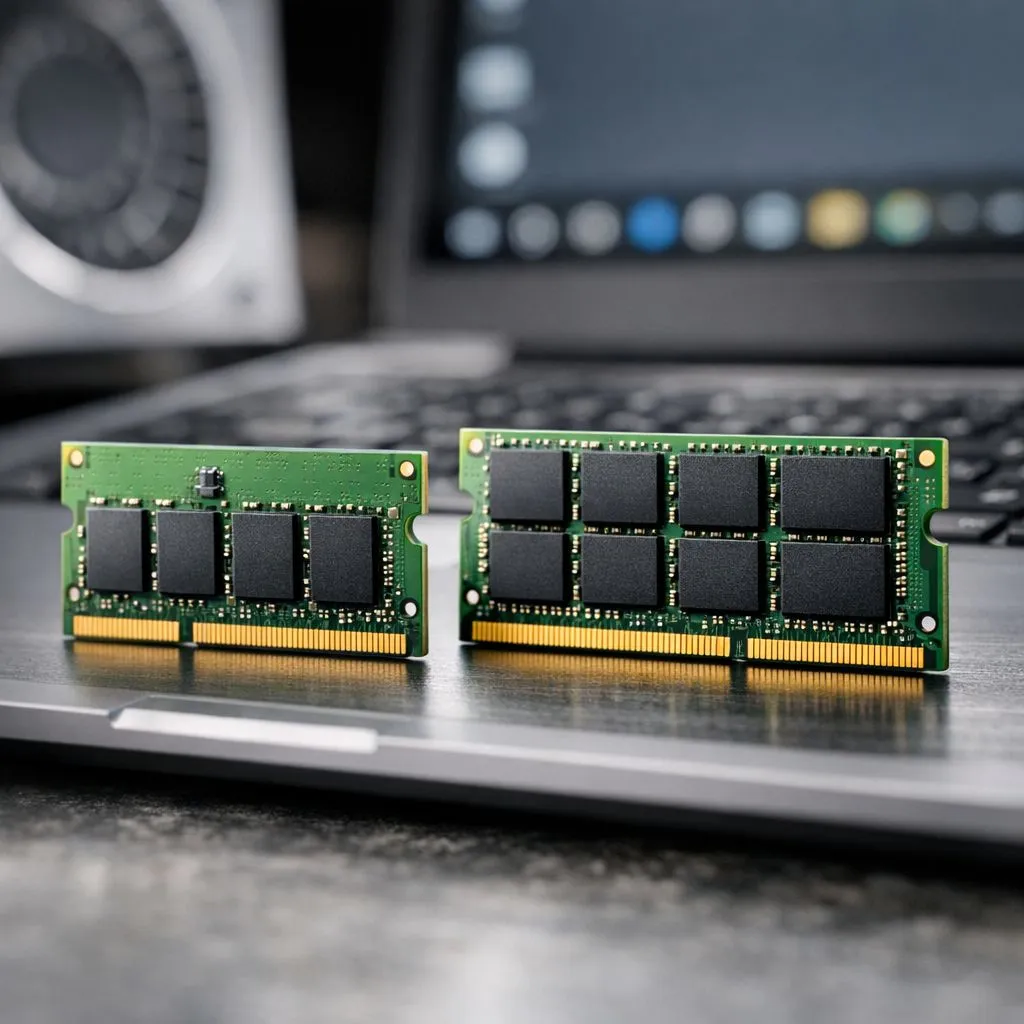
A RAM upgrade is one of the easiest DIY PC tasks! The main thing is to get the right type for your motherboard. Is your PC a few years old? It might still be using older DDR3 modules. Most systems from the last decade, however, will use the workhorse standard, affordable DDR4 RAM.
For those building a brand-new PC or on a cutting-edge platform, the latest DDR5 memory offers the best performance for the future. ✨ When choosing, stick to trusted brands like Kingston or check out high-performance ADATA kits to ensure stability and reliability for years to come.
Ready to Banish Lag for Good? An upgrade from 4GB to 8GB RAM is one of the most cost-effective ways to breathe new life into your PC in South Africa. Explore our massive range of RAM deals and find the perfect memory to conquer your tasks.
Frequent slowdowns, heavy browser RAM use, stuttering in games, swapping to disk, and poor multitasking are clear signs you should upgrade 4GB to 8GB RAM.
Yes—8GB reduces disk swapping and improves multitasking and app responsiveness, especially if your system currently uses a lot of memory.
Expect smoother browser tabs, faster app switching, and fewer freezes; real-world gains depend on tasks and background apps.
Yes—most modern games require more than 4GB. Upgrading to 8GB noticeably reduces stutter and loading slowdowns in many titles.
Open Task Manager or Activity Monitor to watch RAM use; sustained high usage and swapping indicate it's time to upgrade.
RAM helps with multitasking, but slow startups can also stem from HDDs or background programs. Upgrading to 8GB helps if memory was the bottleneck.
Match your motherboard specs: same DDR type and speed. Look for reliable brands and keep timings compatible for best results.
Should You Upgrade to the RX 7600 from a RTX 4090 Detailed answer with SA data, expert analysis & practical recommendations for local buyers.
Read more
When Will the RTX 6090 Launch in South Africa Detailed answer with SA data, expert analysis & practical recommendations for local buyers.

Top Valorant Settings for RTX 5070: FPS Optimisation picks evaluated on performance, value & SA availability with current Rand pricing from Evetech.

RDNA 3.5 Graphics in Ryzen AI 400? Can You Game. Plain-English explanation of what it means, why it matters & how it affects your buying decisions in SA.

GPU Price Index : December Report. Current stock data & price tracking for SA buyers. See what is available and where prices are heading.

Core i5-14600K + B760 + RTX 5060 Build Under. Full parts list, Rand pricing & expected performance. Build confidently with SA-available components.

RX 7600 Apex Legends at 4K: FPS Benchmark. Real-world benchmark data, FPS numbers & performance analysis. What SA gamers can actually expect.

RX 7900 XTX GTA 6 at 4K: FPS Benchmark & Optimal. Real-world benchmark data, FPS numbers & performance analysis. What SA gamers can actually expect.

Head-to-head comparison of RTX 5070 vs RX 9070 XT: Gaming Performance for SA gamers. Performance benchmarks, Rand pricing & which delivers better value.

GPU Setup Guide Gamers. Clear setup instructions with SA-specific considerations, troubleshooting tips & recommended components.

Top RTX 5090 Under R12000 picks evaluated on performance, value & SA availability with current Rand pricing from Evetech.

Call of Duty Warzone 2 Settings on RX 7600. Real-world benchmark data, FPS numbers & performance analysis. What SA gamers can actually expect.

GTA 6 Settings on RTX 5070 Ti: Performance. Real-world benchmark data, FPS numbers & performance analysis. What SA gamers can actually expect.