


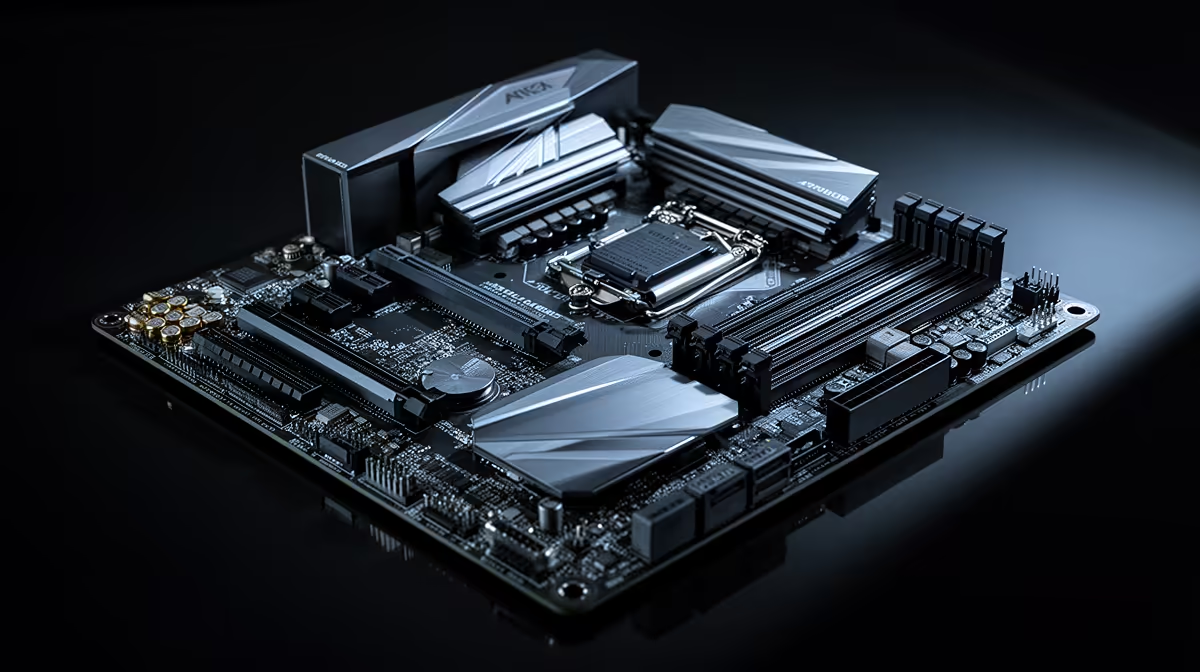
So, you’ve picked your CPU and GPU... the heavy hitters of your new PC build. But now you’re staring at a wall of motherboards, and one question is buzzing in your head: ATX vs Micro-ATX? It’s more than just size; this choice dictates your PC's future potential and how it fits into your space. Choosing the right motherboard size is the foundation of a great desk setup, ensuring you have the power you need without the clutter you don’t.
Understanding the ATX Standard: The Full-Featured Favourite
When you picture a classic gaming PC, you’re probably thinking of an ATX motherboard. As the long-standing industry standard, ATX (Advanced Technology eXtended) boards offer the most space and features, making them a favourite for enthusiasts and first-time builders alike. 🔧
The biggest advantage is real estate. An ATX board typically measures 305mm x 244mm, providing ample room for components. This means more PCIe slots for graphics cards, capture cards, or extra storage. You'll almost always find four RAM slots, robust power delivery for overclocking, and more fan headers. This extra space also makes building and cable management a breeze. For those eyeing a powerful rig with maximum upgrade potential, exploring the range of top-tier Intel motherboards is a great place to start.
Key Benefits of ATX:
- Maximum Expansion: More PCIe slots for multi-GPU setups or other expansion cards.
- Better Cooling: More space between components allows for better airflow and larger coolers.
- Easier to Build In: Plenty of room to work, connect cables, and install components without feeling cramped.
- More Features: Often includes more M.2 slots, SATA ports, and USB connectivity.
The Case for Micro-ATX: Compact and Capable
Don’t let the "micro" fool you. A Micro-ATX motherboard is a powerhouse in a smaller package. Measuring 244mm x 244mm, it shaves off some length, making it perfect for more compact PC cases that save precious desk space. In the past, going smaller meant big compromises, but modern Micro-ATX boards are incredibly capable. ✨
For the vast majority of South African gamers, a Micro-ATX board offers the perfect balance. You still get up to four RAM slots and a primary PCIe x16 slot for your graphics card. While you lose some extra PCIe slots, ask yourself: will you actually use them? If you’re planning a single-GPU build, Micro-ATX provides everything you need without the extra cost, making it a popular choice for many Ryzen builds found among our popular AMD motherboards.
Case Compatibility Check ⚡
Before you buy, always double-check your PC case's specifications. Most cases list their supported motherboard form factors (e.g., ATX, Micro-ATX, Mini-ITX). A Micro-ATX board will fit perfectly in a standard ATX case, but you can't fit a large ATX board into a smaller Micro-ATX case!
ATX vs Micro-ATX: A Quick Comparison
So, how do they stack up head-to-head? The decision between an ATX and Micro-ATX motherboard often comes down to three key factors: expansion, space, and budget.
- Size & Footprint: ATX is larger, requiring a mid-tower or full-tower case. Micro-ATX fits in smaller, more desk-friendly cases.
- Expansion Slots: ATX is the undisputed king here, offering up to seven PCIe slots. Micro-ATX typically has a maximum of four. This is the most significant functional difference.
- Price: Generally, a Micro-ATX board with a similar chipset will be slightly more affordable than its full-sized ATX counterpart. This makes them a fantastic option when looking for great value motherboards that don't skimp on core performance. 💰
Which Motherboard Size is Right for Your Build?
Ultimately, the best motherboard size is the one that fits your specific needs and desk setup. There's no single "better" option, only the right one for you.
Choose an ATX motherboard if:
- You are a hardcore enthusiast who wants maximum overclocking potential.
- You plan on using multiple graphics cards or need several other expansion cards.
- You have plenty of space and prefer an easier, more forgiving building experience.
Choose a Micro-ATX motherboard if:
- You want a powerful PC with a smaller, cleaner footprint on your desk.
- You are building a single-GPU system and don't need lots of extra slots.
- You're working with a specific budget and want to allocate more funds to your CPU or GPU.
The ATX vs Micro-ATX debate is all about matching the hardware to your ambition. By considering your future upgrade plans and your physical space, you can confidently choose the perfect foundation for your next gaming rig. 🚀
Ready to Build Your Foundation? The ATX vs Micro-ATX choice sets the stage for your entire PC build. For the best selection of motherboards and expert advice in South Africa, Evetech has you covered. Explore our massive range of motherboards and find the perfect board to power your world.











