Buy a laptop expecting to add memory later, then open it to find the RAM soldered or a connector you have never seen, and the upgrade plan dies on the spot. CAMM2 is the new laptop memory form factor changing that picture, and it looks nothing like the SO-DIMM stick that has been standard for years. Learning to read which one a laptop uses, before you buy, is how you avoid that nasty surprise.
Quick Answer
CAMM2 is a dense, flat memory module with 644 or 666 contacts that mounts near the CPU, completely different from the 262-pin DDR5 SO-DIMM stick that slots in at an angle. Check the spec sheet for "CAMM2" or "SO-DIMM" before buying, because the two are not interchangeable and they signal very different upgrade paths.
Two Form Factors, Two Different Shapes
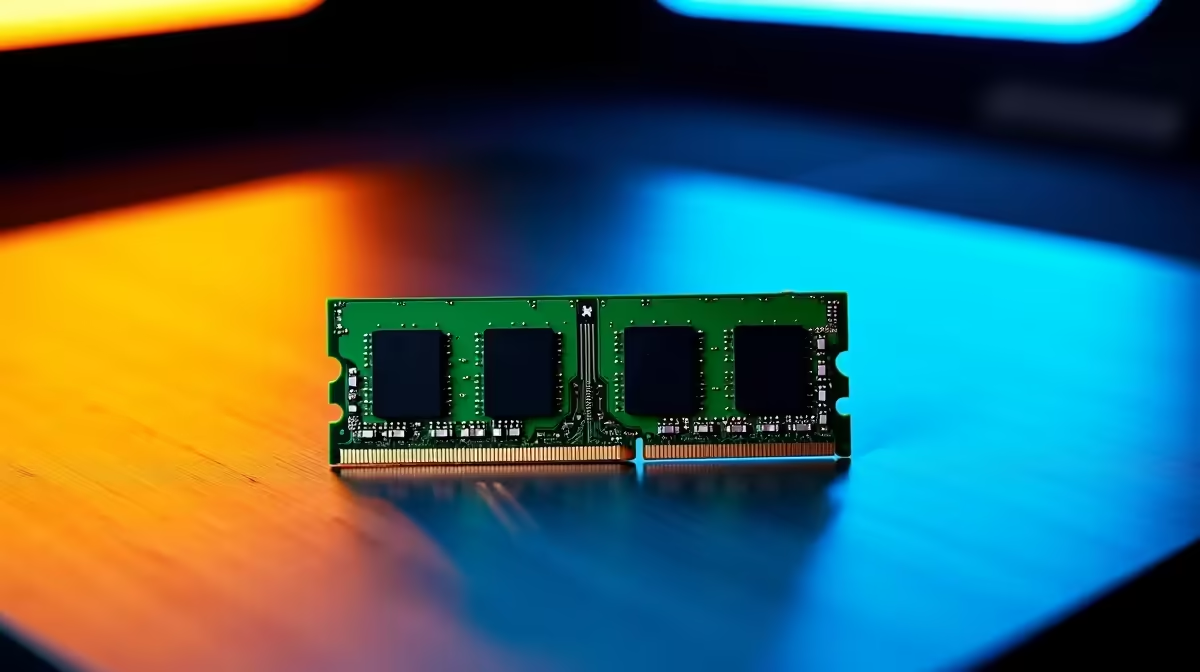
The traditional SO-DIMM is the familiar laptop memory stick: a small board with 262 pins for DDR5, inserted into a slot at an angle and clipped flat. It has been the standard for years and is easy to recognise and replace.
CAMM2 takes a different approach entirely. It is a wide, flat module that lies against the motherboard and is held down by screws rather than clips, with a dense connector carrying 644 or 666 contacts depending on the configuration. The shape, the mounting and the contact count are all distinct, so once you have seen both, telling them apart is straightforward.
Why The Difference Matters Before You Buy
The form factor affects two things you care about: whether you can upgrade, and how the memory behaves. SO-DIMM laptops typically let you swap or add sticks yourself, which is the cheap, easy upgrade most people assume they will have. A CAMM2 design may be upgradeable too, but it is a different physical part, so you cannot assume a spare SO-DIMM stick will fit a CAMM2 machine or the reverse.
Reading the spec sheet up front means you know what you are buying into. If long-term upgradeability matters to you, confirming the memory type and whether the module is replaceable saves you from discovering the limitation after the warranty seal is broken.
How To Tell What Is Inside A Laptop
You rarely need to open the case. The information is usually on the spec sheet if you know the terms to look for.
- Check the memory line on the product page or datasheet for the words "CAMM2" or "SO-DIMM".
- Look at the pin or contact count: 262-pin points to a DDR5 SO-DIMM, while 644 or 666 contacts points to CAMM2.
- Note any mention of "soldered" or "on-board" memory, which means no upgrade regardless of form factor.
- If the listing is vague, the manufacturer's official specifications or a teardown for that exact model will confirm it.
Matching the right DDR5 memory from Evetech to your machine starts with knowing which of these your laptop actually accepts.
What This Means For Your Next Upgrade
If a laptop uses SO-DIMM, your upgrade path is the familiar one: buy a compatible DDR5 stick and fit it. If it uses CAMM2, you buy the matching CAMM2 module, and if the memory is soldered, your only real lever is choosing enough capacity at purchase time. The practical lesson is to decide your memory needs before you buy, because retrofitting is far easier on some designs than others. Comparing options among the best-selling memory at Evetech is simpler once you know which form factor you are shopping for.
Frequently Asked Questions
Is CAMM2 better than SO-DIMM?
CAMM2 is a newer, denser design that mounts flat near the CPU and can support higher capacities and speeds in a thin chassis. Whether it is "better" for you depends on the laptop; the key practical point is that the two are different parts and not interchangeable.
How do I know if my laptop uses CAMM2 or SO-DIMM?
Check the spec sheet for the words "CAMM2" or "SO-DIMM", or the contact count: 262-pin means a DDR5 SO-DIMM, while 644 or 666 contacts means CAMM2. The manufacturer's official specifications confirm it without opening the case.
Can I put a SO-DIMM stick into a CAMM2 laptop?
No. They are physically different modules with different connectors and contact counts, so a SO-DIMM stick will not fit a CAMM2 slot and the reverse is also true. Buy the form factor your laptop is designed for.
Does CAMM2 mean the memory is upgradeable?
Sometimes. CAMM2 is a replaceable module in many designs, but some laptops solder memory regardless of standard. Look for any mention of "soldered" or "on-board" on the spec sheet, since that means you choose capacity at purchase and cannot upgrade later.
Know your laptop's memory form factor before you spend, then upgrade with confidence. Browse the DDR5 memory range at Evetech to find the right module for your machine.