


It’s 34°C in Jozi, the power just kicked back on after Stage 4 load shedding, and you’re dropping into the final circle. Suddenly, your PC’s fans scream, your frames drop, and you lose the match. Sound familiar? That’s your processor throttling under the brutal South African heat, begging for one of the best CPU coolers for South Africa you can get. The stock cooler that came with your CPU just isn't built for our climate. Let's fix that.
The Stock Cooler Struggle: Why It Can’t Handle the Heat
Every processor from Intel and AMD (except for high-end models) comes with a basic "stock" cooler. It's a freebie designed to do the bare minimum: keep your CPU from overheating under normal, everyday use. But gaming, rendering, or even just a hot summer's day in Durban isn't "normal use."
In South Africa, stock coolers often lead to:
- Thermal Throttling: Your CPU intentionally slows itself down to avoid heat damage, killing your performance when you need it most.
- Loud Noise: The small fan has to spin incredibly fast to cope, turning your gaming rig into a mini jet engine. ✈️
- Reduced Lifespan: Constant high temperatures can shorten the life of your precious processor.
For any serious PC user in SA, relying on a stock cooler is a massive performance bottleneck. The good news is that upgrading your PC's cooling is one of the most effective and affordable upgrades you can make.
Aftermarket Coolers: Your PC's Best Friend in a Heatwave
When it comes to finding the best CPU coolers for our unique conditions, you have two main choices: traditional air coolers or modern All-in-One (AIO) liquid coolers. Both are a massive leap from stock, but they excel in different areas.
The Air Cooler Advantage: Reliable & Robust
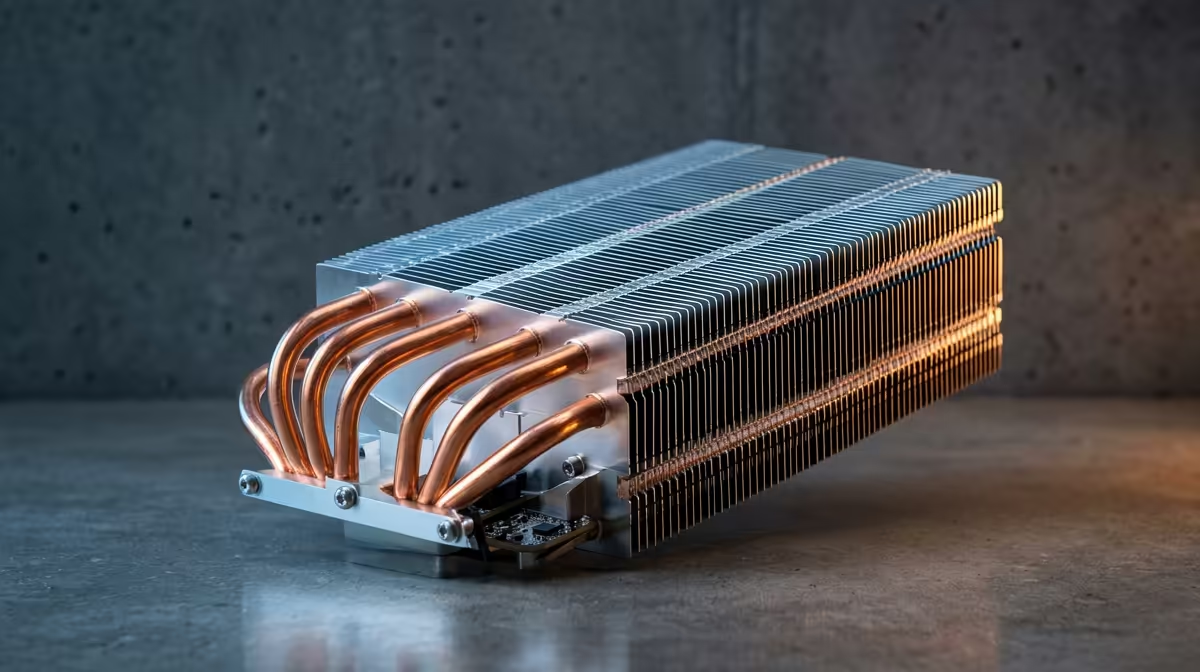
Don't let their simple design fool you. A modern tower air cooler consists of a large heatsink with copper heat pipes and one or two fans. They are incredibly efficient at drawing heat away from the CPU and dissipating it. For most South African gamers, a quality air cooler offers the perfect balance of performance, price, and reliability. There are no moving parts besides the fan, meaning less can go wrong.
They are the workhorses of PC cooling, and you can find many powerful and quiet CPU air coolers that can even outperform some entry-level liquid coolers for a fraction of the price.
The AIO Liquid Cooler Edge: Peak Performance & Aesthetics ✨
If you're pushing a high-end CPU like an Intel Core i9 or AMD Ryzen 9, or you simply want the cleanest look for your build, an AIO is the way to go. These sealed systems use a pump to circulate liquid between a block on your CPU and a radiator, offering superior thermal capacity. This makes All-in-One (AIO) liquid coolers the best choice for overclocking and taming the hottest chips on the market, ensuring stable performance during even the most intense gaming sessions.
Don't Forget the Paste! 🔧
installing any new cooler, applying fresh thermal paste is non-negotiable. A pea-sized dot in the centre of the CPU is all you need. Using a high-quality paste ensures the best possible heat transfer between your CPU and the cooler's baseplate. It's a small detail that makes a big difference, so browse our [quality thermal solutions](https: www.evetech.co.za PC-Components thermal-solutions-402.aspx) to get the job done right.
Choosing the Best CPU Cooler for Your South African Rig
So, which one is for you? It boils down to three things: your CPU, your case, and your budget.
- Your CPU: A Ryzen 5 or Core i5 will be perfectly happy with a good mid-range air cooler. If you have a Ryzen 7/9 or Core i7/i9, an AIO liquid cooler is a wise investment to unlock its full potential.
- Your Case: Check your PC case specifications for "CPU cooler clearance height" (for air coolers) and "radiator support" (for AIOs). Make sure your chosen cooler will actually fit!
- Your Budget: Air coolers generally offer better performance-per-Rand. However, with frequent sales, you can often grab a fantastic AIO without breaking the bank. Always check what's on offer when finding the best CPU cooler deals.
Ultimately, any aftermarket cooler is a significant upgrade over stock for a PC in South Africa. It's an investment in performance, stability, and peace of mind. 🚀
Ready to Beat the Heat? Stop letting thermal throttling ruin your game. An aftermarket cooler is the key to unlocking consistent performance, even on the hottest days. Explore our massive range of CPU Coolers and find the perfect match to keep your rig cool and quiet.











