Best Editing PC Under R30000: SA Benchmark & Build Guide
Find the best editing PC under R30000 with our expert benchmarks! We test and review top builds for video and photo editing in South Africa, helping you find the perfect balance of CPU, GPU, and RAM for a powerful, budget-friendly workstation. Get pro performance without the pro price tag. 💻✨
|
Loading tags...
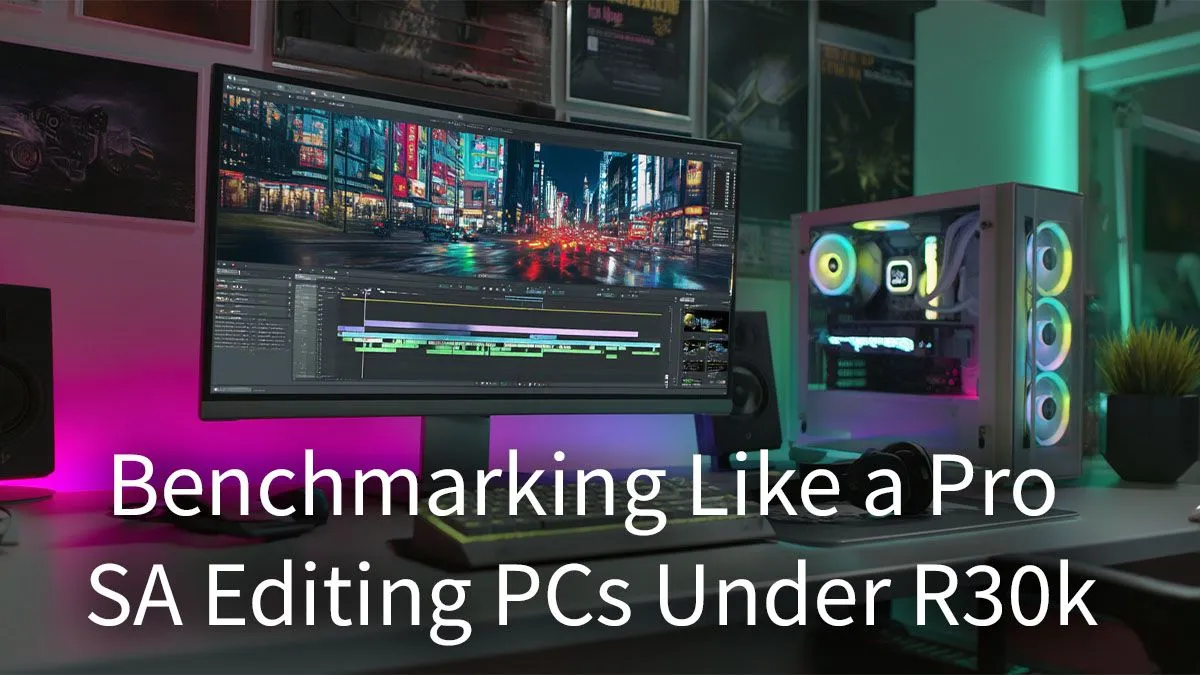
Staring at a render bar that moves slower than rush hour traffic on the N1? For South African creators, a laggy timeline isn't just annoying… it's a deadline killer. The good news? You don't need to break the bank for a smooth 4K editing experience. An expertly configured editing PC under R30,000 is the ultimate sweet spot, blending serious power with smart value. Let’s spec out your new creative powerhouse. 🚀
Core Components for Your Editing PC Under R30,000
Building a powerful creative machine is all about balance. Pushing your budget too far in one area, like the graphics card, can create bottlenecks elsewhere. For the best editing PC under R30,000, your mission is to allocate funds smartly across four key areas.
The Processor (CPU): The Brain of the Operation
For video editing, the CPU does the heavy lifting during rendering and encoding. More cores and higher clock speeds mean faster exports. In the sub-R30k bracket, you're looking at stellar options like the AMD Ryzen 7 or Intel Core i7 series. These processors offer a fantastic multi-core performance that chews through timelines in DaVinci Resolve or Adobe Premiere Pro.
Memory (RAM): Your Creative Workspace
Think of RAM as your desk space. 16GB is the absolute minimum, but 32GB is the real sweet spot for 4K editing, motion graphics, and multitasking. With 32GB of fast DDR4 or DDR5 RAM, you can run Premiere Pro, After Effects, and Photoshop simultaneously without your system grinding to a halt. It’s a non-negotiable for a smooth workflow.
Graphics Card (GPU): The Visual Accelerator
While the CPU is king, the GPU is critical for accelerating effects, colour grading, and providing a smooth playback experience in your timeline. An NVIDIA GeForce RTX 3060 or RTX 4060 offers excellent performance for its price, with dedicated hardware for encoding (NVENC) that can dramatically speed up your final exports. While many people look at budget gaming PCs for inspiration, an editing rig prioritises VRAM and stability slightly differently.
Storage (SSD): The Need for Speed ⚡
Your storage speed directly impacts how quickly your OS boots, apps load, and footage is read. A fast NVMe SSD is essential.
- OS/App Drive: A 500GB NVMe SSD for Windows and your creative suite.
- Project/Scratch Drive: A separate, fast 1TB NVMe SSD for your active project files, media cache, and scratch disks. This separation is key to a responsive system.
While it's tempting to look at cheaper options, a build in this price range offers a significant leap in performance over most PCs under R20k.
Our Benchmark R30k Video Editing Build Guide
So, what does a well-balanced editing PC build for under R30,000 actually look like? Here’s a benchmark configuration that delivers incredible performance for the price.
- CPU: AMD Ryzen 7 7700X or Intel Core i7-13700F
- Motherboard: A solid B650 (AMD) or B760 (Intel) board
- RAM: 32GB DDR5 5200MHz+ Kit
- GPU: NVIDIA GeForce RTX 4060 8GB
- Storage: 1TB PCIe 4.0 NVMe SSD (e.g., Kingston NV2, Crucial P3 Plus)
- Power Supply: 650W+ 80 Plus Bronze Rated PSU
- Case: A high-airflow chassis to keep things cool under pressure.
This combination provides a powerful, responsive foundation for any South African creator. You can find many systems with similar specs in our range of PCs above R20,000, professionally built and tested.
TIP FOR YOU
Workflow Pro Tip 🔧
For video editing, set your software's media cache and scratch disks to your fastest secondary NVMe SSD, not your main OS drive. This simple change prevents system and application files from competing for bandwidth with your high-bitrate footage, leading to a much smoother timeline scrubbing and playback experience.
Gaming PC vs. Editing PC: Is There a Difference?
You'll often see powerful gaming rigs advertised with beefy specs. Can they double as an editing PC? Absolutely! The core components that deliver high frame rates in games—a strong CPU, a powerful GPU, and fast RAM—are the same ones that accelerate a creative workflow.
Many of the best gaming PC deals make for phenomenal editing workstations right out of the box. The main difference is priority: a pure editing build might invest more in RAM (32GB+) and CPU cores, while a gaming PC might prioritise a slightly faster GPU for higher resolutions. For most creator-gamers, the lines are beautifully blurred. ✨
The Pre-Built Advantage: Skip the Hassle, Start Creating
Building a PC is a rewarding experience, but it takes time, research, and carries the risk of troubleshooting incompatible parts. For busy professionals, time is money. Opting for one of our pre-built PC deals means you get a machine that's expertly assembled, cable-managed, and stress-tested by professionals. It arrives at your door ready to work, with a full system warranty for peace of mind. You can jump straight into your next project instead of spending a weekend building.
Ready to Find Your Perfect Match? Whether you're building a custom rig or want a stress-free solution, the right PC is waiting. For maximum power, choice, and value in South Africa, a professionally assembled PC is hard to beat. Explore our massive range of pre-built PC deals and find the perfect machine to conquer your creative world.
A strong build under R30k in South Africa should feature a modern 6 or 8-core CPU like an AMD Ryzen 5 or Intel Core i5, 32GB of RAM, a fast NVMe SSD, and a capable GPU.
Yes, 32GB of RAM is a great sweet spot for 4K video editing. It provides enough headroom for complex timelines and multitasking without breaking a budget under R30,000.
For a budget editing PC, look for a GPU with at least 8GB of VRAM. Cards like the NVIDIA GeForce RTX 3060 or 4060 offer excellent value and hardware acceleration.
Benchmark an editing PC using software like PugetBench for Premiere Pro or Cinebench. These tests measure real-world performance in rendering, playback, and export tasks.
Absolutely. A prebuilt editing PC from a reputable seller like Evetech ensures component compatibility and comes with a warranty, making it a great, hassle-free option.
Both are crucial, but the CPU often handles encoding and timeline performance, while the GPU accelerates effects and rendering. A balanced system is key for smooth video editing.
Related Articles