


Best AMD GPU Under R40000 in SA 2026
Top AMD GPU Under R40000 picks evaluated on performance, value & SA availability with current Rand pricing from Evetech.
Read moreTop Streaming Setup Under R10,000 picks evaluated on performance, value & SA availability with current Rand pricing from Evetech.
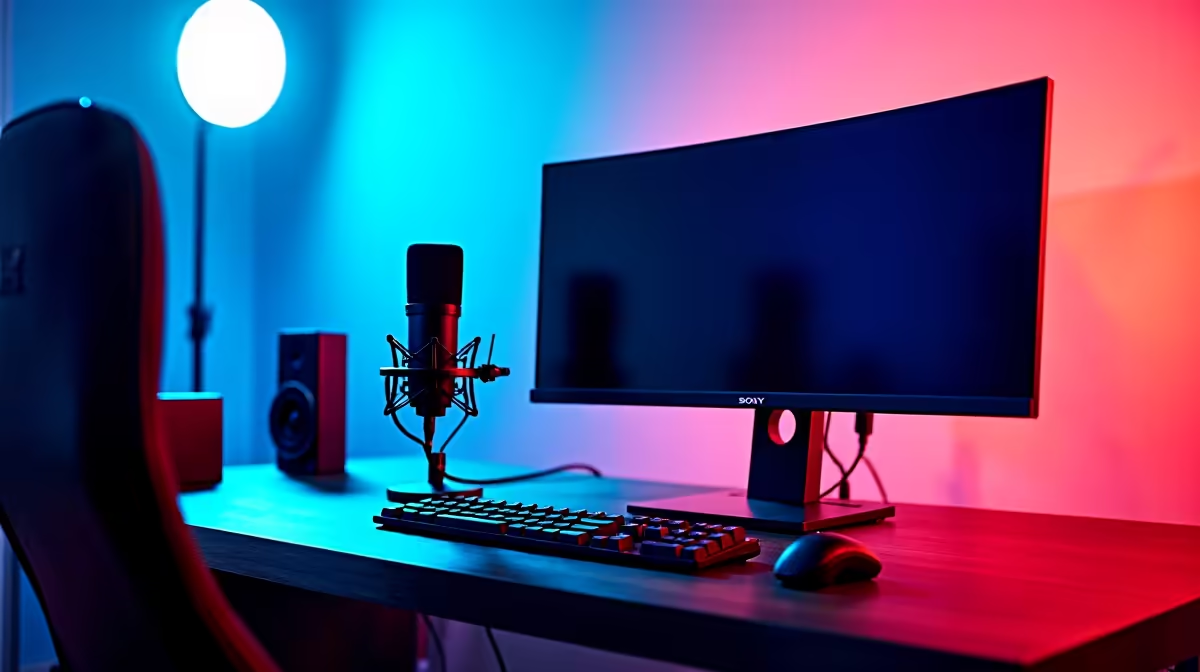
Building a streaming setup under R10,000 demands strategic prioritisation. Don't split budget equally across all components. Prioritise: microphone (40%), lighting (25%), camera (20%), software/miscellaneous (15%). This allocation ensures audio clarity and visual professionalism—the two elements viewers judge first. A budgeted R6,000 on microphone and acoustic treatment guarantees crisp dialogue; R2,500 on lighting prevents the "streamer in a dungeon" aesthetic plaguing amateur SA streamers; R1,500 on camera provides respectable 1080p60 quality.
Many streamers reverse this prioritisation, buying expensive webcams while using laptop microphones—catastrophic audio quality ruins otherwise visually decent streams. Avoid this mistake.
Allocate R4,000–5,000 here. Purchase a USB condenser microphone like the Audio-Technica AT2020USB+ (approximately R2,800 locally) or Samson Q2U (around R2,200). These deliver broadcast-quality audio without requiring XLR interface hardware, simplifying your setup considerably.
Skip gaming headsets entirely for streaming—their microphone capsules produce thin, tinny dialogue unsuitable for audience retention. USB microphones solve this without external audio interface complexity. Mount the microphone on an arm stand (R400–600, easily sourced from Evetech's streaming section) approximately 15cm from your mouth, positioned slightly off-axis to reduce plosives (harsh "P" and "B" sounds).
Pop filter (R80–120) proves essential—it reduces plosive energy before reaching the capsule, dramatically improving audio clarity. This single addition elevates perceived professionalism more than any other budget item.
Allocate R2,000–2,500. Two-pack 5600K LED panels (approximately R1,200–1,500 on local online retailers) provide colour-accurate, flicker-free key and fill lighting. Position one panel at 45 degrees to your left (key light) at 60cm distance, second panel opposite for fill light. This eliminates harsh shadows across your face—the primary culprit making amateur streams look unprofessional.
Avoid cheap incandescent bulbs (wrong colour temperature, excessive heat—problematic during SA summer). Cheap RGB lights also fail; streamers obsess over dynamic lighting, but viewers care about consistent facial visibility. Stick with neutral white 5600K panels.
Backlight (a third panel or clip-light behind you, R200–300 additional budget) separates you from your background, adding depth to your visual composition. Most SA streamers skip this; adding it immediately reads as professional.
Allocate R1,500–2,000. Skip expensive gaming-specific cameras. Instead, use a smartphone with 1080p60 capability mounted on a tripod arm (R200). Most modern SA smartphones from R3,000+ support 1080p60 video recording. Use your phone's camera with OBS Studio software (free, open-source) via USB connection. This delivers cleaner video than cheap webcams while leveraging hardware you already own.
Alternatively, if smartphone mounting feels awkward, the Logitech C920 (approximately R1,200–1,500 locally) provides 1080p30 video with reliable USB connectivity. It's not fancy, but it's reliable—Logitech drivers remain stable across Windows 11 updates.
Consider 720p streaming (instead of 1080p) to reduce bitrate requirements. SA internet (even VDSL) often struggles maintaining 1080p60 consistency; 720p60 at 4–5 Mbps proves more reliable and still appears crisp on Twitch thumbnails.
If budget allows (R1,000 remaining), invest in basic acoustic treatment: foam panels (R300–500) positioned behind and beside your microphone to absorb reflections. SA home environments (often tile/concrete) produce harsh reverb that cheap treatment dramatically improves. This costs less than fancy RGB lighting but delivers measurable audio improvement.
Skip external USB audio interfaces for now—your USB microphone handles audio I/O adequately. Audio interfaces become relevant only when upgrading to XLR microphones (R6,000+ territory).
OBS Studio (open-source, free) handles streaming without subscription costs. Configure these settings: Bitrate 3,500–4,500 Kbps for 720p60 (stable on 10 Mbps Vumatel or similar SA VDSL), CPU preset Fast/Medium (prioritise stability over encoder efficiency). Enable two-pass encoding if your CPU permits—this significantly improves visual quality at identical bitrate.
Create scene organization: one scene for gameplay, another for camera + webcam overlay, a third for intermission screens. This professionalism separates amateur from semi-professional streamers. Add chat overlays using StreamElements (free tier) to boost engagement—viewer interaction elevates retention metrics.
SA streamers often ignore microphone distance and gain settings. Position your USB microphone 15cm from mouth, then set gain such that peak levels hit -6dB during normal speech (not 0dB—headroom prevents distortion). This single adjustment eliminates the distorted audio plaguing 60% of SA hobbyist streams.
SA's infrastructure inconsistency (loadshedding, ISP throttling) impacts streaming reliability. Before committing to streaming, verify your ISP provides 10+ Mbps upload speed consistently. Use speedtest.net at different times daily; if upload fluctuates below 5 Mbps at any time, loadshedding or throttling affects you—stabilise this before investing in streaming equipment.
Consider a second internet connection (4G backup via phone hotspot, R200 monthly) for redundancy. If primary ISP drops during live stream, automatic failover prevents stream interruption—critical for maintaining viewership.
If R10,000 feels tight after component totaling, reduce camera quality to smartphone-only (saving R1,000–2,000) and reallocate to microphone and lighting. Viewers forgive pixel-level camera quality if audio and lighting are professional.
Upgrade path: once streaming gains traction, invest in XLR microphone upgrade (Shure SM7B, R4,000–5,000) with audio interface (R1,500–2,000). This tier represents professional podcaster/streamer territory—but don't venture there until consistent viewership justifies the expense.
Before streaming publicly, conduct test broadcasts to trusted community members. Record a local test stream in OBS, review for audio clarity, lip-sync accuracy, and visual brightness consistency. Make adjustments to gain, lighting angle, and camera position based on feedback. This iterative approach catches problems before public audiences discover them.
Ready to build your professional SA streaming setup? Explore microphones, lighting, and streaming equipment to launch your channel with impact. Browse Streaming Equipment.
Best Streaming Setup Under R10,000 in So available at Evetech.co.za with local warranty and fast delivery.
Best Streaming Setup Under R10,000 in So - check Evetech for latest stock and SA pricing.
Depends on your use case. Best Streaming Setup Under R10 offers good value at current Rand pricing.
Top AMD GPU Under R40000 picks evaluated on performance, value & SA availability with current Rand pricing from Evetech.
Read more
Top RTX 4090 Under R12000 () picks evaluated on performance, value & SA availability with current Rand pricing from Evetech.
Read more
Ryzen 5 5600X + B550 + RTX 4060 Build Under. Full parts list, Rand pricing & expected performance. Build confidently with SA-available components.
Read more
Ryzen 5 5600X + B550 + RTX 4060 Build Under. Full parts list, Rand pricing & expected performance. Build confidently with SA-available components.
Read more
Top AMD GPU Under R25000 picks evaluated on performance, value & SA availability with current Rand pricing from Evetech.
Read more
Top Crucial GPU Under R15000 picks evaluated on performance, value & SA availability with current Rand pricing from Evetech.
Read more
Can RTX 4080 Super Run AI Workloads for SA Developers Detailed answer with SA data, expert analysis & practical recommendations for local buyers.

Can RTX 4090 Run AI Workloads for SA Developers Detailed answer with SA data, expert analysis & practical recommendations for local buyers.

Top Settings for Intel Arc B580 at Ultrawide 1440p picks evaluated on performance, value & SA availability with current Rand pricing from Evetech.

RX 7600 Overclocking Guide: Safe OC Settings for. Real-world benchmark data, FPS numbers & performance analysis. What SA gamers can actually expect.

RTX 4060 CS2 Low Settings at 1080p: FPS Results. Real-world benchmark data, FPS numbers & performance analysis. What SA gamers can actually expect.

Visual Artifacts: Possible GPU Issue Issue #1. Diagnosis steps, proven fixes & when to seek professional help. SA-specific support info included.

Can the RTX 4090 Handle 1440p 144Hz Gaming. Performance testing verdict with real data & practical recommendations for SA buyers.

Top ASUS GPU Under R15000 picks evaluated on performance, value & SA availability with current Rand pricing from Evetech.

RTX 4060 Ti Throttling Under Load: Temperature. Everything you need to know with SA pricing, step-by-step instructions & expert recommendations.

Apex Legends Max Settings on RTX 4080. Tested & verified settings for best FPS and visual quality on SA hardware budgets.

GPU Buying Guide. Everything you need to know with SA pricing, step-by-step instructions & expert recommendations.

GPU Terms Guide. Everything you need to know with SA pricing, step-by-step instructions & expert recommendations.