

Quick Answer
For under R25,000 in South Africa, the best streaming setup pairs a Ryzen 7 7700X PC with an RTX 4060 Ti, 32GB DDR5, a Logitech C920 or Razer Kiyo X webcam, the Elgato Wave 3 or a Maono PD400X mic, and a basic streaming key light. That stack handles 1080p 60fps OBS streams to Twitch and YouTube with room to grow.
Sample Build Breakdown in ZAR
Here's a balanced streaming setup that fits R24,500 with current SA pricing:
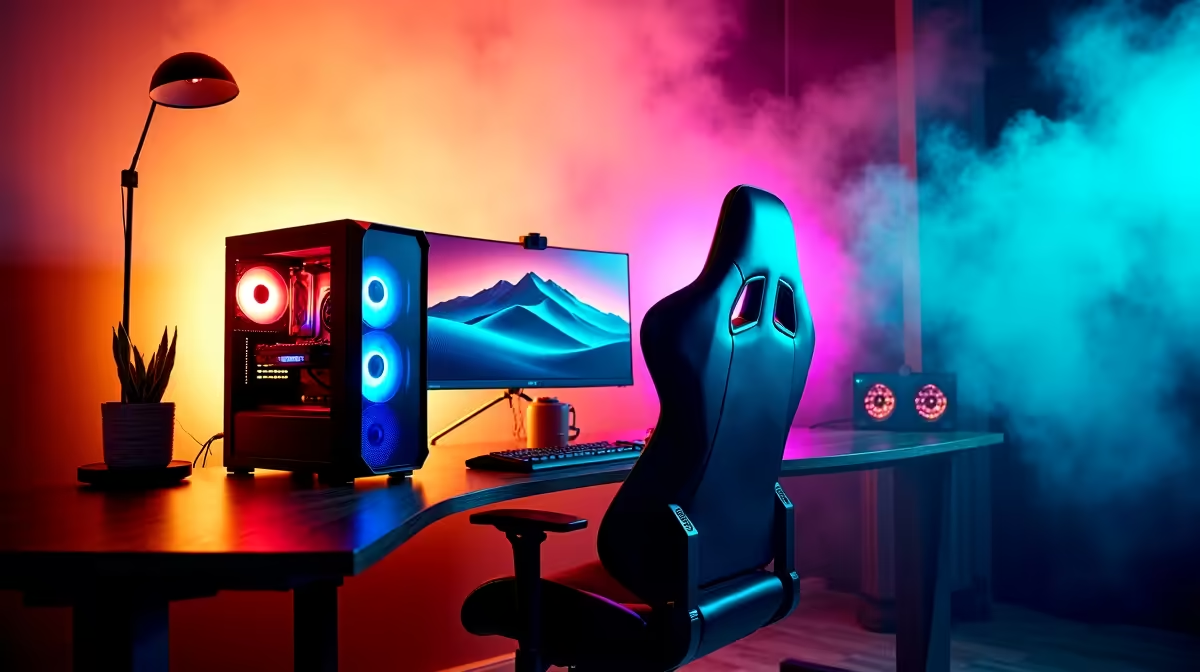
- PC: Ryzen 7 7700X plus RTX 4060 Ti 8GB plus 32GB DDR5 plus 1TB NVMe, around R18,499 as a complete tower
- Microphone: Maono PD400X dynamic USB/XLR mic, around R2,499
- Webcam: Razer Kiyo X 1080p 30fps, around R1,099
- Key light: NEEWER 12 inch ring light or Elgato Key Light Air, around R1,499
- Audio interface (optional): GoXLR Mini for live mixing, around R3,999, but skip on this budget
- Stream Deck: Elgato Stream Deck Mini, around R1,799
That comes in just under R25,000 with delivery, leaving small buffer for cables and a basic boom arm. SA delivery on the components above runs same-week through proper local channels.
Why the Ryzen 7 7700X Plus RTX 4060 Ti Combo Works
Streaming demands two things from your PC: enough cores to encode plus run your game, and a GPU with NVENC for hardware encoding. The Ryzen 7 7700X gives you 8 cores and 16 threads, more than enough to play Apex or Fortnite at 144 fps while OBS captures and overlays run smoothly. The RTX 4060 Ti's NVENC encoder offloads stream compression entirely from your CPU, freeing your CPU for gameplay logic. Combined, you can stream 1080p at 60fps with x264 medium settings or NVENC HEVC and still hit competitive frame rates. Step up to a 4070 Super and you unlock 1440p streaming and AV1 encoding for YouTube.
Audio Is Where Most New Streamers Lose Viewers
Viewers tolerate average video. They will not tolerate hissy, peaky, echo-ridden audio. The Maono PD400X is a dynamic mic, meaning it rejects room noise like fans, keyboards, and loadshedding generators outside, which makes it ideal for SA bedroom setups in flats and digs. Pair it with a desktop boom arm at around R600 and a basic foam pop filter. If you want quicker plug-and-play, the HyperX QuadCast S at around R3,299 is a USB-only condenser, easier setup but more sensitive to room noise. Avoid headset mics for any serious stream, viewers can tell within thirty seconds.
Lighting and Camera Realities
A R1,500 ring light or LED panel transforms how you look on camera more than upgrading the camera itself. SA bedroom lighting is usually warm yellow ceiling bulbs which look terrible on webcams. Add 5500K daylight LEDs or a key light angled at your face, and a R1,000 webcam suddenly looks like a R3,000 webcam. Camera-wise, the Razer Kiyo X or Logitech C920 are perfect starters at 1080p 30fps. Skip 4K webcams, Twitch and YouTube downscale anyway, and your bandwidth is the bottleneck. SA fibre at 50 to 100Mbps upload handles 6 to 8Mbps stream bitrate comfortably.
Software Setup and Day-One Streaming Checklist
Get OBS Studio running, configure your scenes (Starting Soon, Live, BRB, Ending), set your output to 1080p 60fps with NVENC HEVC at 6000 to 8000Kbps. Add a webcam source, add your microphone with a noise gate at minus 40dB and a noise suppression filter, add your game capture or display capture for the actual gameplay. Set up Twitch chat or YouTube chat overlay through StreamElements or StreamLabs Chatbot for free moderation. Test stream privately first, watch the recording back, fix audio levels and webcam framing before going public. Most first-time streamers go live with mic too quiet or game audio drowning out their voice, the recording test catches it.
Growing Beyond R25,000
When you're ready to scale, the upgrade order is usually: better mic and acoustic treatment first (R3,000 to R5,000), then a Stream Deck XL (R3,499) for live scene control, then a capture card if you add a console (R2,499 for an Elgato HD60 X), then better lighting with two-light setups (around R3,000 extra). Camera upgrades come last, a Sony ZV-1 or used DSLR via capture card transforms your image but costs R8,000 to R15,000 minimum. Audio compounds first, viewers always notice better sound before they notice better video.
Frequently Asked Questions
Can I stream on a single PC or do I need a dual-PC setup?
Single PC works fine at this budget. Dual-PC streaming is for top-tier streamers running 1440p 240fps and capturing pristine quality. With NVENC on an RTX 4060 Ti, your game runs at full speed while OBS uses negligible CPU. Don't overcomplicate.
What internet speed do I need to stream in SA?
Aim for at least 25Mbps upload for stable 1080p 60fps at 6Mbps stream bitrate. Most fibre packages now include 25 to 100Mbps upload, check yours before committing. If you're on LTE or 5G, run a Twitch test stream first, mobile networks throttle aggressively.
Is OBS Studio enough or do I need Streamlabs?
OBS Studio is free, lightweight, and perfectly capable for everything from first stream to partnered streamer. Streamlabs adds prettier overlays out of the box but uses more resources. Start with OBS, switch only if you have a specific reason.
Ready to Find Your Perfect Match? Build your streaming setup with vetted SA stock and proper warranty. Shop streaming PC and component deals











